

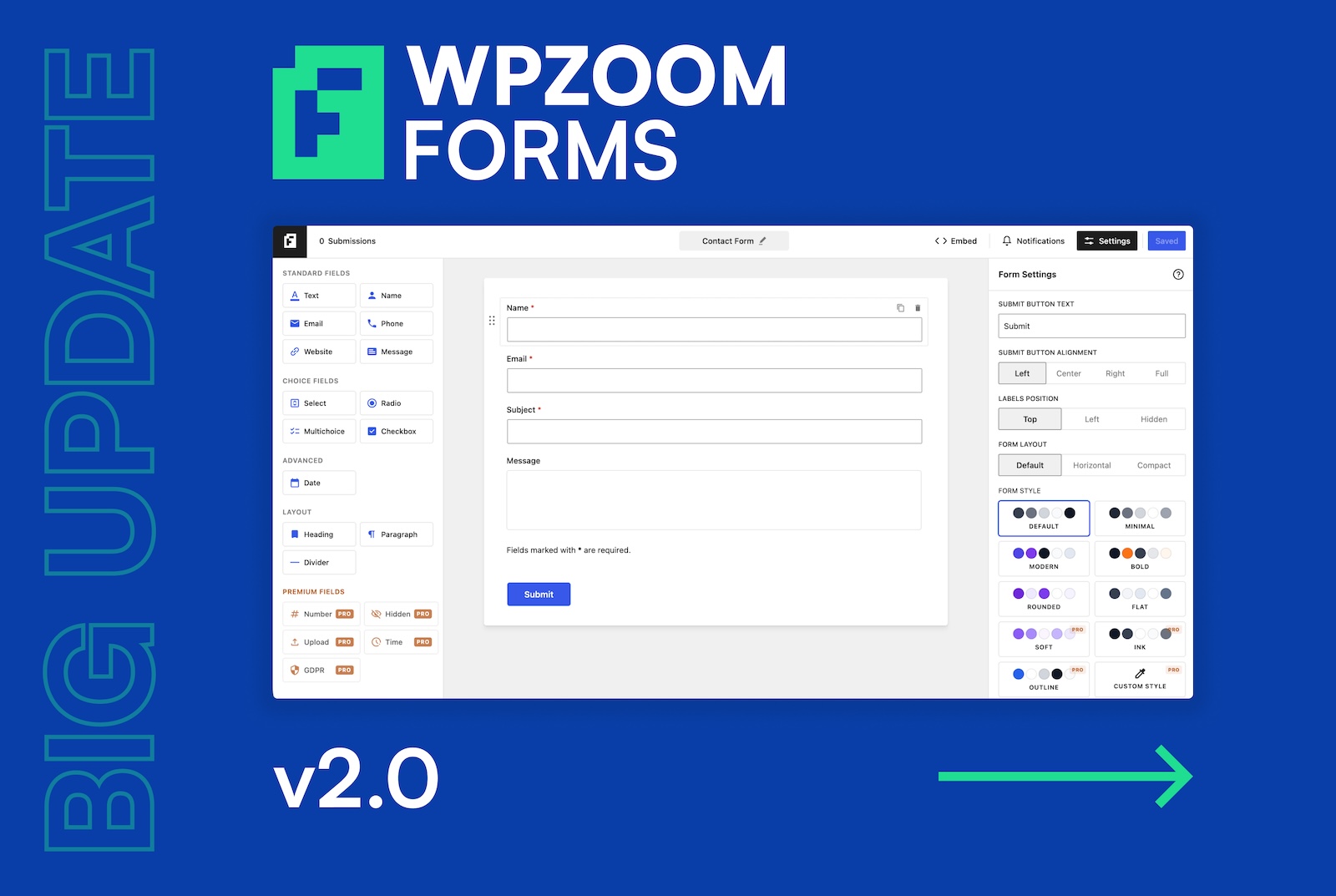
Building contact forms in WordPress just got a whole lot easier. Say hello to the completely redesigned WPZOOM Forms — now with a dedicated drag-and-drop builder, a gorgeous new interface, and a faster, friendlier workflow from the very first click.
When we first launched WPZOOM Forms, our goal was simple: give you a clean, lightweight way to add contact forms to your WordPress site without the bloat of heavier plugins. That approach worked — but as more of you started building bigger, more complex forms, it became clear that the block-editor-based workflow had reached its limits.
So we went back to the drawing board. WPZOOM Forms 2.0 is a complete rewrite — both the free version on WordPress.org and WPZOOM Forms Pro — centered around one big idea: building a form should feel effortless, even if it’s your very first one.
Here’s everything that’s new.
A Dedicated Drag-and-Drop Form Builder
The biggest change in 2.0 is the all-new visual form builder. Instead of piecing forms together with individual blocks in the WordPress editor, you now get a purpose-built, full-screen builder designed specifically for forms.
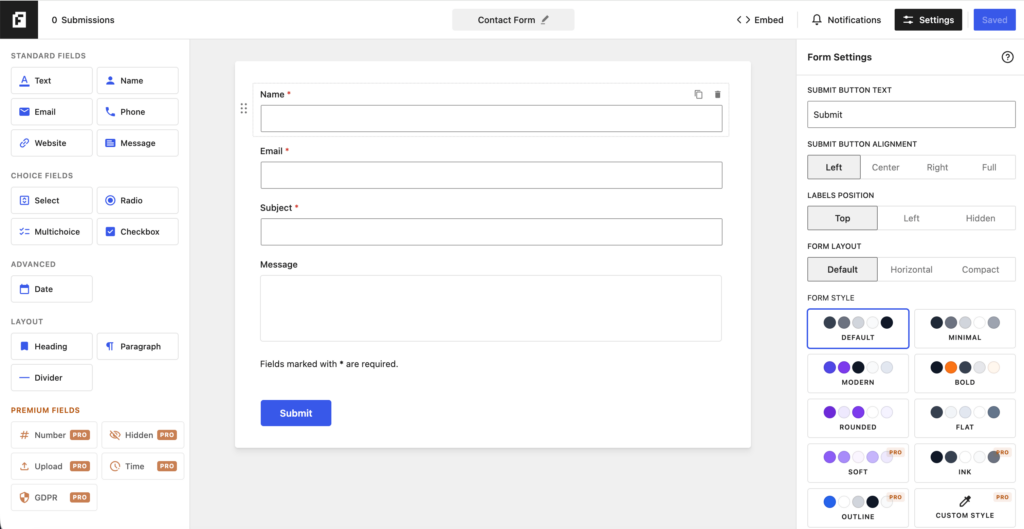
It’s organized into three clear areas:
- Field palette on the left — every field type, grouped and one click away.
- Live form preview in the center — see exactly what your form will look like as you build it.
- Settings panel on the right — fine-tune any field, or the form as a whole.
Click a field to add it. Click it again on the canvas to edit it. Drag to reorder. That’s it. No block inserter, no nested groups, no surprises — just a focused, modern experience that beginners can pick up in seconds and power users can fly through.
Start Fast With Ready-Made Templates
Don’t want to start from scratch? Every new form begins with a template picker featuring a growing library of pre-built forms — Contact, Detailed Contact, Quote Request, Feedback, Restaurant Callback, Partnership, and many more.
Each template comes with a live preview right inside the picker, so you can see exactly what you’re getting before you commit. Pick one, tweak it to taste, and you’re done — or start with a blank canvas if you prefer full control.
Every Field Type You Need
WPZOOM Forms 2.0 ships with a complete set of field types, all manageable from the new builder:
- Standard fields: Single-line text, Name, Email, Phone, Website/URL, Number, and Paragraph text
- Choice fields: Dropdown, Multiple choice (radio), Checkboxes, and a single Checkbox (perfect for consent / GDPR)
- Advanced fields: Date picker and Hidden fields
- Layout elements: Headings, paragraphs, and dividers to structure longer forms
Every field can be set to a custom width — full, half, one-third, or two-thirds — so you can build clean multi-column layouts (like First Name / Last Name side by side) without touching a line of code.
Smarter choice fields
Setting up dropdowns and multiple-choice fields used to be tedious. Now there’s a bulk options editor — paste one option per line and you’re done. We even included predefined lists for common cases like Countries and US States, so you can populate a full country dropdown with a single click. Options are also fully drag-to-reorder.
Beautiful Forms, Your Way
We rebuilt the front-end styling from scratch too. WPZOOM Forms 2.0 includes a set of polished, ready-to-use form styles — Default, Minimal, Modern, Bold, Rounded, and Flat — that you can switch between instantly from the Form Settings panel.
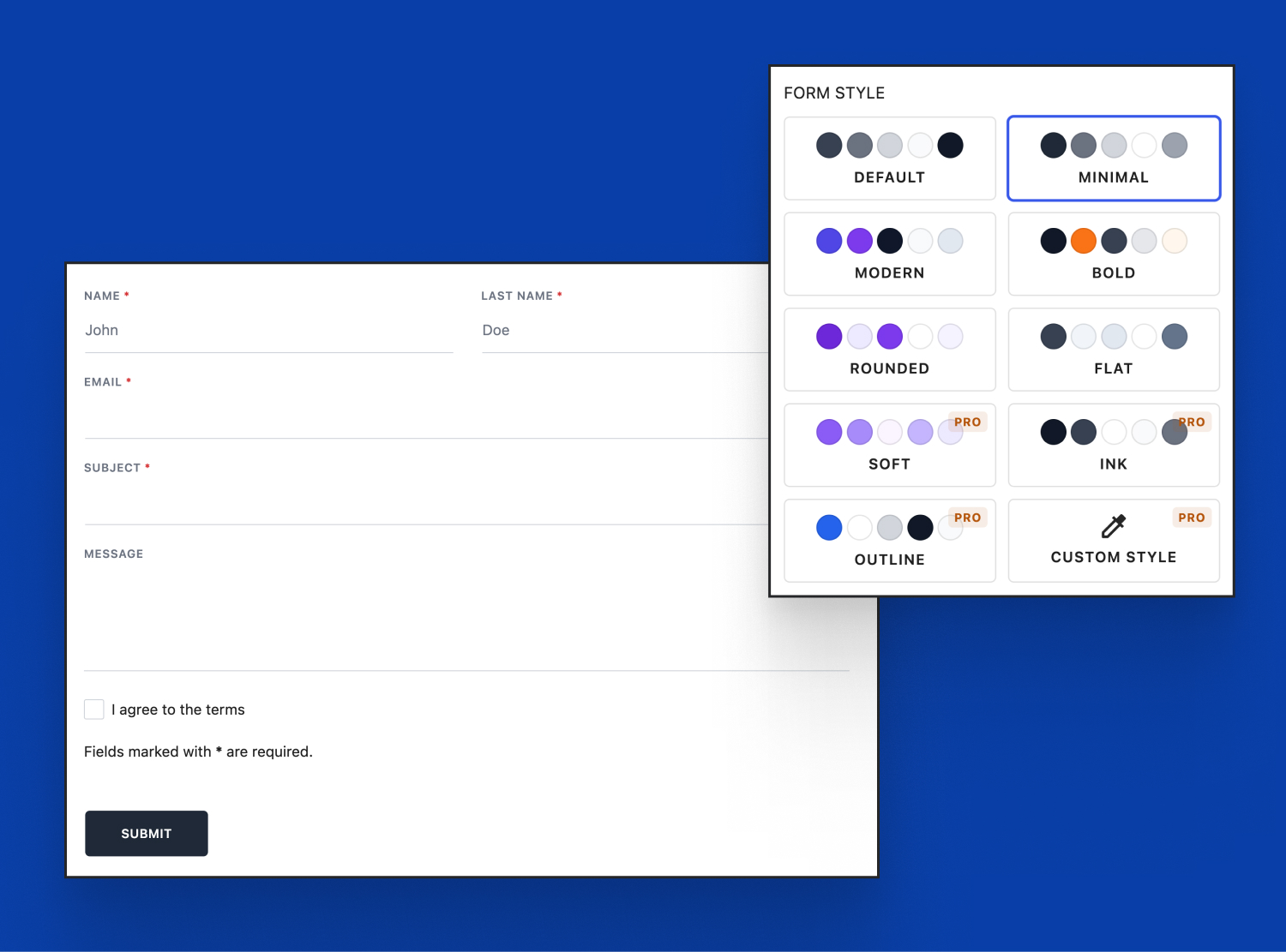
Prefer your theme to handle the look? No problem. By design, forms stay clean and unobtrusive so they blend naturally into any theme — and you stay in full control of when (and whether) the plugin’s own styling loads.
You also get controls for label positioning, submit button alignment, form layout (default, horizontal, or compact), and more — all with a live preview as you adjust them.
Submissions, Notifications & Anti-Spam — Done Right
Behind that friendly interface is a rebuilt engine that’s faster and more reliable.
- Flexible submission handling: Send entries by email, save them to your WordPress database, or do both.
- A cleaner submissions screen: Every entry is now displayed in a tidy, readable layout — with choice fields showing their real labels (not cryptic values) and a sidebar with submission metadata like date, IP, and source.
- Customizable confirmation messages for both success and failure states.
- Built-in spam protection: Choose between Google reCAPTCHA (v2 & v3), Cloudflare Turnstile, and a silent honeypot field — plus Akismet integration to keep junk submissions out of your inbox.
Free vs. Pro
The free version of WPZOOM Forms 2.0 (available on WordPress.org) includes the new builder, templates, all the core field types, the bulk options editor, multiple form styles, full anti-spam support, and flexible email + database submissions. It’s a genuinely complete contact form solution — for free.
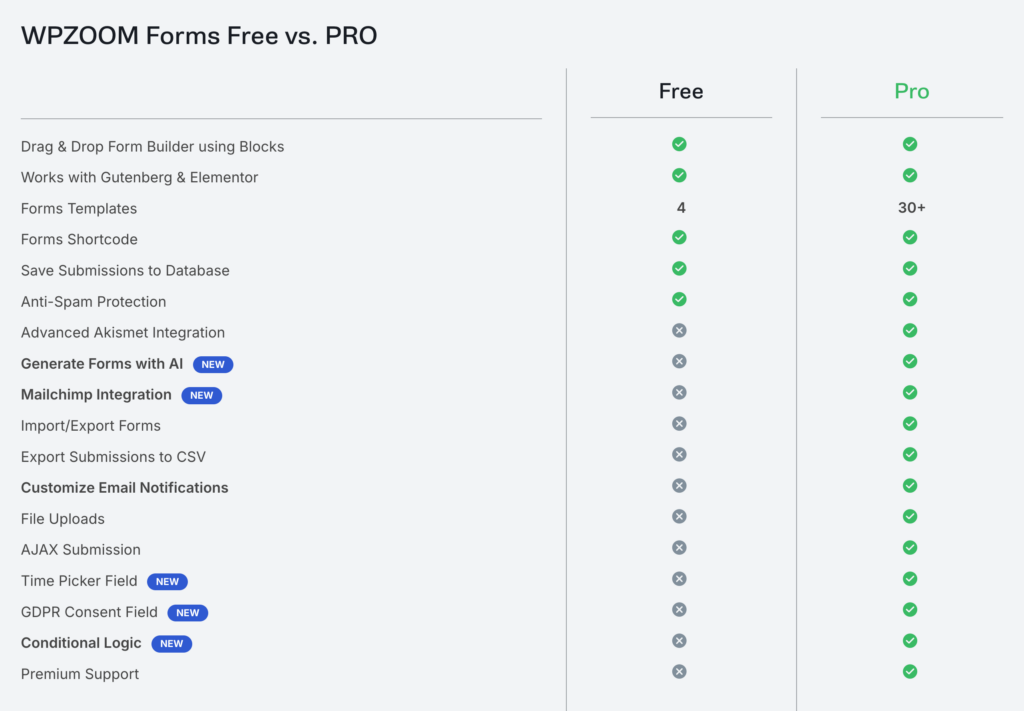
WPZOOM Forms Pro takes it further with:
- AI Form Generation — describe your form in plain words and let AI build it for you
- Conditional Logic — show or hide fields based on what users enter
- File Uploads
- Mailchimp Integration — add subscribers automatically on submit
- 30+ premium templates
- AJAX submissions with no page reload
- Customizable notification email templates
- Exclusive premium form styles
👉 Compare Free vs. Pro / Get WPZOOM Forms Pro
Already Using WPZOOM Forms? You’re Covered
If you’re upgrading from an earlier version, your existing forms will keep working. When you open an older form in the new builder, it’s automatically converted to the new format — no manual rebuilding required. Just update the plugin and enjoy the new experience.
Update Today
WPZOOM Forms 2.0 is available right now:
We’d love to hear what you build with it. Give the new builder a spin and let us know what you think in the comments — or tag us @wpzoom with a screenshot of your form. 🚀
Subscribe to the WPZOOM newsletter.
Join 250,000 people. Get our latest news & releases delivered to your inbox.


