

It is 11 p.m., something just broke on a client site, you need to rename a plugin folder to deactivate it, but wp-admin is down. So you open FileZilla, realize you never saved the SFTP credentials, dig around for the server details, configure a new connection, wait for the directory tree to load, and finally rename a single folder.
Five minutes of setup for a five-second task. It is a workflow that has not changed much in 20 years, and it has always had more friction than it needs.
With the MyKinsta file manager, you can now browse, edit, upload, move, copy, delete, and manage your WordPress files directly inside your hosting dashboard, no FTP client required.
This article walks you through everything the file manager can do and covers the real-world scenarios where it saves you the most time.
Why file access without FTP matters
FTP and SFTP are not going away. For heavy-duty tasks like bulk migrations, automated deployments, or syncing thousands of files, a dedicated client is still the right tool. But for most everyday tasks that come up while running a WordPress site, the setup overhead is disproportionate to the job.
There is also a security reason to avoid the most popular alternative. When people want quick file access without a client, the usual answer is a file manager plugin installed inside WordPress. It is convenient, but the security record is bad. WP File Manager, one of the most widely used options, had a zero-day vulnerability in 2020 that carried a CVSS score of 10.0, the maximum possible severity rating.
It allowed unauthenticated attackers to upload PHP webshells directly to the server with no login required, and it was being actively exploited in the wild on the same day it was disclosed. Over 700,000 sites were running the affected versions, according to Wordfence, which reported the issue.
The core issue is not bad code in one plugin, but the category. Any plugin that needs to read, write, and delete files across your entire WordPress installation is doing something powerful, and powerful things inside WordPress inherit all of WordPress’s attack surface. If an attacker finds a way past the authentication layer, the file manager is exactly what they want to find waiting for them.
A hosting-level file manager sidesteps this entirely. It lives outside WordPress, is protected by your Kinsta account credentials, and adds nothing to the site’s attack surface.
Accessing the file manager in MyKinsta
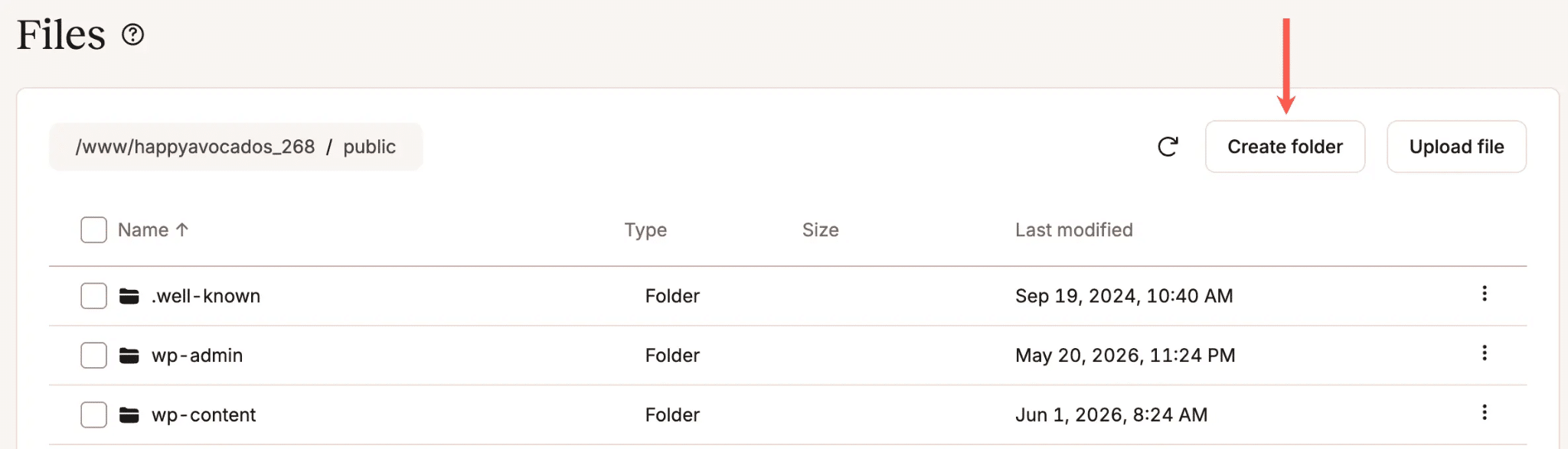
To open the file manager, go to Sites in the MyKinsta sidebar, select the environment you want to work on, and click the Files tab.
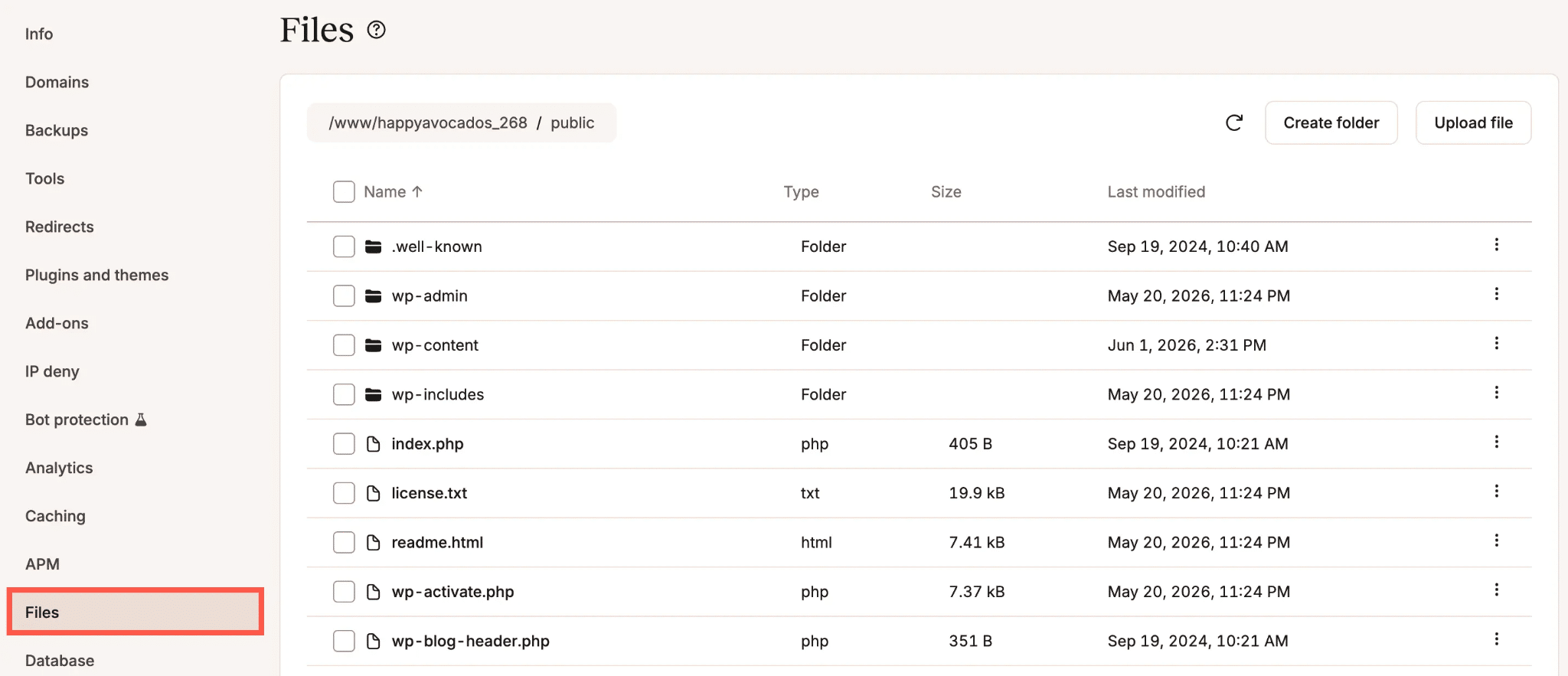
The file manager opens at the public directory by default, which is where WordPress lives in most Kinsta installations. If your public directory has been renamed or moved, it opens at that root directory instead.
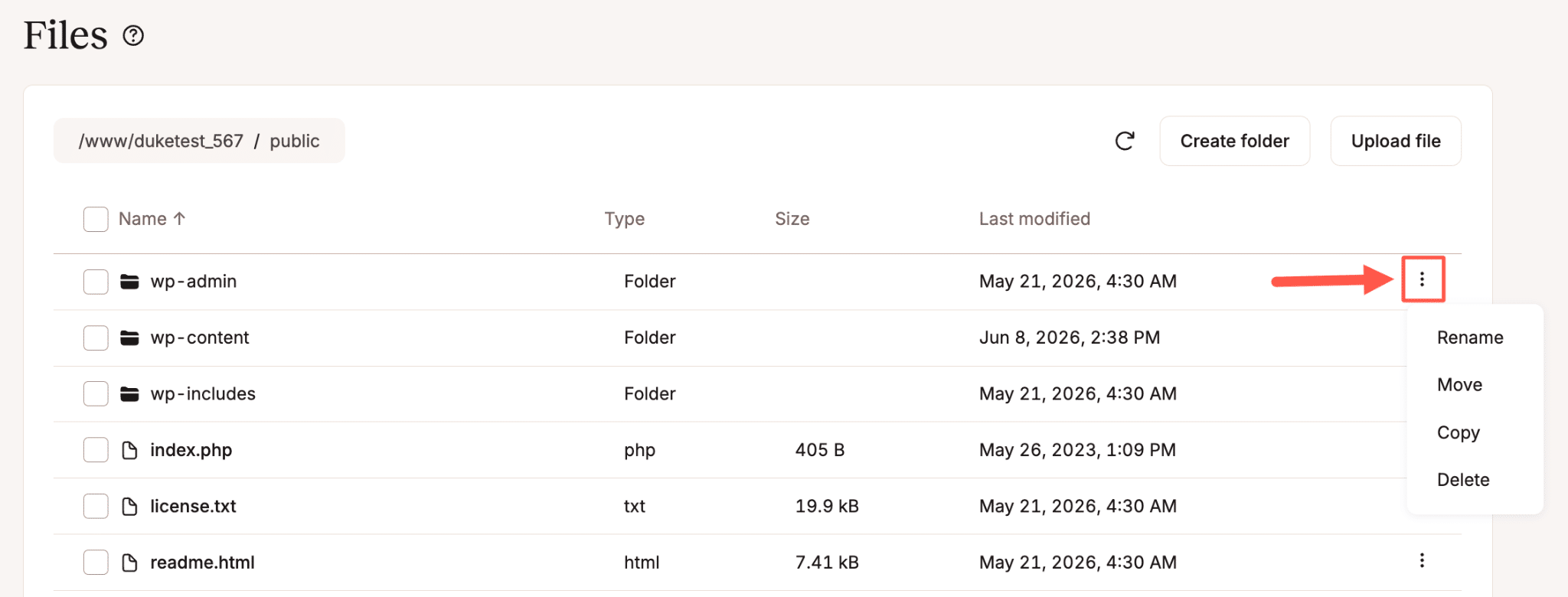
Once you are in, the interface works like a standard desktop file browser. Click a folder to open it, use the breadcrumbs at the top to navigate back up the directory tree, and use the kebab menu (the three-dot icon) next to any file or folder to see your available options.
It’s also important to know that every action taken in the file manager is recorded in the MyKinsta activity log, which you can find under User activity in your dashboard.
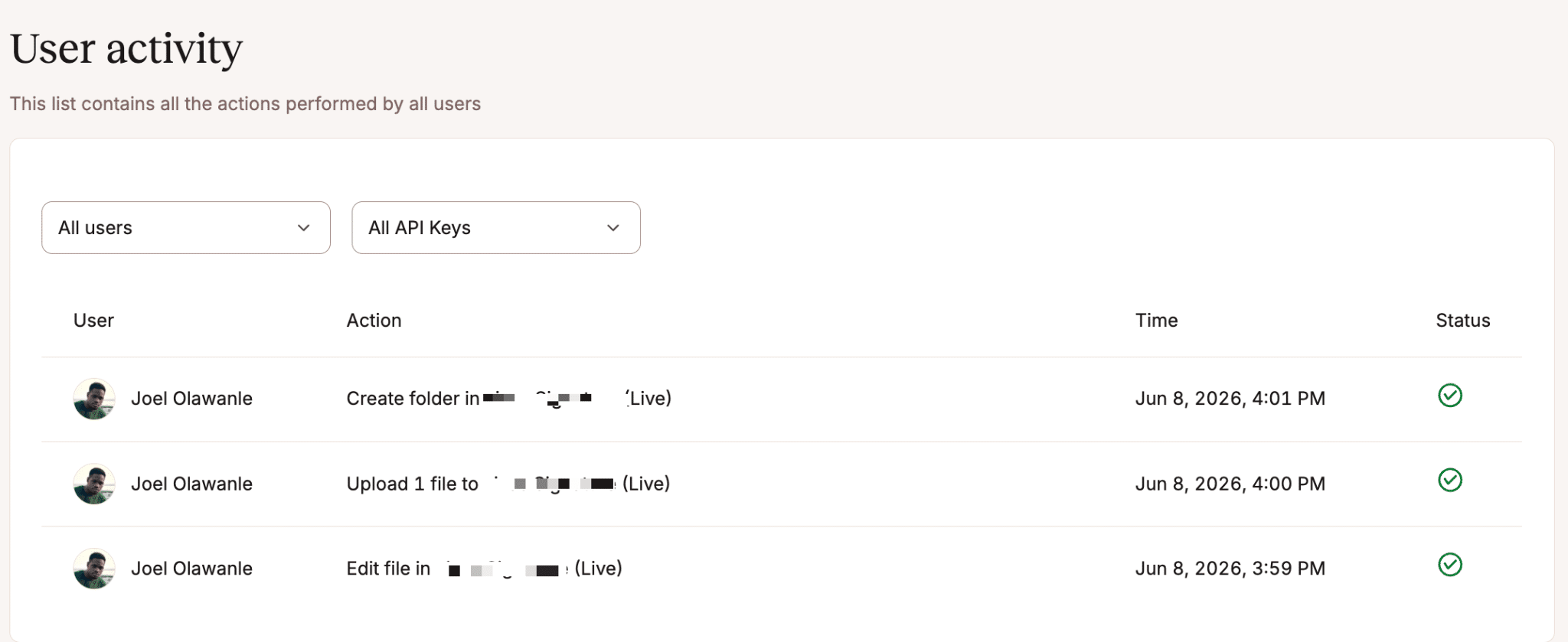
For teams and agencies where multiple people have access to a site, this matters more than it might seem. If a file gets renamed or deleted and something breaks, the activity log tells you exactly who made the change and when.
What you can do with the file manager
The file manager covers the full range of tasks you would normally need a client or plugin for.
Browse and navigate your file system
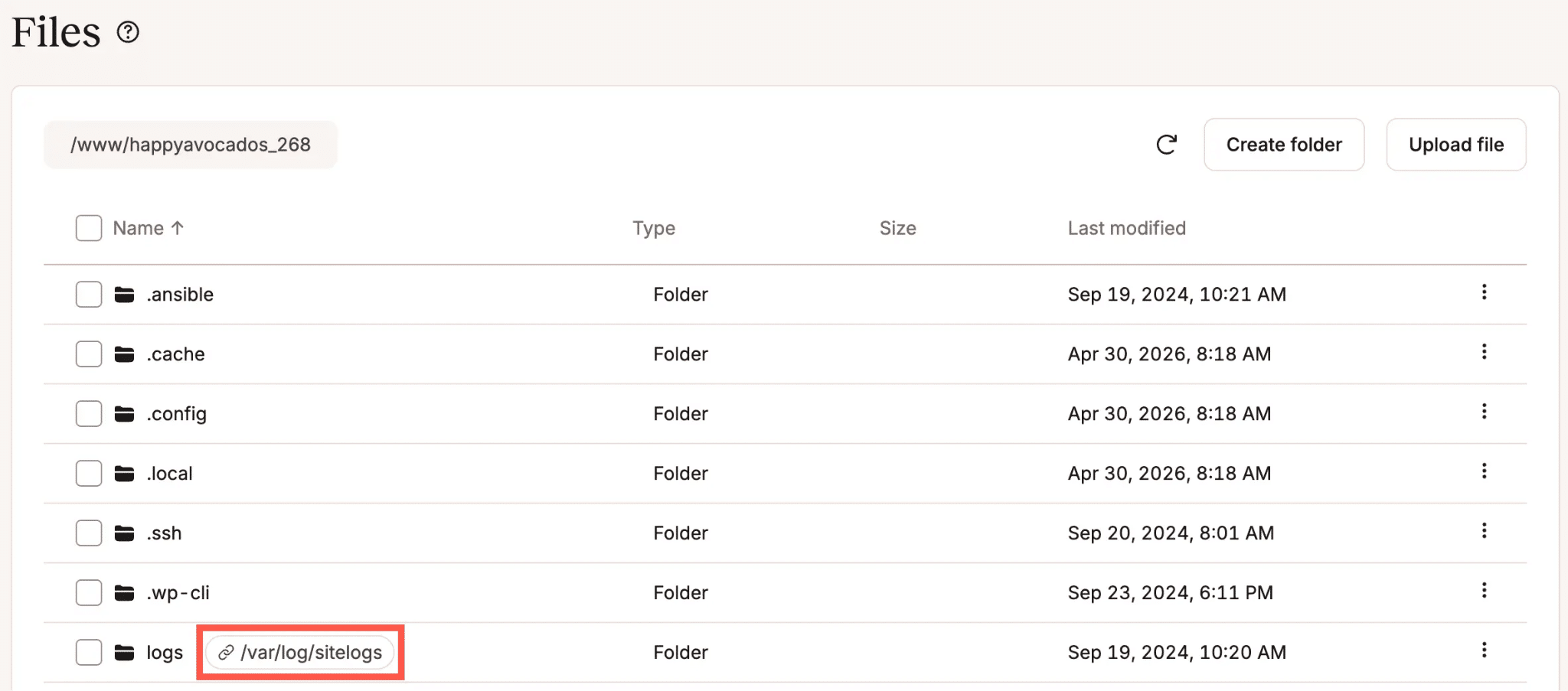
Click any folder to open it, use the breadcrumbs to move back up, and scroll through files and folders as you normally would.
Symlinks are shown alongside regular files and directories, with the link target displayed so you know exactly where they point.
View and edit files
The built-in editor supports all text-based file types, including PHP, HTML, CSS, JavaScript, JSON, XML, YAML, and SQL. To open a file in read-only mode, simply click its filename or select View from the kebab menu.
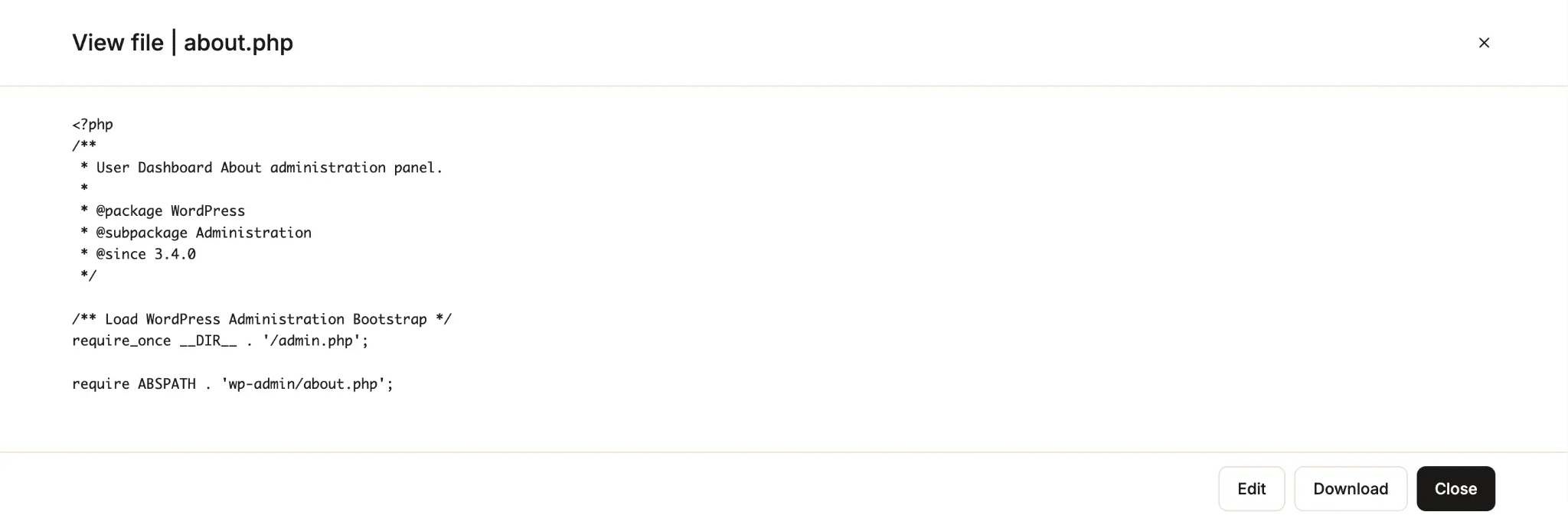
If you need to make a change while viewing, click the Edit button directly from that window. You can also select Edit from the kebab menu on the file list to go straight into edit mode.
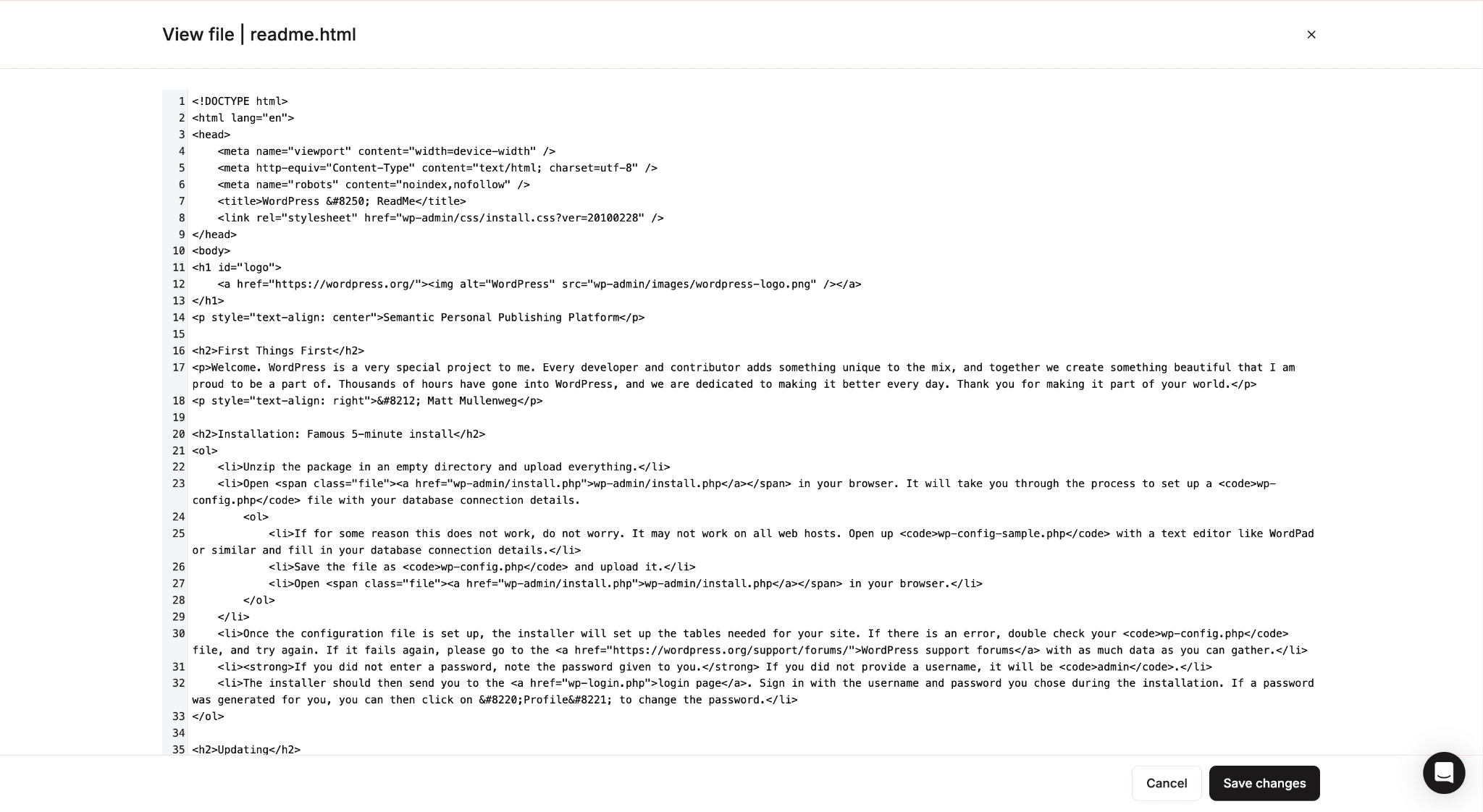
The editor shows numbered lines, which makes it easier to orient yourself in longer files and to reference specific lines when debugging. When you are done, click Save changes. The update takes effect immediately.
Upload files
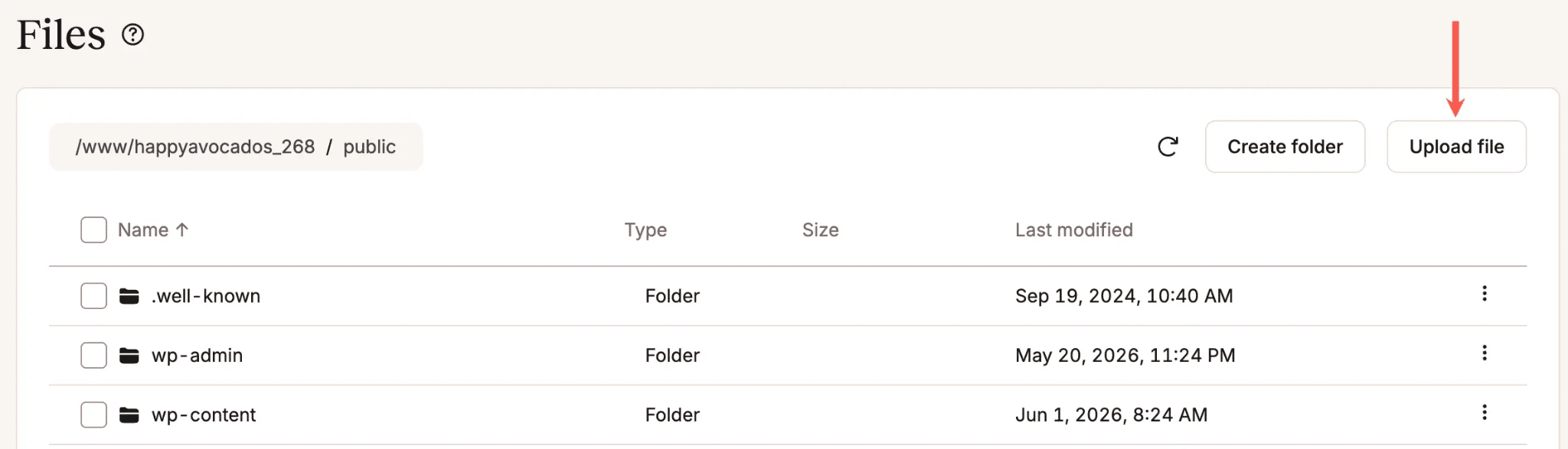
Navigate to the folder where you want the file to land and click Upload file. You can select multiple files at once from your computer, and they will all upload to the selected folder.
Download files
Select Download from the kebab menu. The file is downloaded to your computer via your web browser and saved according to your browser’s download settings.
Depending on your browser configuration, the file may be saved automatically to your default download location, or you may be prompted to choose where to save it.
Create folders
Navigate to the location where you want the new folder, and click Create folder.
Type a name, and click Create folder.
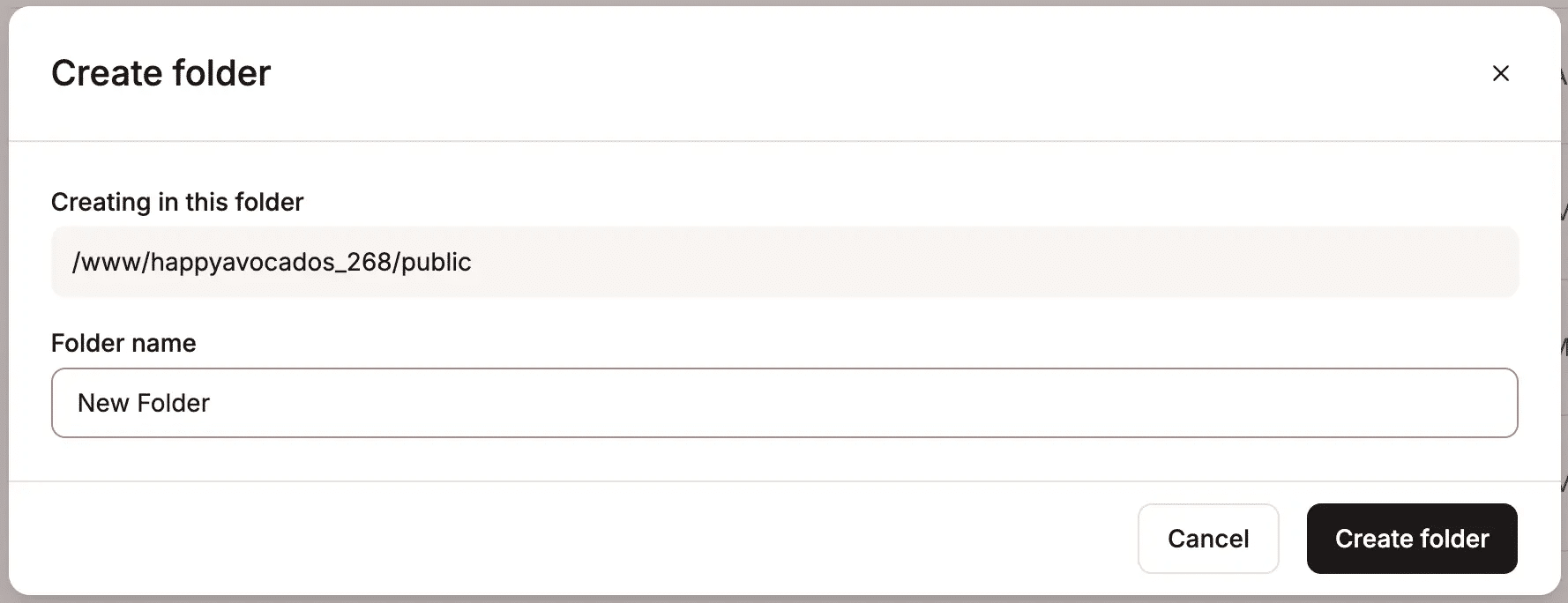
It’s important to note that two folders with the same name cannot exist in the same directory.
Rename, move, and copy files and folders
All three operations use the kebab menu. For moving and copying, you browse to the destination folder after selecting the operation and then confirm. To rename, type the new name and confirm it in place.
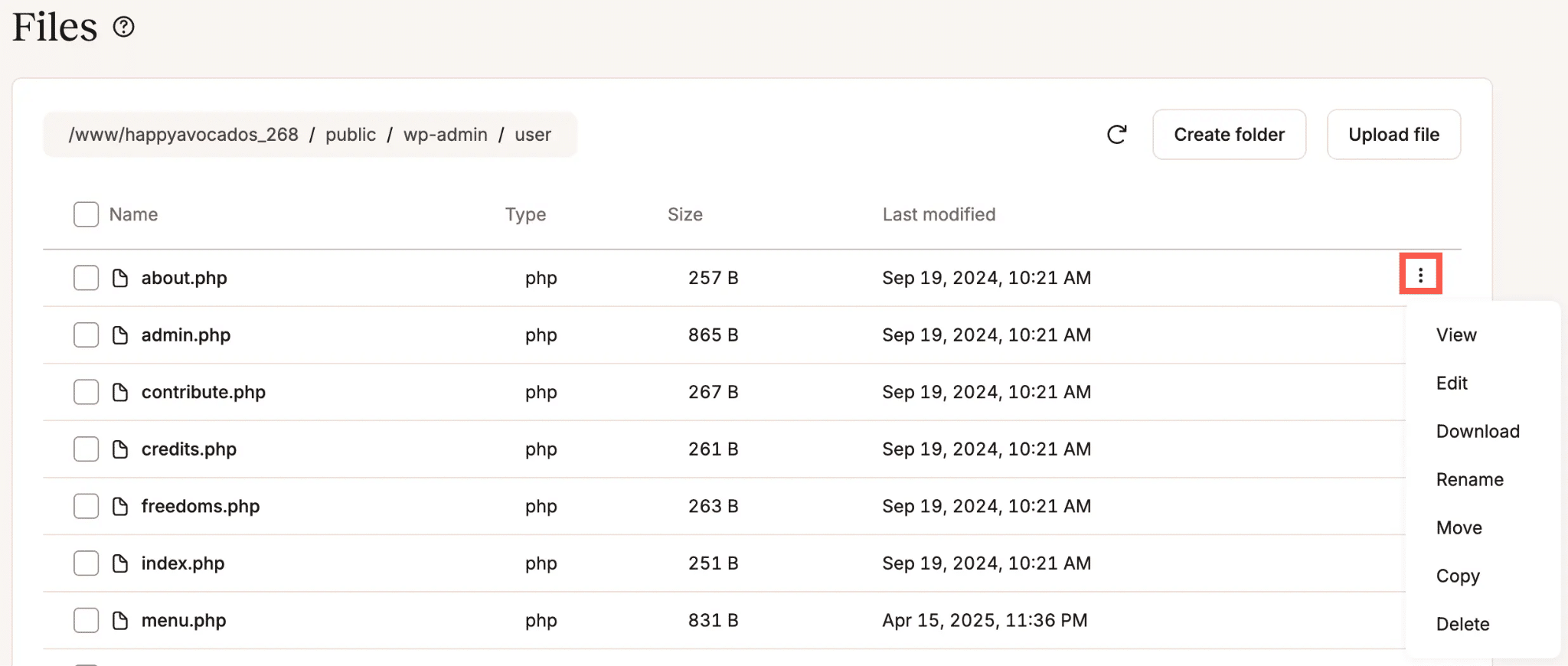
One thing to be careful about: WordPress, plugins, and themes often reference files by their exact path. If you rename wp-content/uploads/2024 to something else, anything pointing to that path stops working.
Before renaming or moving anything, check that nothing else depends on the original location. Taking a backup before structural changes is a good habit.
Delete files and folders
Select Delete from the kebab menu. If you are deleting a folder that contains files or subfolders, the confirmation dialog will tell you the folder is not empty and that everything inside will be permanently removed.
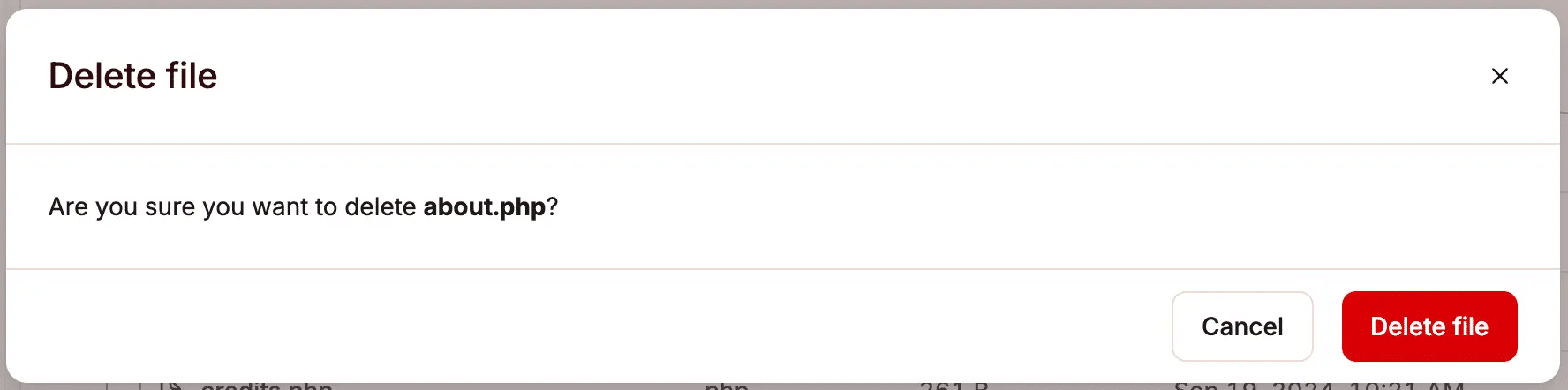
Deletions are permanent. There is no recycle bin or undo. Back up before deleting anything you are not completely sure about.
Bulk operations
Select multiple files and folders, click Actions, and choose Move, Copy, or Delete.
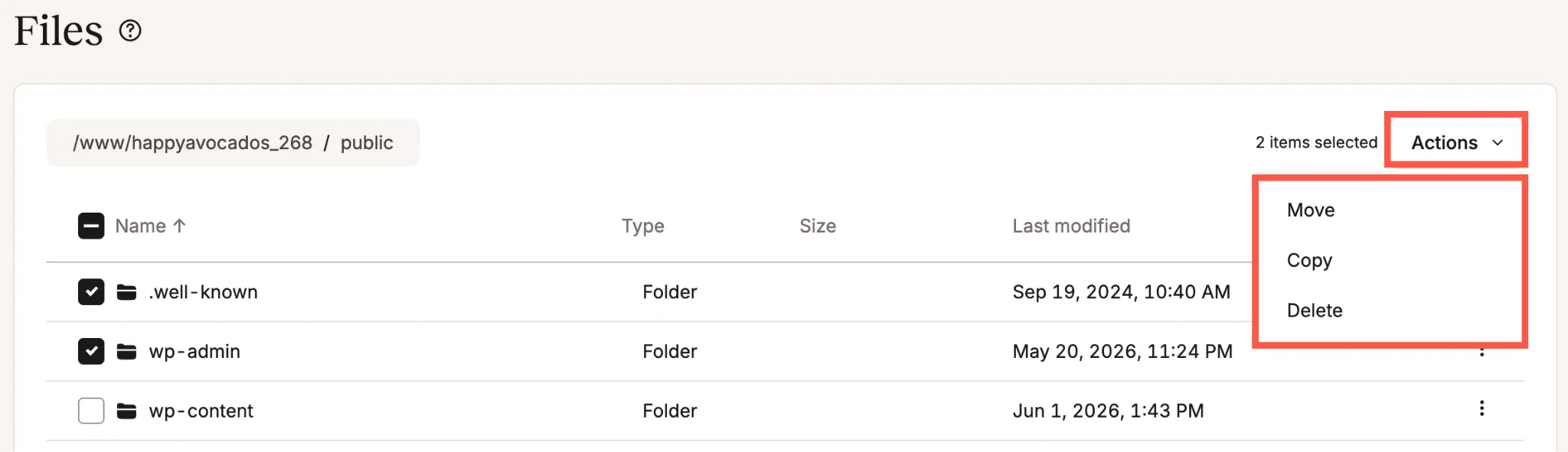
This works across a mix of files and folders in the same directory, which makes cleanup tasks much faster than handling items one at a time.
Symlinks
Symlinks appear alongside regular files and folders, with the link target visible in the file manager. You can rename, move, copy, and delete them from the kebab menu. All of these operations affect only the link itself. The original file or folder the symlink points to is not touched.
Real-world scenarios where this saves time
The features above cover the mechanics. These are the situations where you should reach for the file manager.
Fixing a broken site when wp-admin is inaccessible
A bad plugin update or a syntax error in a configuration file can take the WordPress dashboard down entirely. When that happens, you cannot log in through the normal route to fix it.
The file manager does not depend on WordPress being functional. Navigate to wp-content/plugins/, find the plugin that caused the problem, and rename its folder.
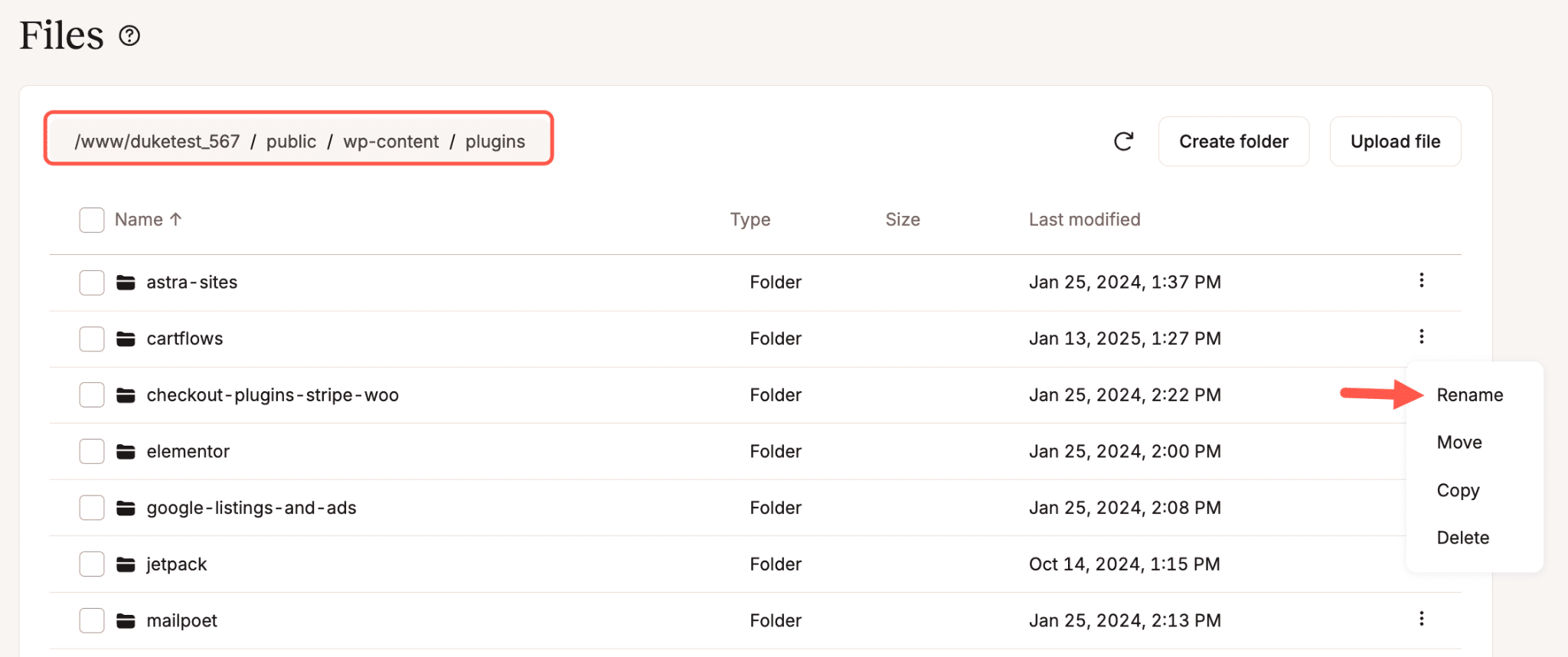
WordPress treats a renamed plugin folder as a missing plugin and automatically deactivates it. The site comes back up, and you never needed a file transfer client.
Editing wp-config.php or .htaccess
wp-config.php holds your database credentials, debug settings, security keys, and table prefix. .htaccess controls redirects, permalink structure, and access rules. These are two of the most commonly edited files in a WordPress installation, and both are plain text files that open cleanly in the built-in editor.
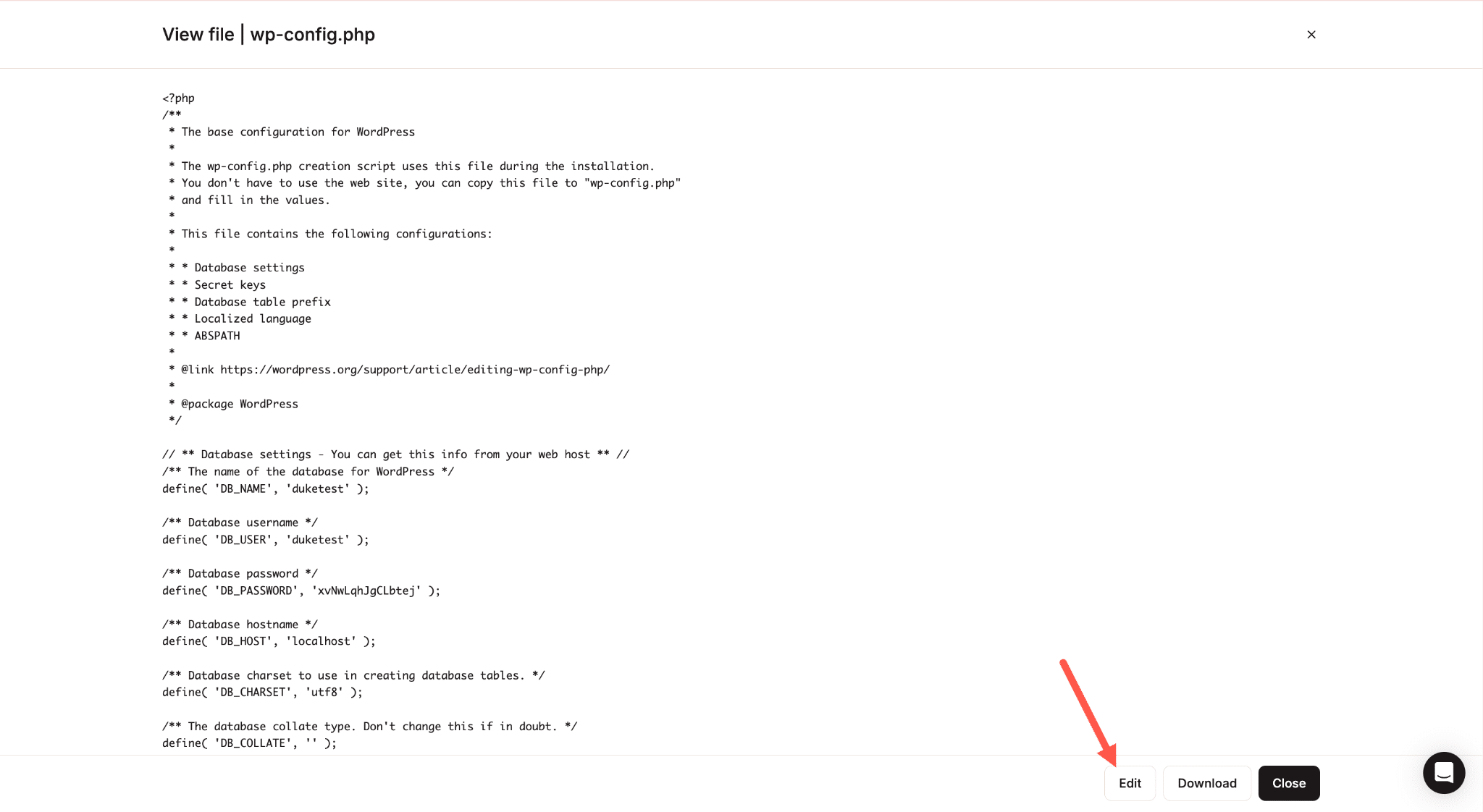
Make your change, click Save, and it is live immediately.
Tweaking a theme file
If you need to add a function to functions.php, fix a template, or adjust some CSS, navigate to wp-content/themes/your-theme/, open the file, and edit it directly.
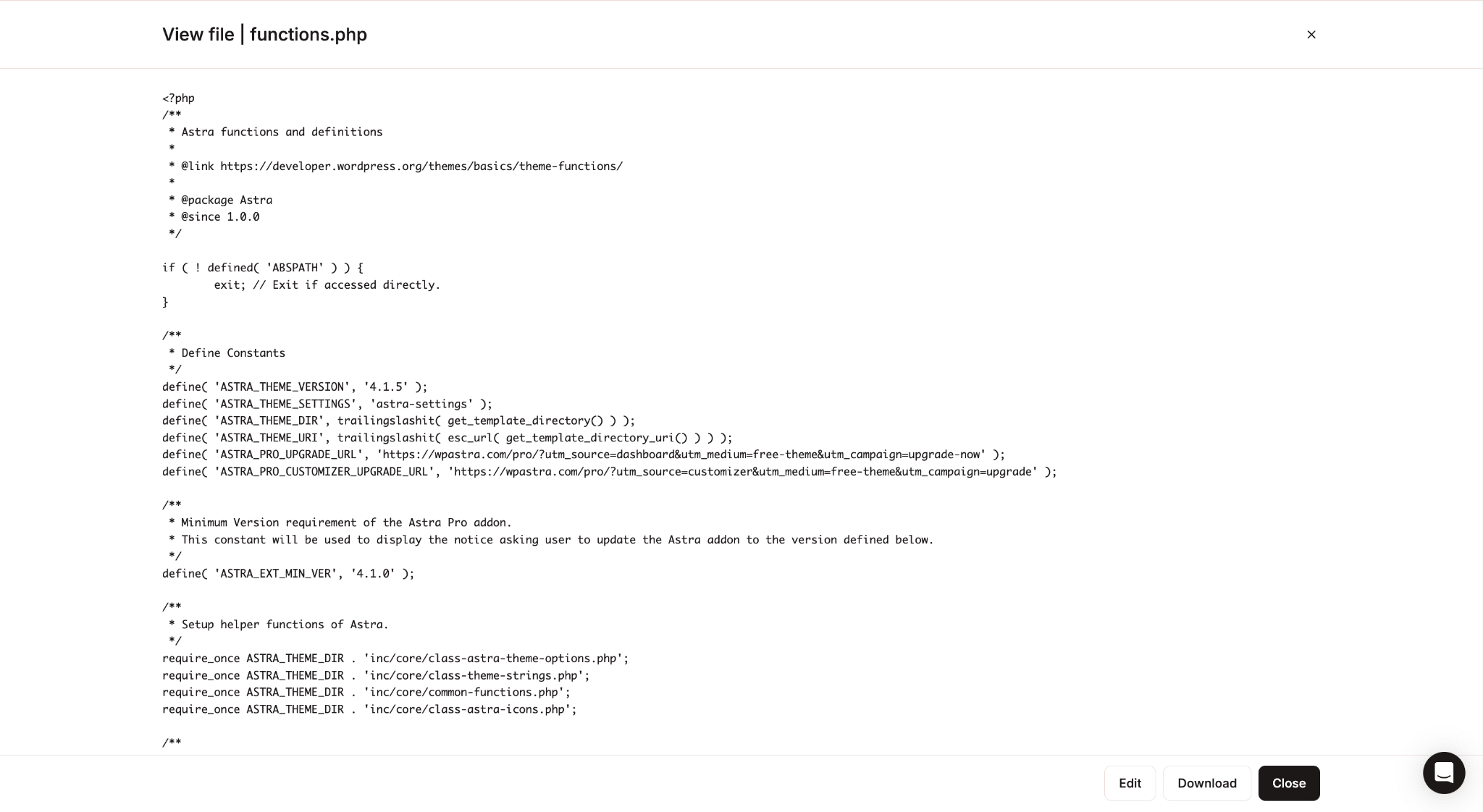
One caveat worth repeating: direct edits to a theme’s files will be overwritten the next time that theme updates. For anything beyond a temporary fix, a child theme is the right approach.
Removing a file that should not be there
If a failed upload left a partial file, or a plugin dropped a log file that has grown to several gigabytes, or a backup script wrote to the wrong directory. In each of these cases, you can find the file and delete it in under a minute without opening a client.
Checking and downloading your error logs
MyKinsta has a dedicated Logs tab in the sidebar that lets you view your current error.log and access.log directly in the browser. For most debugging situations, that is the faster route.
The file manager gives you the full logs directory. Navigate to the logs folder and you will see every rotated log file going back several days, including cache-purge.log files and compressed .gz archives.
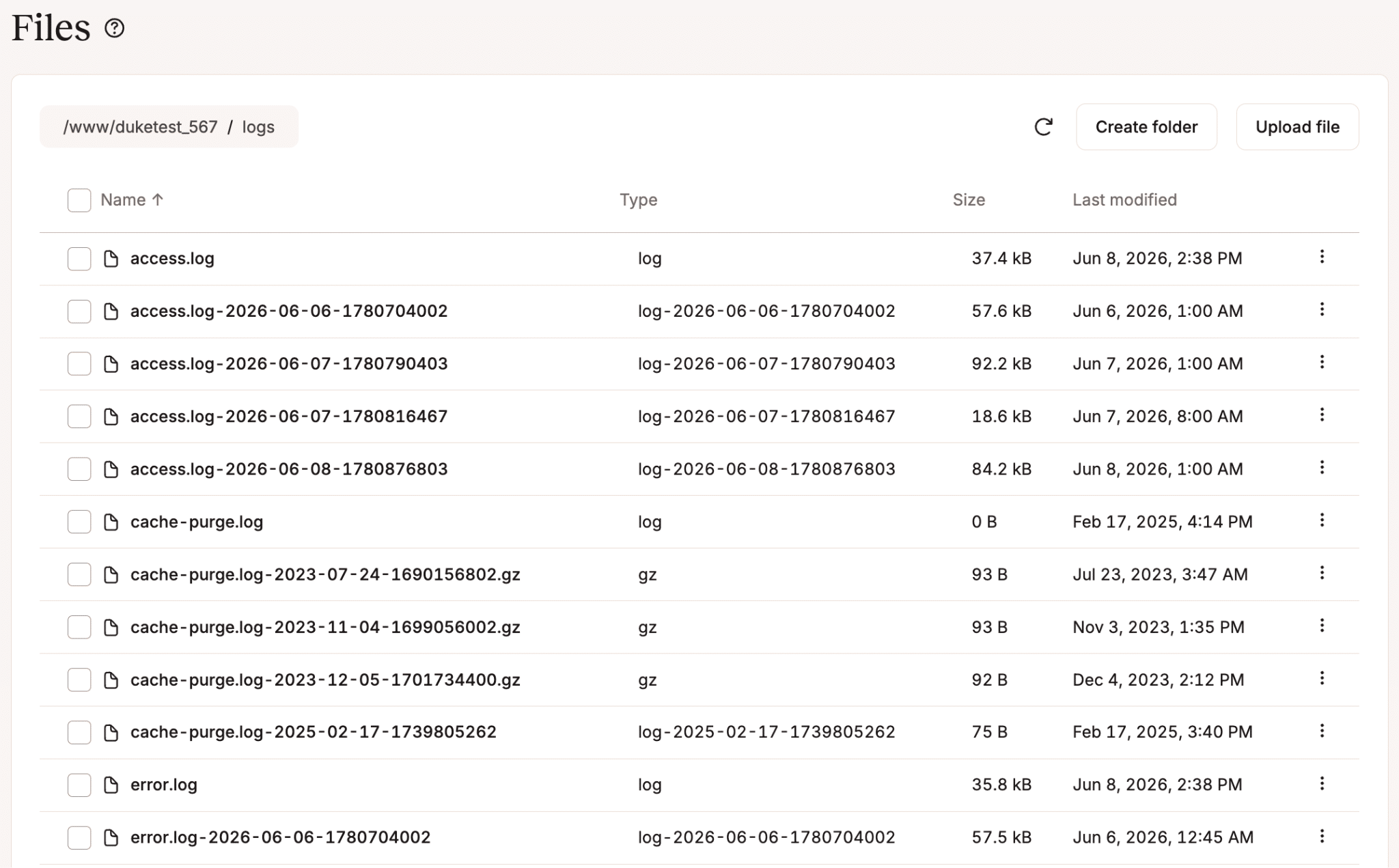
If you are tracking down an issue that started three days ago, you can find the exact file for that date, open it in the viewer, or download it to share with a developer or the Kinsta support team.
Uploading a custom plugin or theme manually
If you have a private or custom-built plugin or theme that is not in the WordPress directory, you can upload the files directly to wp-content/plugins/ or wp-content/themes/.
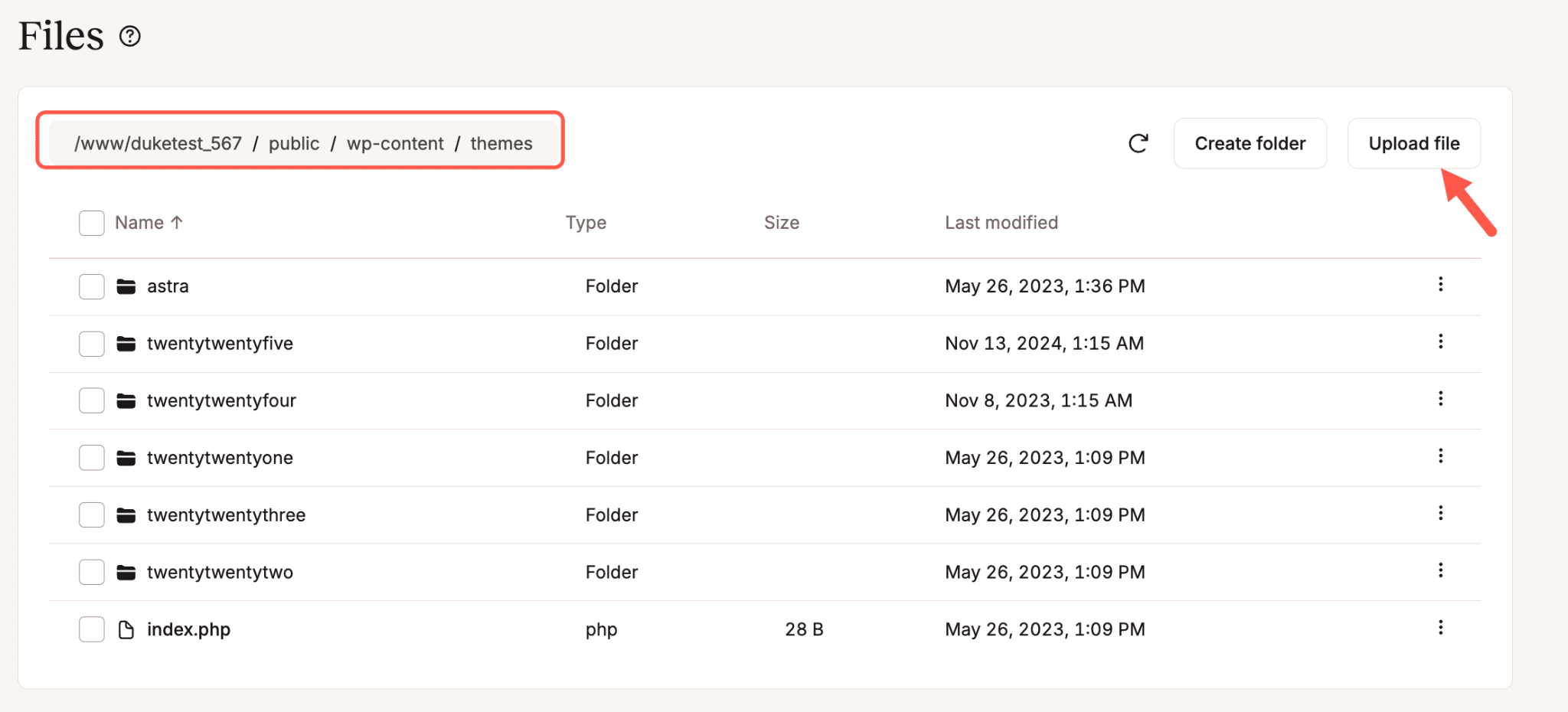
For larger files in particular, this is more reliable than using the WordPress dashboard uploader.
What the file manager does not replace
The file manager handles most everyday file tasks, but here are situations where SFTP is still the better choice.
- Bulk operations at scale. If you are transferring hundreds or thousands of files, a dedicated client handles that more reliably than a browser-based tool.
- Automated and scripted workflows. CI/CD pipelines, deployment scripts, and programmatic file sync all need SFTP with key-based authentication. The file manager is built for manual work, not automation.
- Very large file uploads. SFTP clients handle large transfers more robustly, with better recovery if a connection drops mid-transfer.
For everything else, the file manager gets the job done without leaving MyKinsta.
Your hosting dashboard is now your file manager too
The MyKinsta file manager has eliminated so many trade-offs.
It is not a standalone tool you install or configure. It is part of the same dashboard that you use to manage backups, staging environments, DNS, and performance. That matters because file access is rarely something you plan for. It comes up during an incident, a quick client request, or a late-night fix.
Having it one click away inside a dashboard you are already in changes how you respond to those moments.
Head to Sites > [site name] > Files to get started. You can also reach out to the support team if you have questions.

Kinsta
Joel is a Frontend developer working at Kinsta as a Technical Editor. He is a passionate teacher with love for open source and has written over 300 technical articles majorly around JavaScript and it’s frameworks.


