

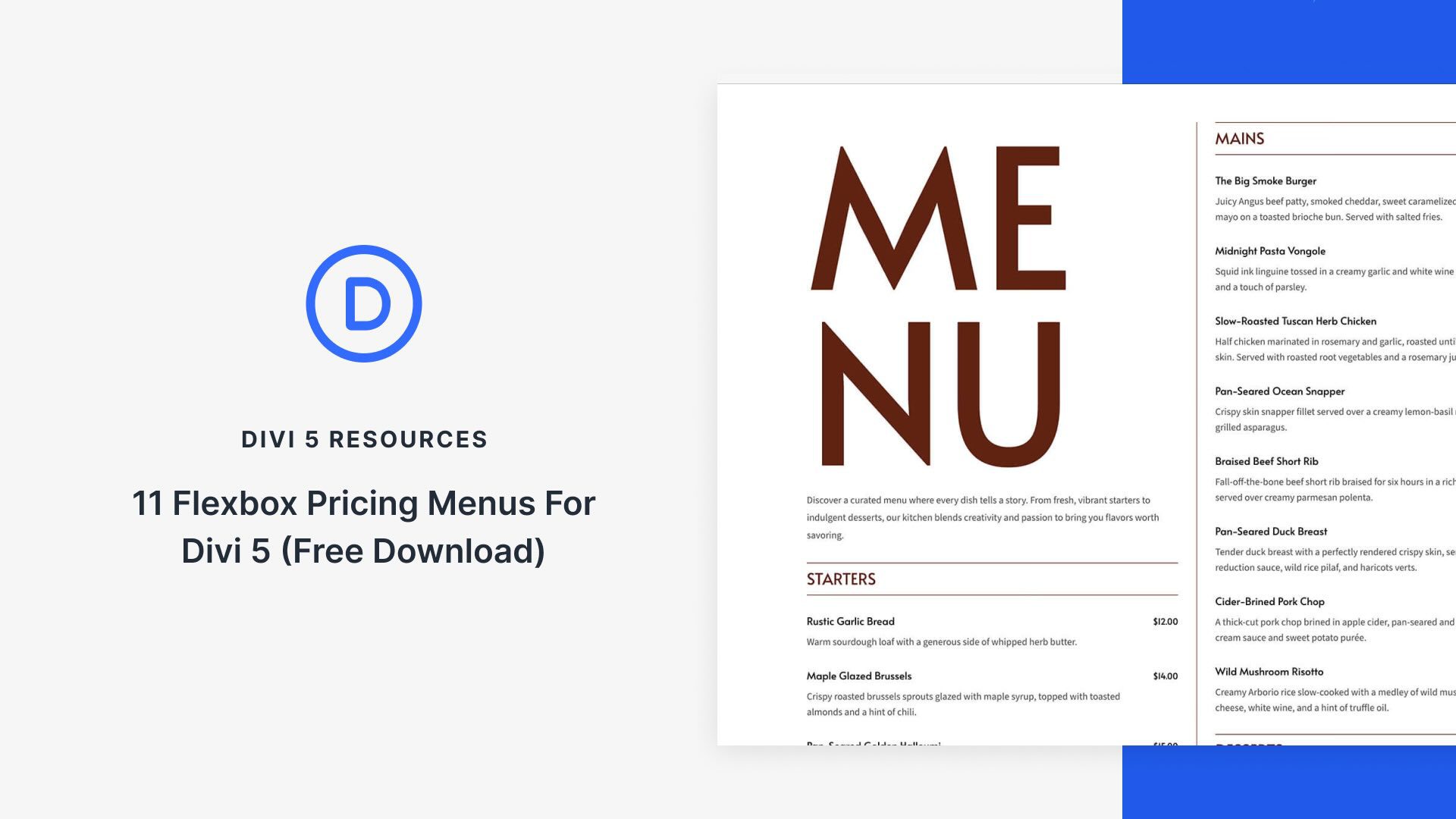
Divi 5‘s modern design tools make it easy to build clean, conversion-focused pricing layouts. In this free pack, you’ll find 11 Pricing Menus — each available in a Styled version for a polished look out of the box and an Unstyled version that inherits your site’s global colors and fonts. Drop them into any page and swap the copy.
Preview
Let’s take a look at all 11 Pricing Menus in this pack. The download is further down the post.
Subscribe To Our Youtube Channel
Get all 11 pricing menus for free. Import them into your Divi Library and add them to any page.
What’s Included (24 Exports)
Once you download and unzip the folder, you’ll find both Styled and Unstyled exports, each available as individual sections and as all-in-one packs.
Styled – Individual Sections (11) → Ready-made designs.
Styled – All Pricing Menus (1) → Full pack of all styled designs.
Unstyled – Individual Sections (11) → Inherits your Global Styles.
Unstyled – All Pricing Menus (1) → Full pack of all unstyled designs.
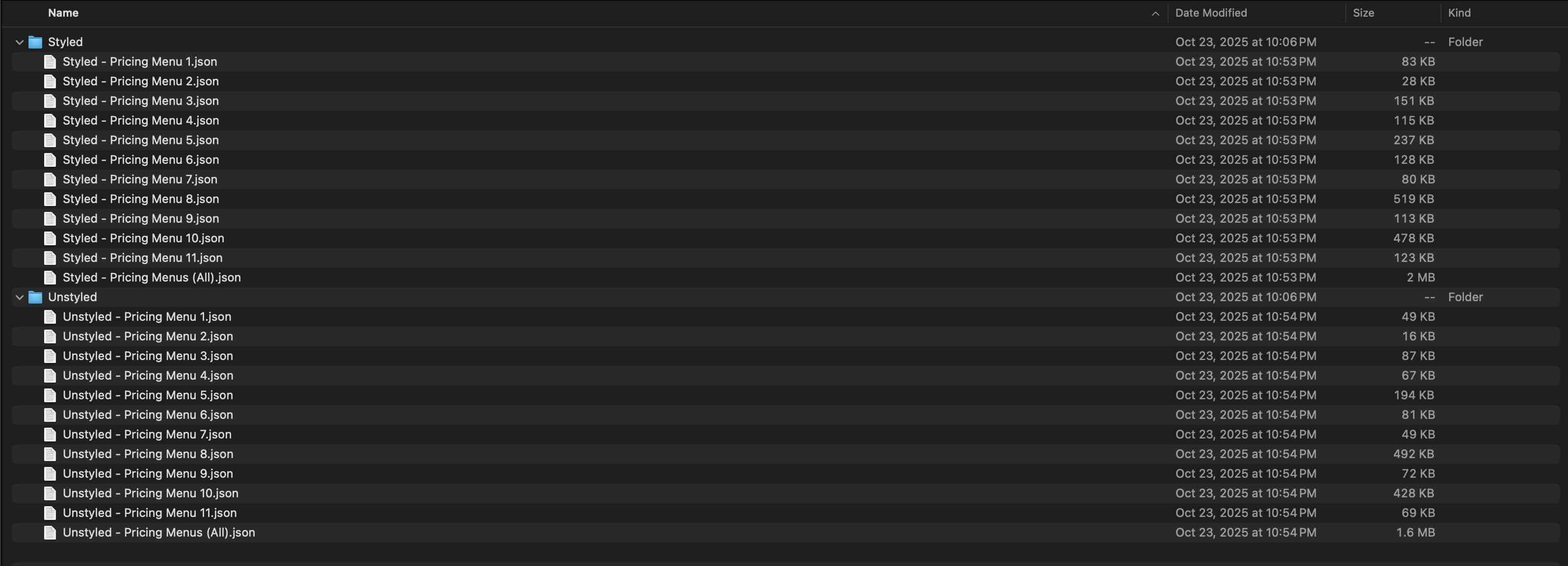
Keep your download folder close by to start importing them to your Divi website.
1. Import Sections Into The Divi Library
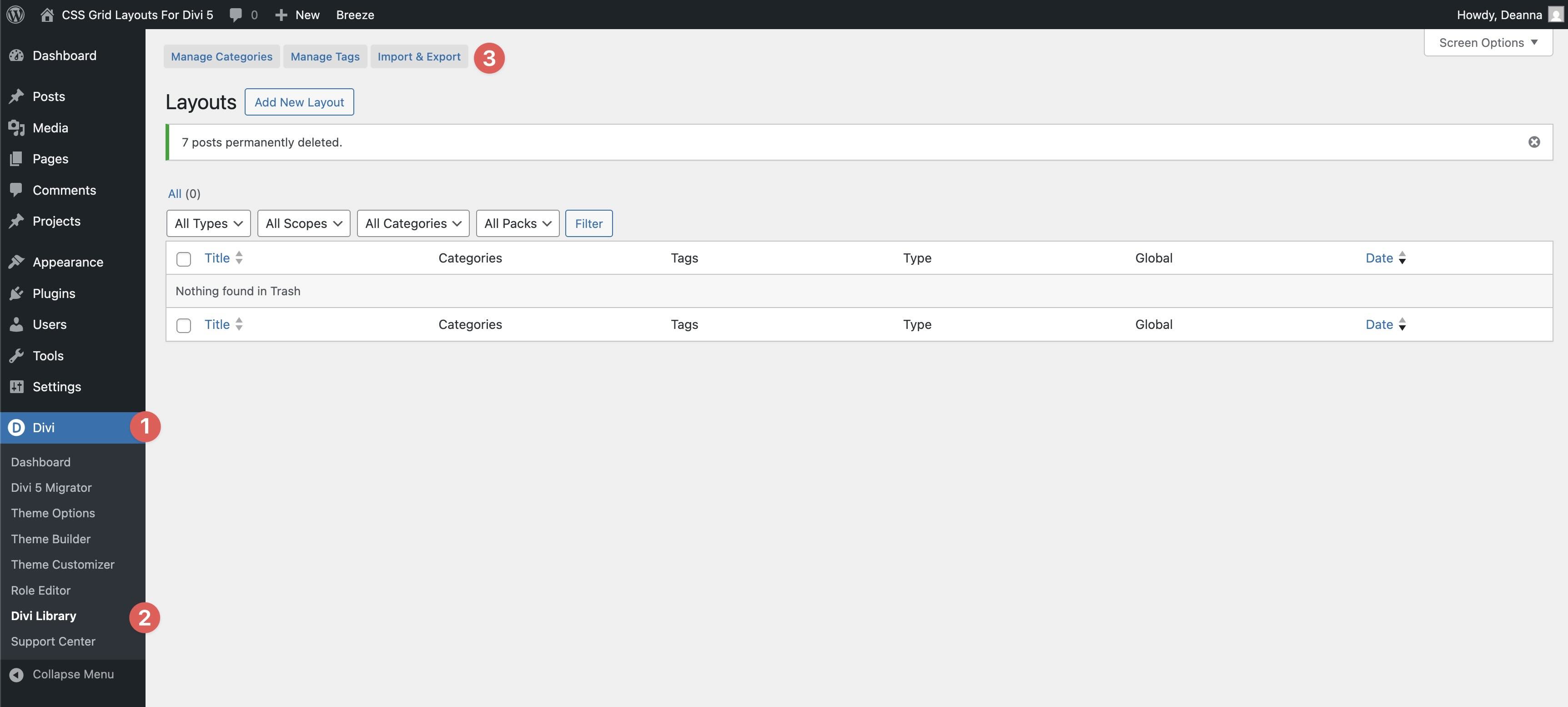
First, we’ll import the layouts to your Divi site. Go to Divi → Divi Library. Click the Import & Export button at the top of your screen.
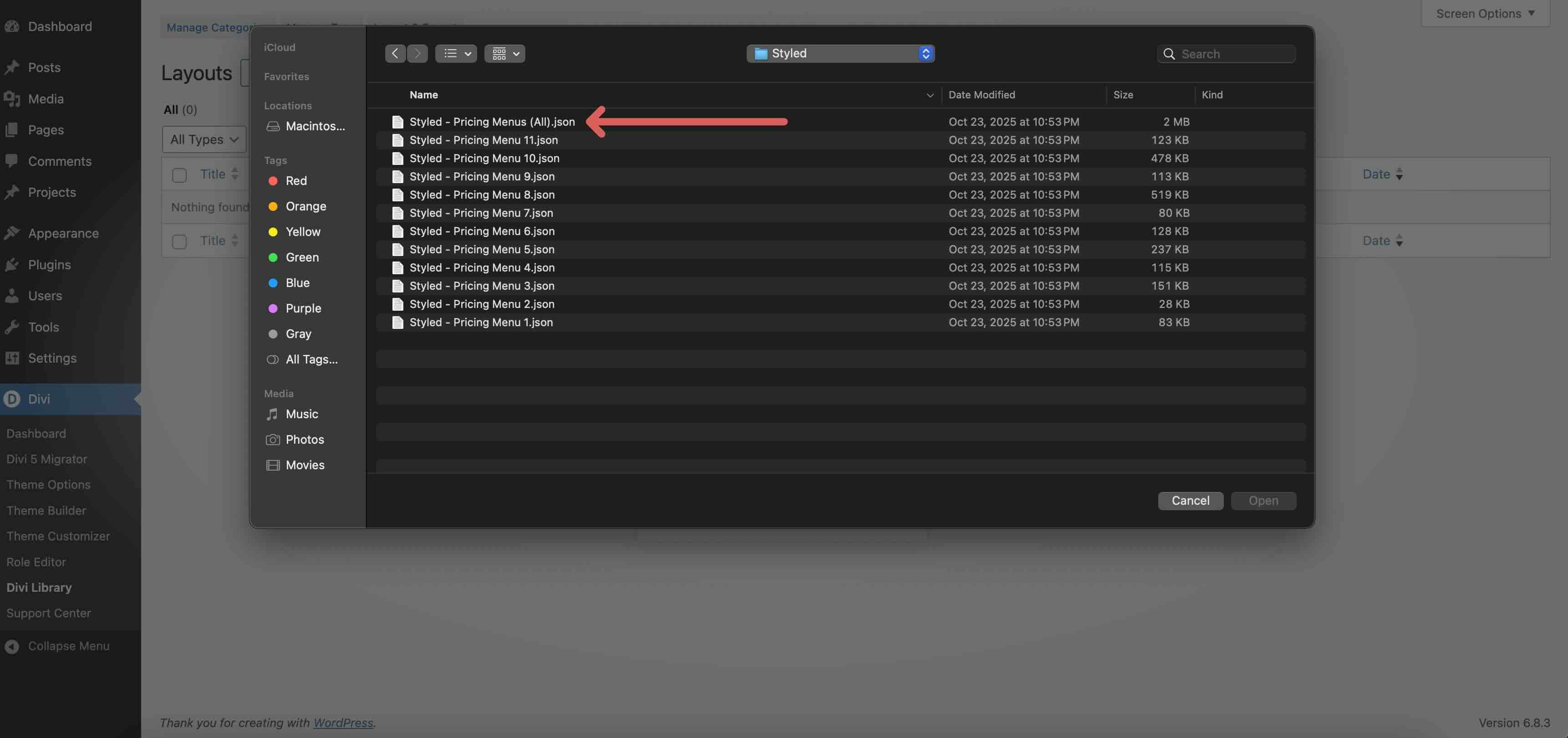
When the Import & Export Layouts modal appears, select the Import tab and click Choose File to locate the JSON files on your computer.
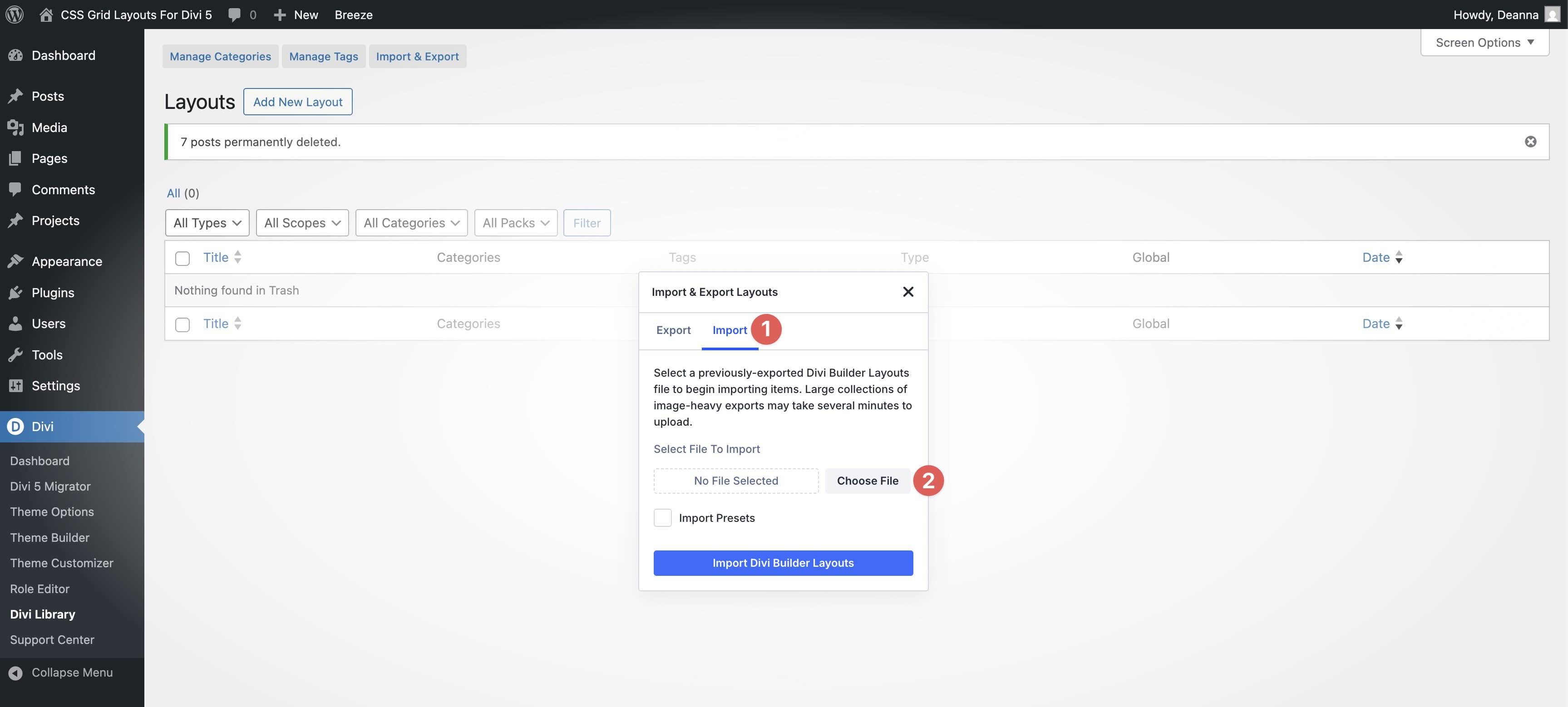
Choose either Styled – Pricing Menus (All) or Unstyled – Pricing Menus (All) and click it to import.
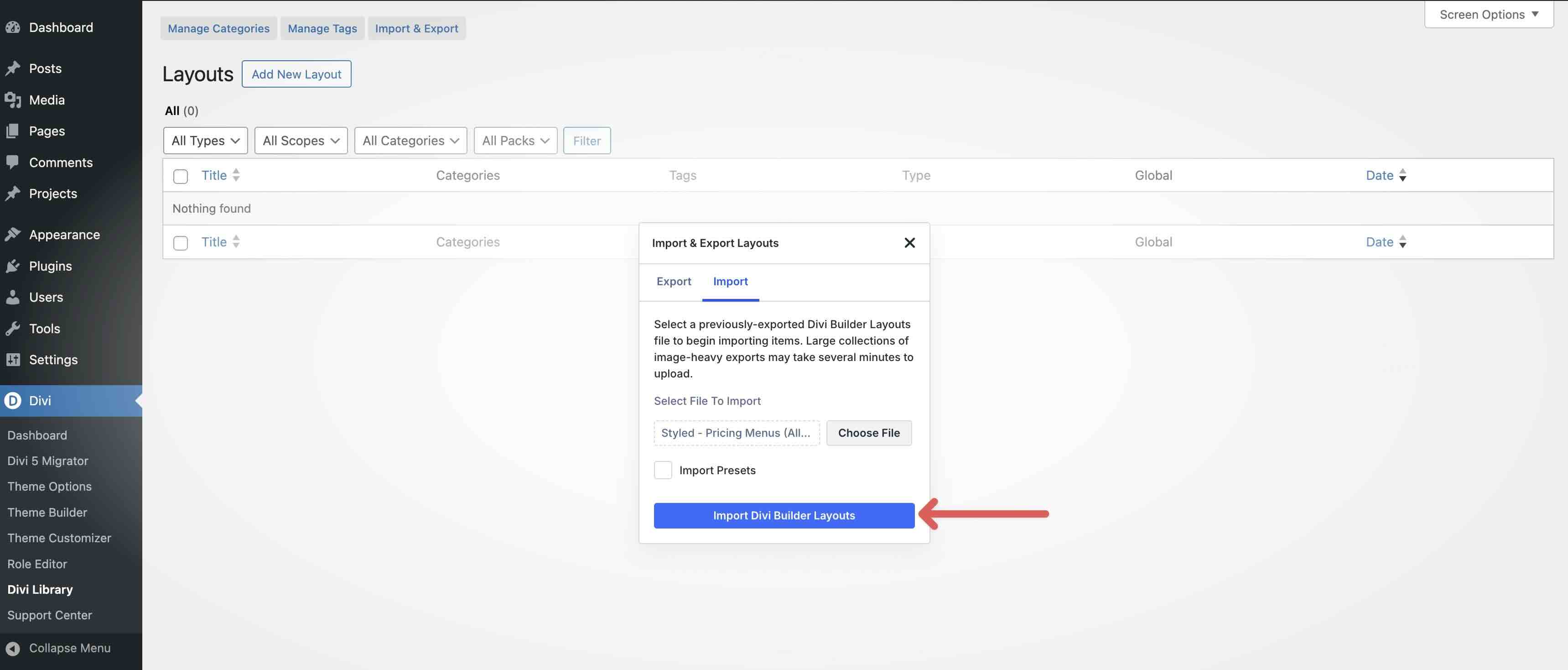
Once the file is loaded, click Import Divi Builder Layouts to install them.
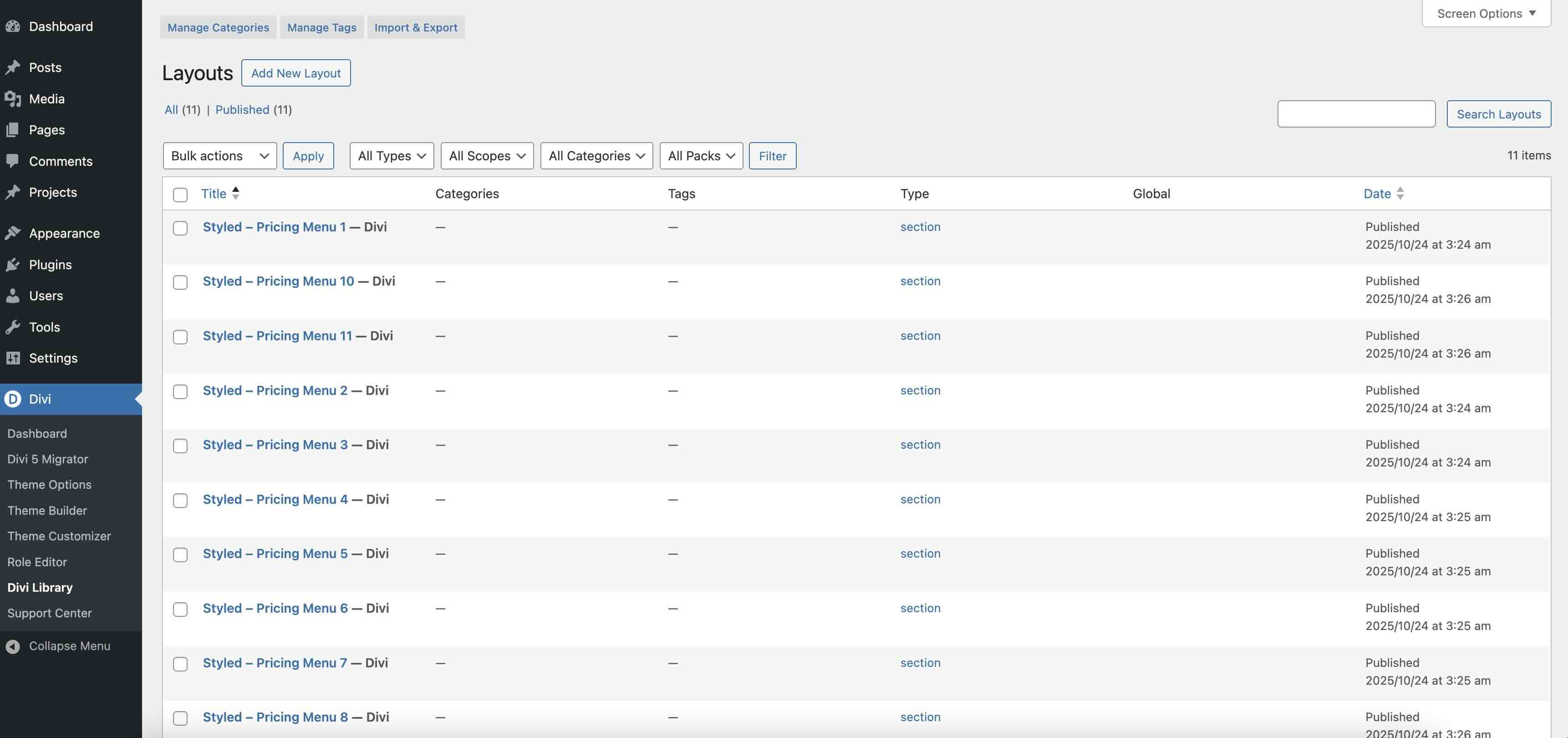
Once imported, all 11 Pricing Menu layouts will appear in the Divi Library.
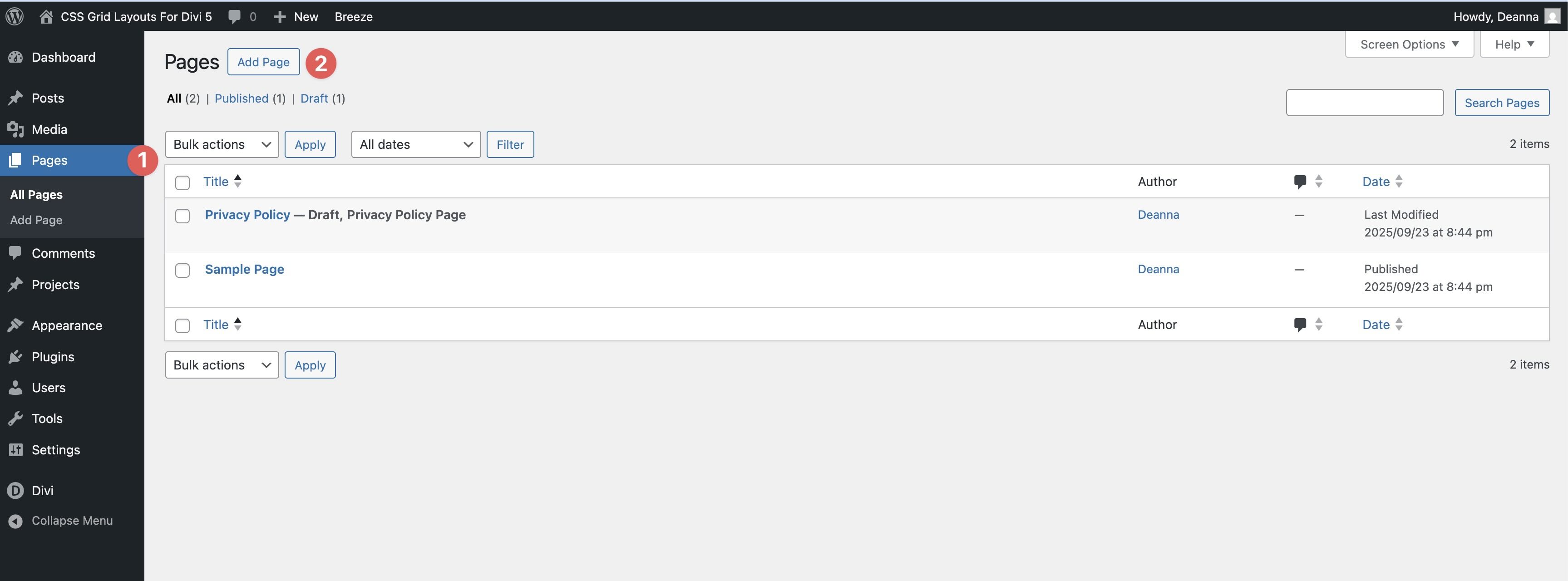
Navigate to Pages → All Pages. Open a page in the Visual Builder (or create a new one).
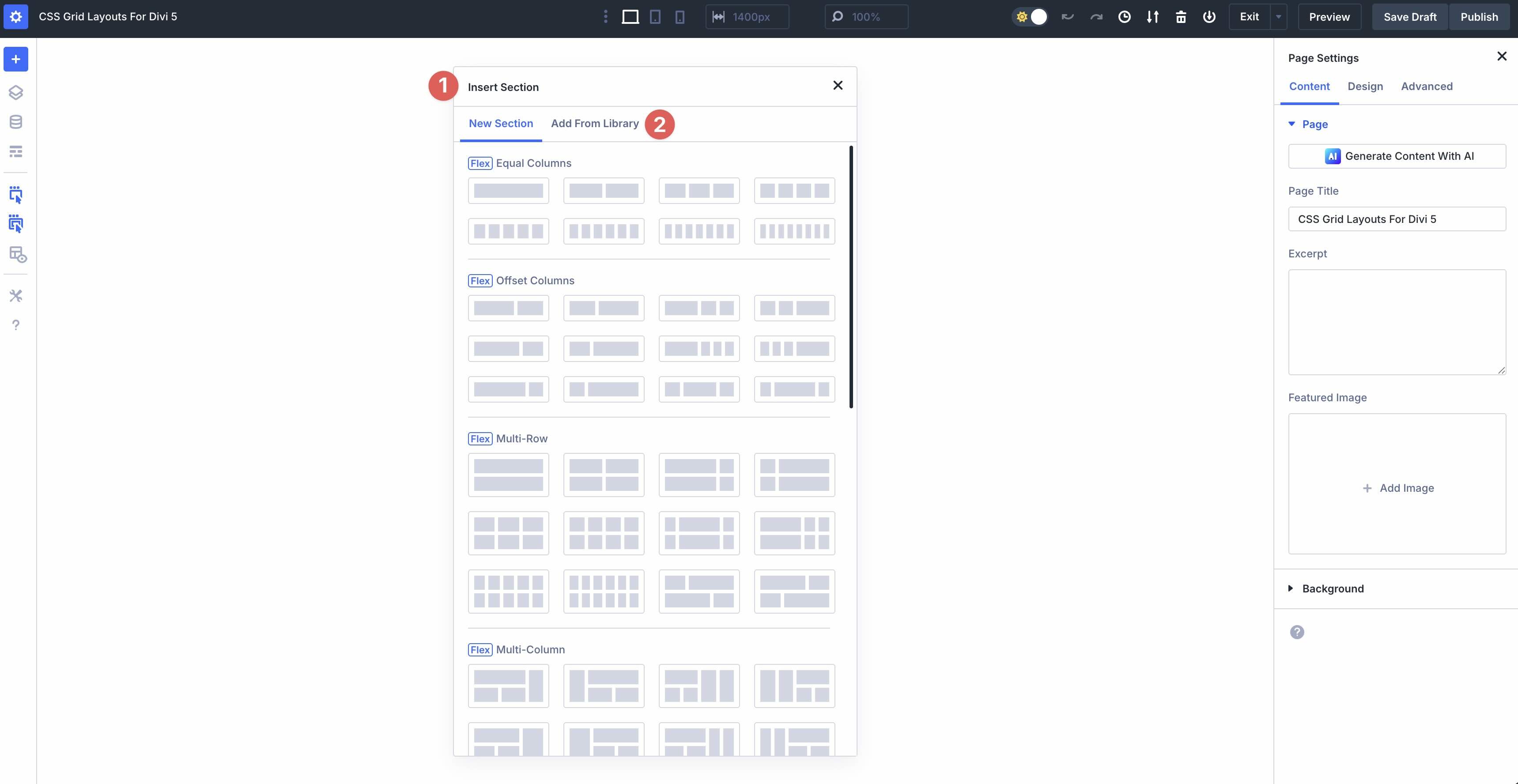
Click the black “+” in the Visual Builder. When the Insert Section modal appears, click the Add From Library tab.
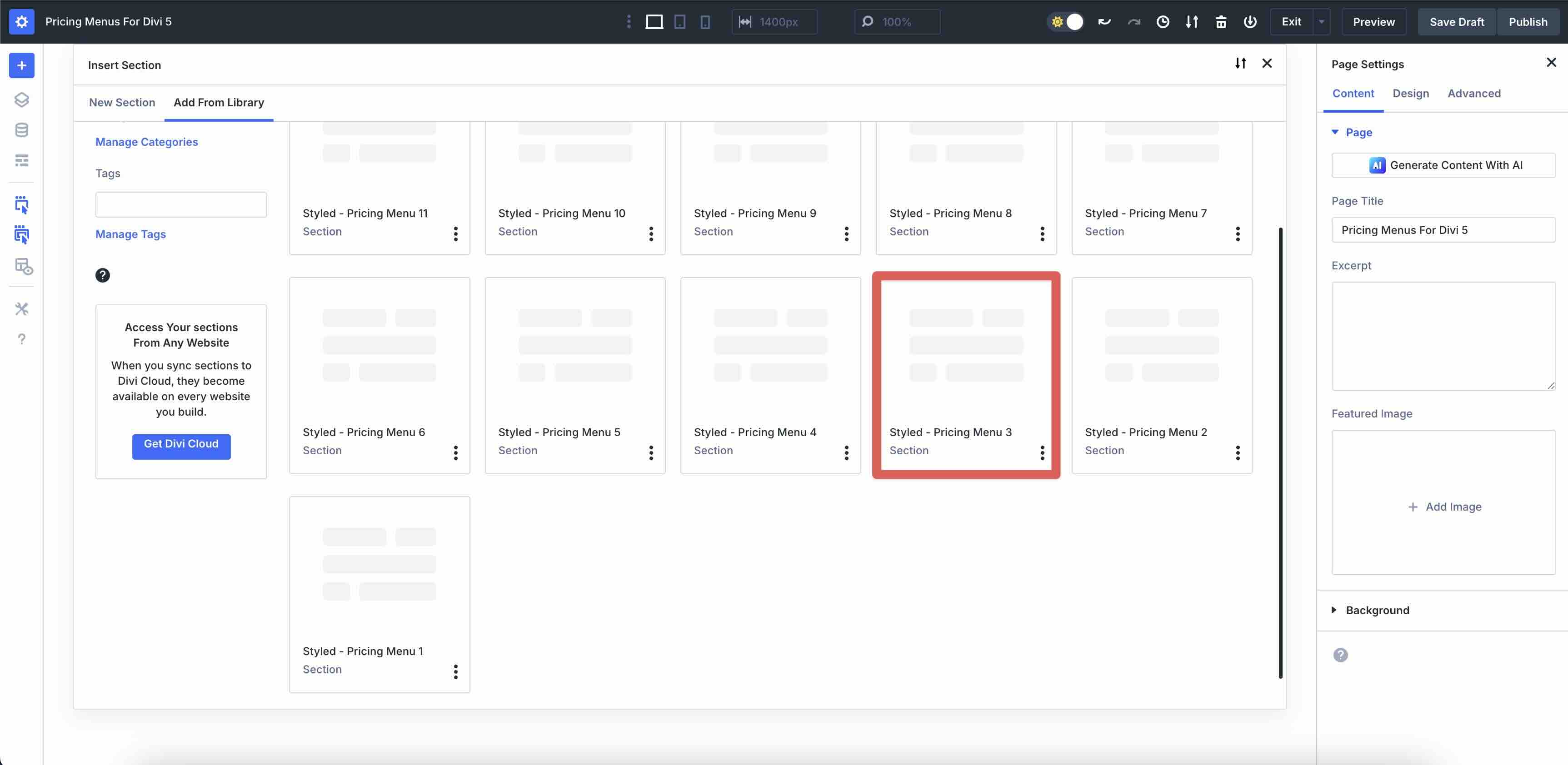
Pick the Pricing Menu you want to add.
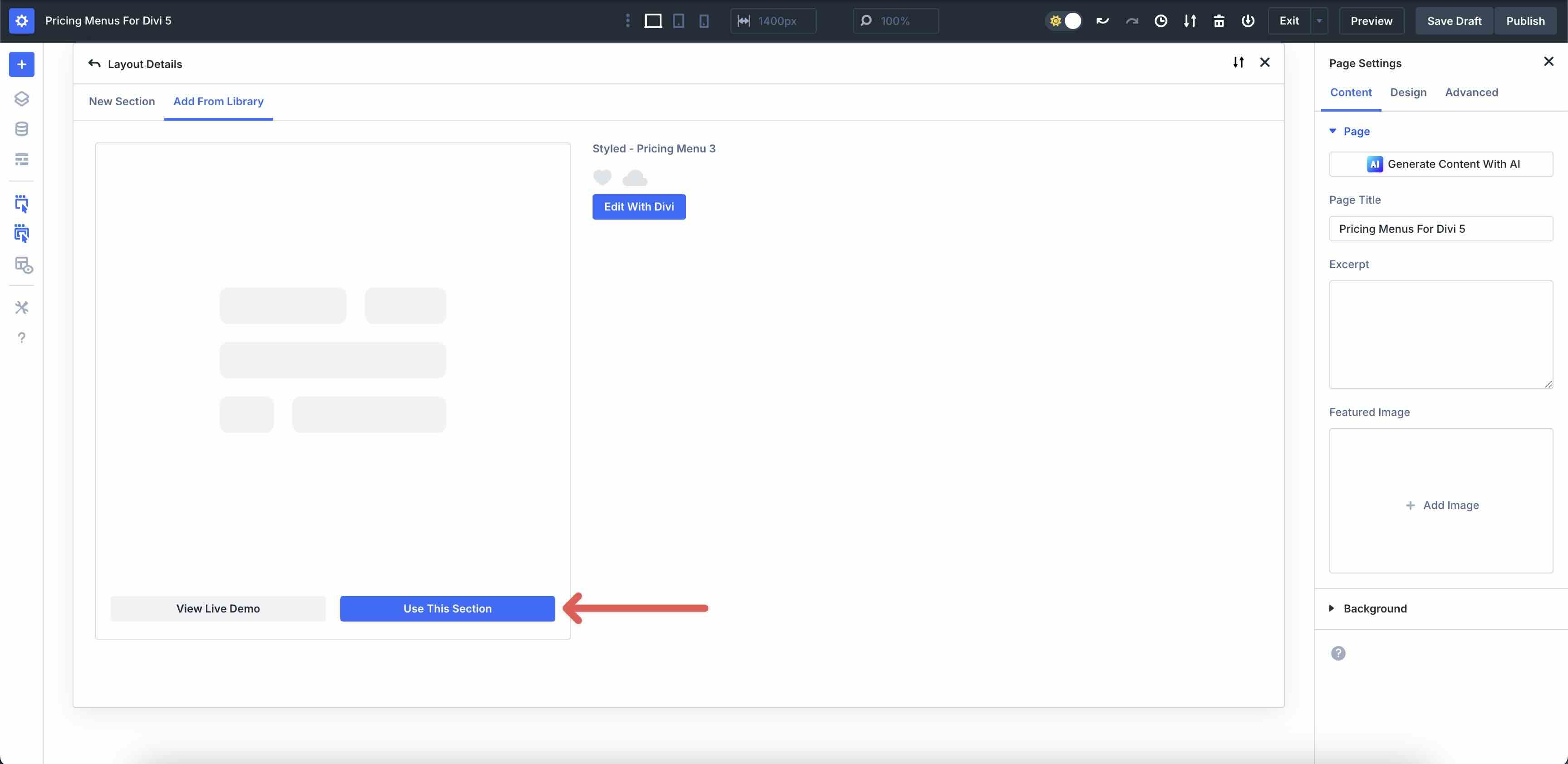
Click Use This Section to load it.
Finally, save the page by clicking the Publish button at the top right of the Visual Builder.
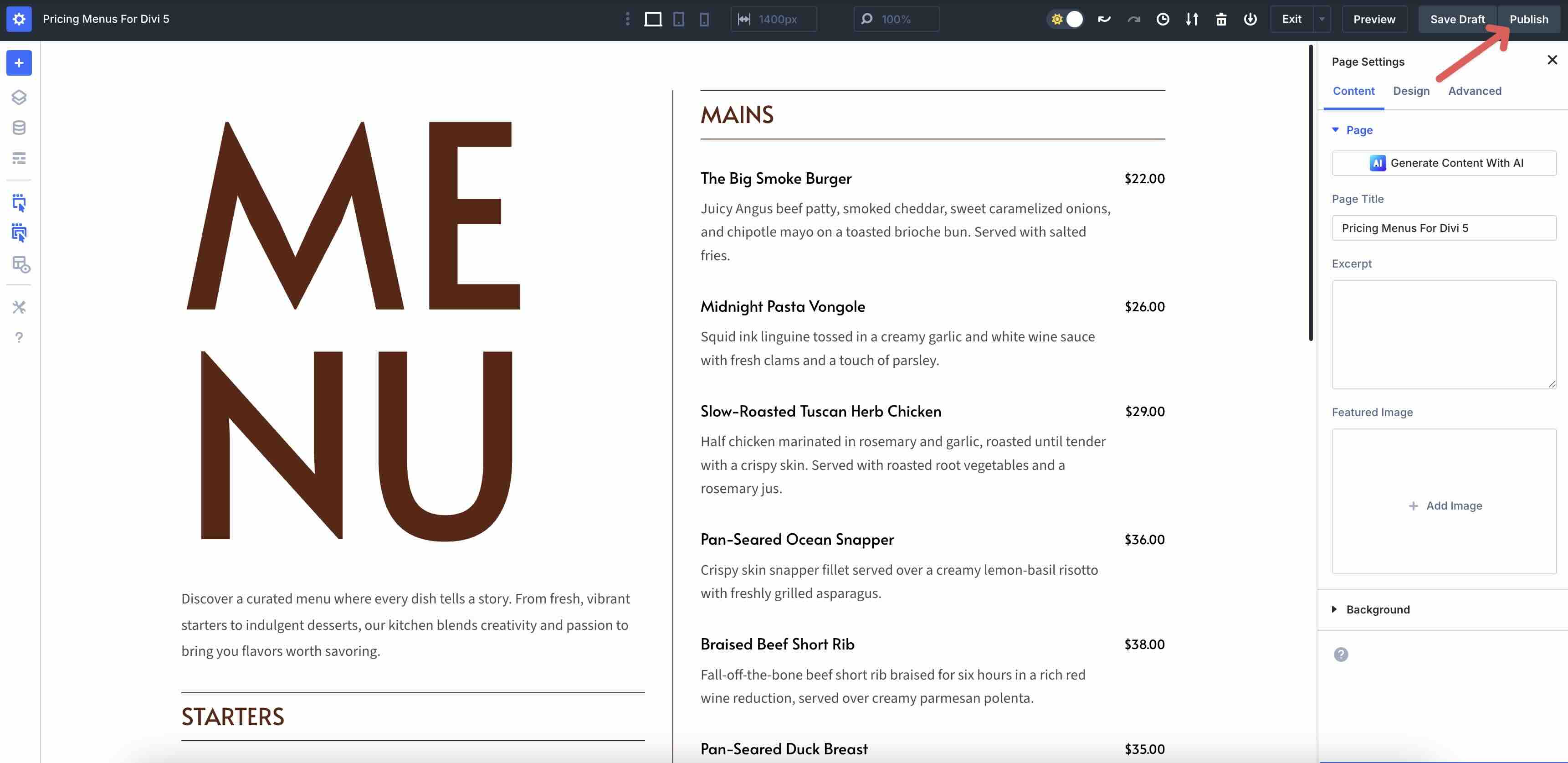
Each layout ships with clean structure, spacing, and typography. You can tweak anything at the Section, Row, Column, or Module level to match your brand.
1. Control Layout With Flexbox
Divi 5’s Flexbox layout system keeps pricing menus aligned and responsive.
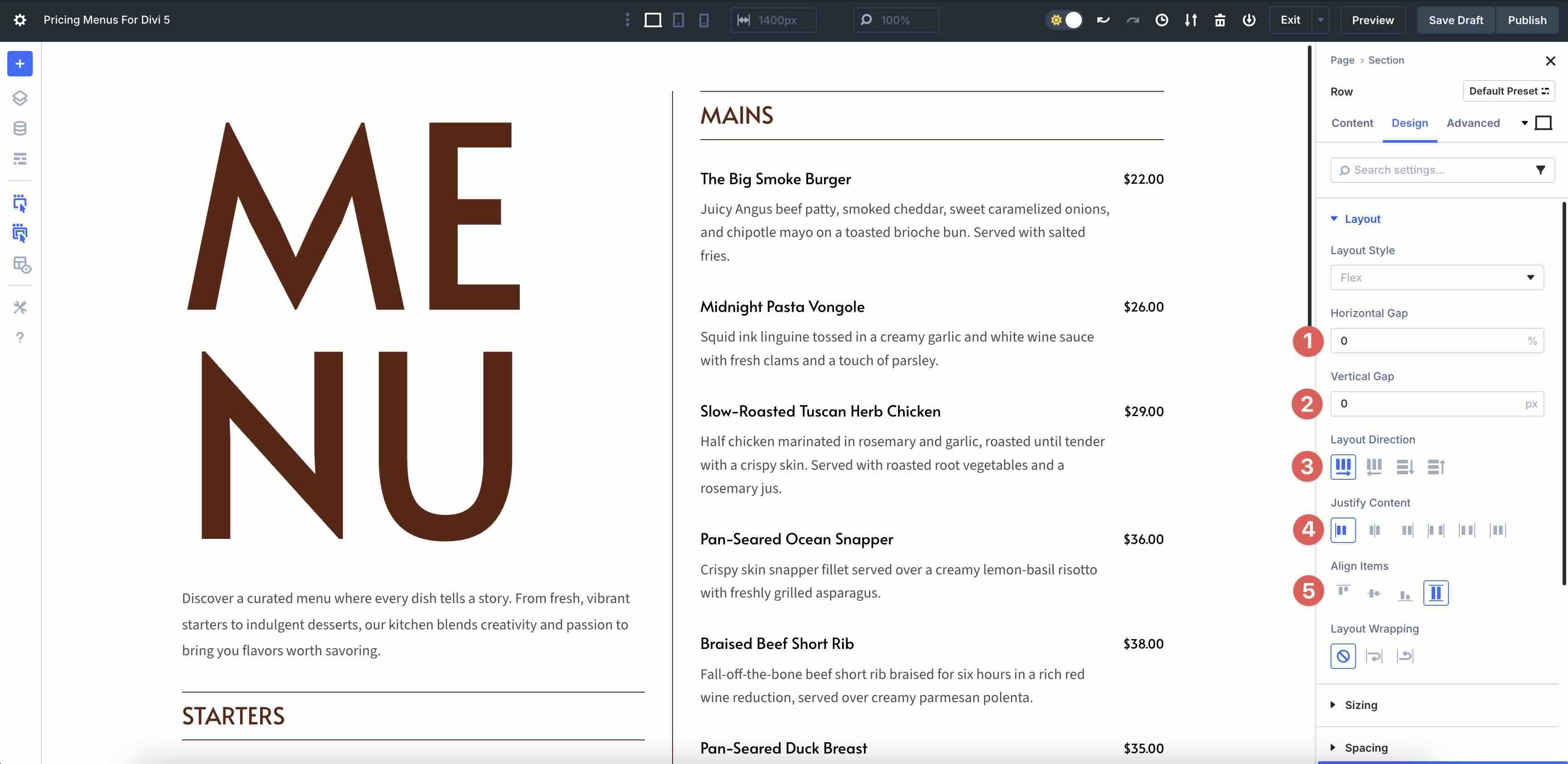
Open the Row settings and go to the Design tab → Layout.
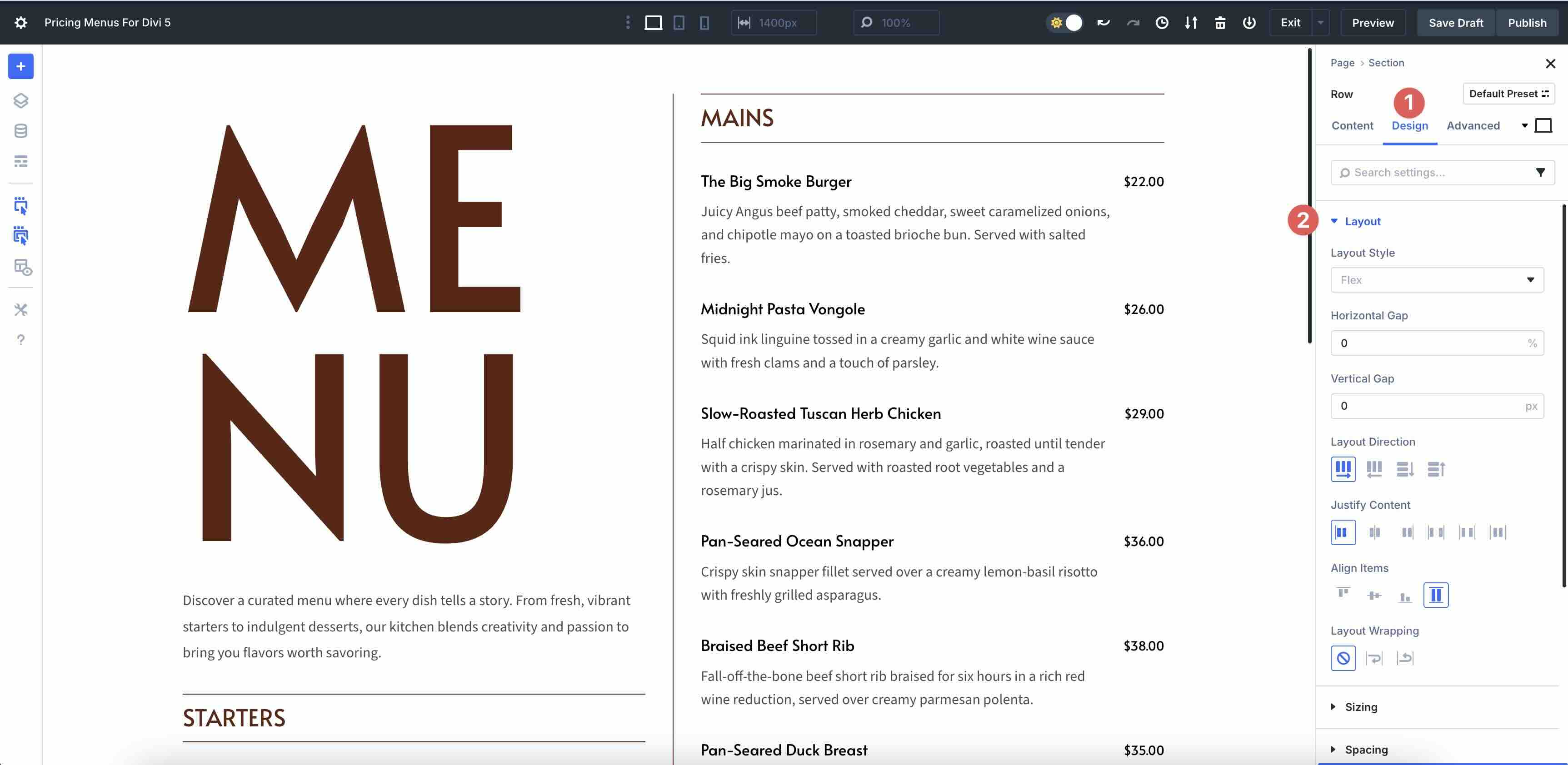
Adjust the Horizontal Gap and Vertical Gap, change the Layout Direction, and adjust the Justify Content and Align Items fields to suit your preferences.
2. Edit Pricing Content
Use Nested Rows to add new menu items and add Heading and Text Modules for descriptions and pricing. You can also duplicate existing menu items and simply change the text. Use Divi AI to generate new descriptions if you need a little creative nudge.
3. Style It Your Way
In Styled layouts, colors and accents are set for you. However, you can tweak Backgrounds, Borders, Spacing, Box Shadows, and Typography to match your brand. Use Divi 5’s Inspector tool to make quick changes.
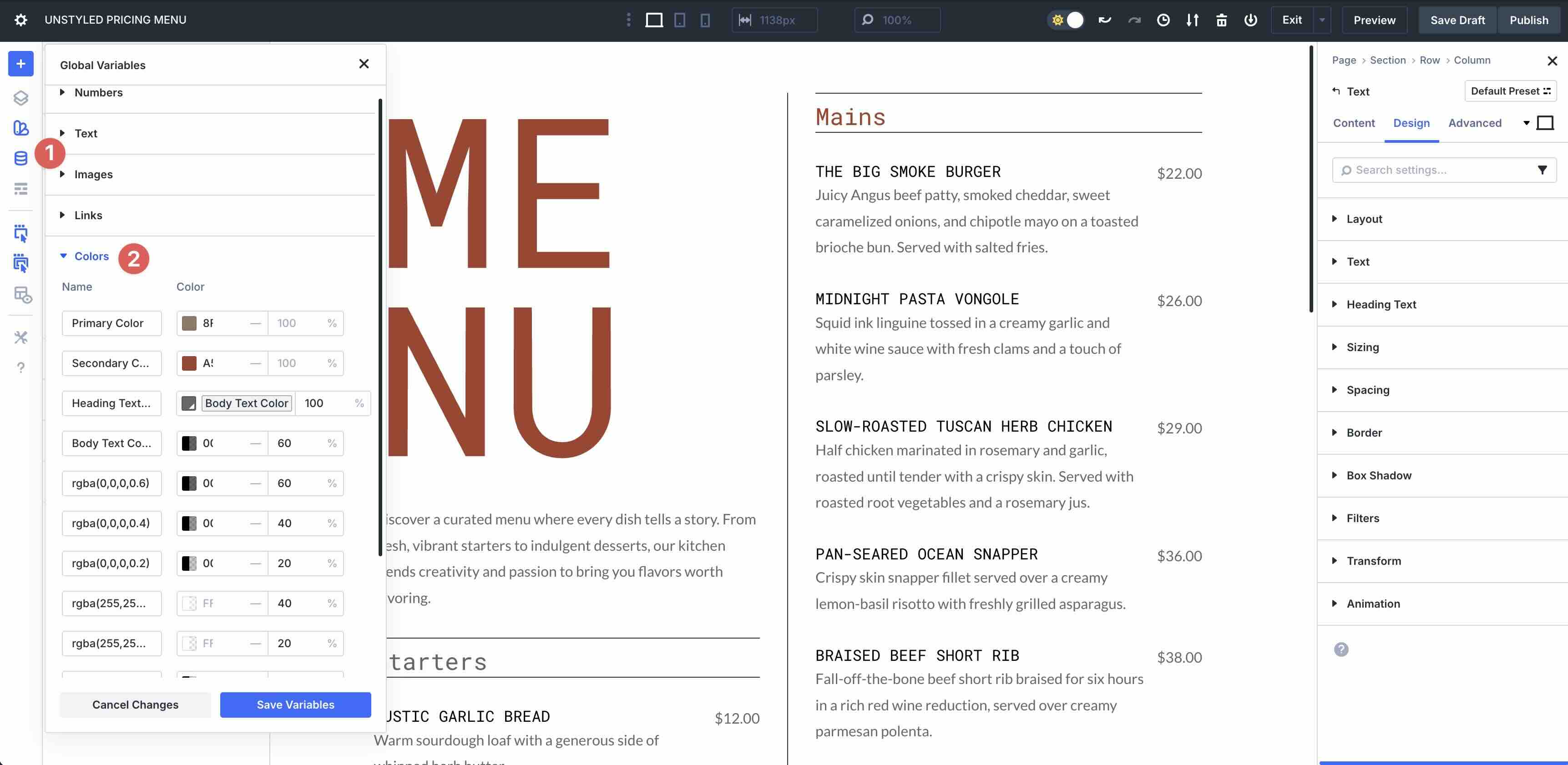
In Unstyled layouts, elements inherit your Global Styles. Update site-wide colors and fonts via Global Design Variables to change every module in the pricing menu simultaneously.
Start Building In Divi 5 Today
These 11 pricing menus provide a fast and flexible starting point for plans and packages in Divi 5. Download them, drop them into any page, and tailor the titles, prices, descriptions, and CTAs to your menus. Flexbox and responsive controls keep everything aligned, allowing you to focus on design.


