


Looking for the best SEO plugins for WordPress to help you rank high in search engines and drive relevant traffic?
Then this post is just for you.
An SEO plugin lets you optimize your website for maximum rankings in search engines without needing to be an SEO expert.
In this post, I’ve rounded up the best SEO plugins for WordPress to help you choose the right one so you can drive more traffic to your site and grow your business.
In This Article
Why You Need the Best SEO Plugins for WordPress?
SEO plugins are important because optimizing your website for search engines can help you rank higher in search results and significantly grow your business.
SEO statistics show that 75% of searchers don’t click past the first page of results. And the first 5 results for a given search account for 67% of all clicks.
This should make you realize how crucial it is to have all the SEO tools and features needed to achieve this. And that’s exactly what these SEO plugins offer you in various ways. Let’s look at that next.
How We Test and Review the Best SEO Plugins for WordPress
Our approach to testing and reviewing the best SEO plugins for WordPress involves several key methods. This way, we ensure each plugin is vetted fairly and give you the information you need to make an informed decision.
So, how did we test and review these best SEO plugins for WordPress
- Real-world Testing: I conduct thorough tests of SEO plugins on our own websites. This hands-on approach allows me to provide authentic insights into their performance and impact on website visibility and search engine rankings.
- Expertise and Experience: Our team comprises seasoned professionals with extensive WordPress SEO experience. Having used a wide array of SEO plugins, we know exactly what to look for and can offer authoritative recommendations.
- Evaluation Criteria: When reviewing SEO plugins, we consider factors such as ease of use, pricing, features, and more. This comprehensive evaluation ensures that our reviews are thorough and informative.
The Best SEO Plugins for WordPress (Expert Top Picks)
Now that you know why you should trust this review, let’s jump into our expertly curated list of the best SEO plugins for WordPress
1. All in One SEO (AIOSEO)
AIOSEO is the best WordPress SEO plugin for many reasons. It’s a beginner-friendly SEO plugin that’s easy to use yet very powerful.
It’s the original WordPress SEO plugin with over 3 million active installations. AIOSEO puts the user experience first and helps you improve your website’s SEO rankings in less than 10 minutes.
Not only that, it eliminates the need to install multiple plugins and works perfectly for all types of businesses, including e-commerce stores, blogs, and news sites. AIOSEO comes with a free Lite version and Pro versions.
AIOSEO offers advanced SEO tools and features such as:
- Search Statistics: This powerful Google Search Console integration lets you track your keyword rankings and see important SEO metrics with 1-click, and more.
- Keyword Rank Tracker: Get keyword ranking data right inside your WordPress dashboard, eliminating the need for expensive third-party tools.
- SEO Revisions: Track any changes you make to your site and see their impact on your SEO. Plus, you get to see on a timeline how Google updates affect your site.
- Advanced Robots.txt Generator: Easily generate and customize your robots.txt file for better crawling and indexing.
- TruSEO Highlighter: Makes it easy to spot on-page SEO issues and gives recommendations for fixing them.
- Redirection Manager: Helps you manage redirects and eliminate 404 errors, making it easier for search engines to crawl and index your site.
- Link Assistant: A powerful internal linking tool that automates building links between pages on your site. It also gives you an audit of outbound links.
- IndexNow: For fast indexing on search engines that support the IndexNow protocol (like Bing and Yandex).
- Sitemap generator: Automatically generate sitemaps of different types to notify all search engines of any updates to your site.
- AIOSEO MCP: Connect Claude, ChatGPT, Cursor, or Gemini directly to your site and give your AI agent real SEO tasks, like fixing meta descriptions or building redirects, right from chat. It’s free on every plan, including Lite.
- REST API: Now free for every AIOSEO plan, giving developers direct HTTP access to 28 SEO abilities for building custom integrations and headless workflows.
- AI Assistant: Generate SEO titles, meta descriptions, and image alt text in bulk across multiple posts at once using AI credits.
- Author SEO (E-E-A-T): Add author bios and credentials with schema markup to strengthen your site’s experience, expertise, authority, and trust signals.
- LLMs.txt Generator: Create a llms.txt file so AI search tools like ChatGPT and Perplexity can better understand and cite your content.
For step-by-step instructions on installing AIOSEO, check out our installation guide.
We’ve also got you covered with the ultimate WordPress SEO tutorial for learning how to use our tools and improve your site’s organic performance.
AIOSEO also makes it easy to connect your site with Google Search Console through the Webmaster Tools feature. But the best part is that the plugin also has a Google Search Console integration called Search Statistics. This powerful feature helps you easily monitor your SEO performance right in WordPress.
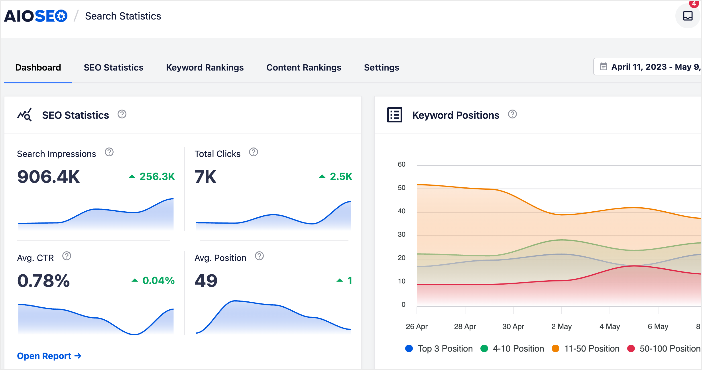
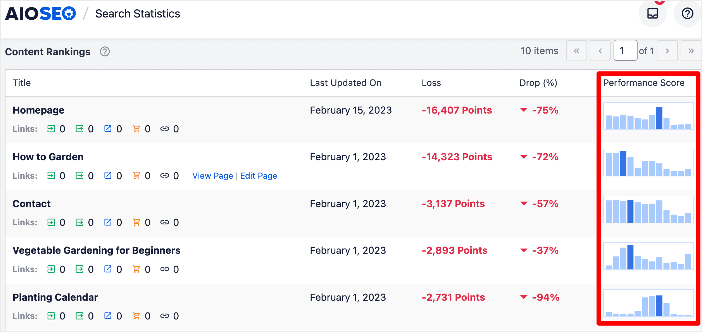
Search Statistics enables you to monitor a wide range of SEO data and metrics, including keyword rankings and content performance. You can also use the Content Rankings report to identify and combat content decay!
If you’re a small business owner or run an eCommerce store, you can use AIOSEO’s built-in WooCommerce SEO tools to help boost your eCommerce store’s visibility and rankings. This includes dynamic optimizations, individual product page optimizations, product image SEO, and other handy features to increase organic traffic to your online store and drive more sales.
And if you sell digital products or run a membership site, AIOSEO also has you covered as it integrates with platforms like Easy Digital Downloads (EDD) and MemberPress.
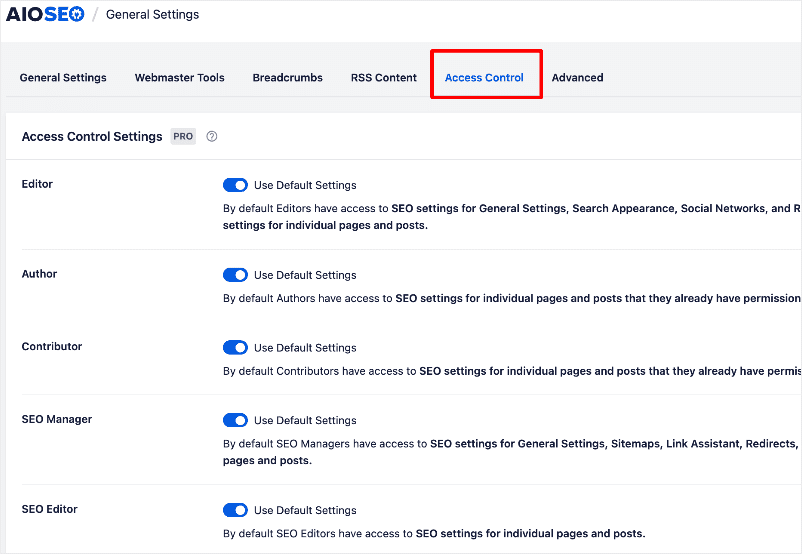
For teams, you can also use the SEO user roles to manage access to important SEO features without handing over control of your website.
Pricing: The Pro plan starts at $49.50 per year plus a 14-day money-back guarantee. If you’re looking for free SEO plugins, you can use the AlOSEO Lite version and later upgrade to the Pro version once you are ready to take your SEO efforts to the next level.
2. Broken Link Checker
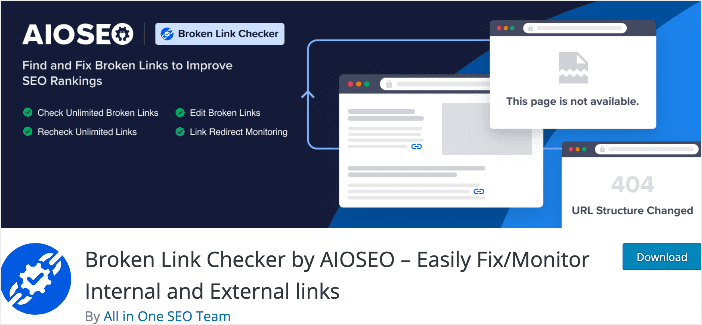
Broken Link Checker (BLC) is another strong contender for the title of best WordPress SEO plugin. Developed by the team behind the All In One SEO plugin (AIOSEO), you can be confident that the code is light and clean, and the plugin is effective.
BLC should rank high on your list of WordPress SEO plugins for your site. That’s because links are among the top 3 ranking factors search engines use to rank content. This plugin helps ensure that every link on your site works as it should.
Features
- Comprehensive link checking: BLC scours your website for broken links and redirects. With just a few clicks, you can quickly identify links with issues.
- Complete link status details: Get in-depth information on every link on your site, including URL, location, HTTP status, and more.
- Customizable settings: Easily change the settings to suit your needs and workflows. For example, you can choose which post types or post statuses to scan.
With Broken Link Checker, you can easily find and fix broken links on your site, both internal and external. The best part: the plugin automates the entire process! This saves you a lot of time as you won’t have to manually look for and test all the broken links on your site. And when you find a broken link, you can edit the URL, unlink it, recheck it, or dismiss the error.
Pricing: Free. Paid plans start at $4.99.
3. Yoast SEO
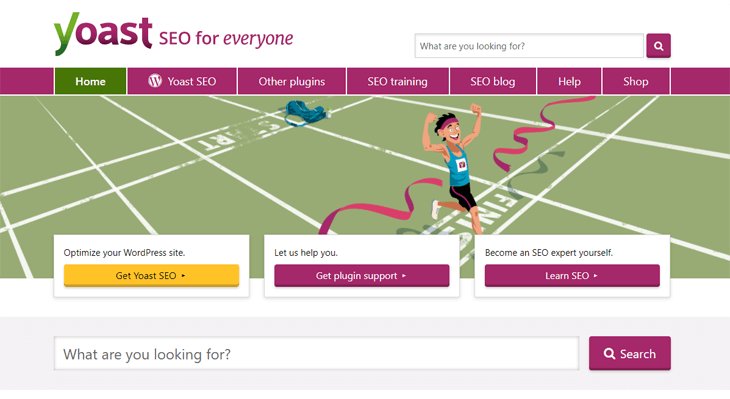
Yoast SEO is another WordPress SEO plugin that’s a close contender to AIOSEO. It lets you add SEO titles and descriptions to all posts and pages on your website.
Yoast SEO offers a free Lite version and a premium version with more SEO tools.
However, if you want all the SEO tools AIOSEO offers in its Pro plan, such as video XML sitemap, local SEO, WooCommerce SEO, and so on, you have to buy them as separate plugins or the full bundle, which is quite pricey.
Features:
- SEO Meta Box: The plugin lets you add your title, description, and keywords to your posts or pages. Analyze your content for errors and opportunities for improvement.
- XML Sitemap: Like AIOSEO, it automatically generates an XML sitemap, making it easy for Google to understand your site’s structure.
- Schema.org Integration: It enables Schema Markup to deliver rich search results.
- Breadcrumb Trails: You can control your site breadcrumbs so that users and search engines always know where they are on your site.
Yoast WordPress SEO gets the job done, but it’s priced higher than AIOSEO. That’s especially true since you have to pay extra for each addon. Also, it doesn’t offer an SEO Audit of your site or the option to analyze your competitors’ SEO. These are powerful tools to maximize your rankings and get ahead of your competition.
Pricing: A single-site license starts at $89 per year. A free version is available.
If you need help deciding or want to make the switch from Yoast to AIOSEO, here are some helpful resources:
4. Rank Math
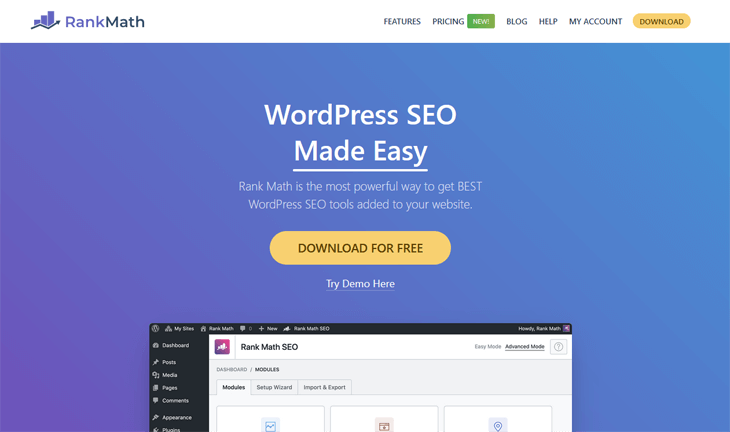
Rank Math is another WordPress SEO plugin that’s a newcomer compared to AIOSEO and Yoast SEO.
Rank Math offers a free Lite version with slightly more SEO tools than Yoast SEO’s free version, including Google Trends integration and keyword rank tracking. Like other SEO plugins, it also offers premium plans for sites with multiple domains.
In addition, it comes with a simpler setup wizard than Yoast’s multi-step one. But it still has 6 steps, while AIOSEO only has 5 easy steps.
Features:
- Import of SEO Data During Setup: The plugin lets you import data from other SEO plugins during setup.
- SEO Meta Box: It lets you add your title, description, and keyphrase to your posts and pages. Analyze your content for errors and opportunities for improvement.
- Connect to Google Search Console: It’s integrated with Webmaster Tools and lets you connect to Google Search Console.
- Open Graph Metadata: You can add Open Graph metadata to your blog posts to show a Facebook thumbnail or Twitter Cards when your content is shared on social media.
Pricing: A single-site license starts at $59 per year.
Need help deciding, or want to switch from Rank Math to AIOSEO? Here are some helpful resources:
5. WPBeginner Keyword Generator
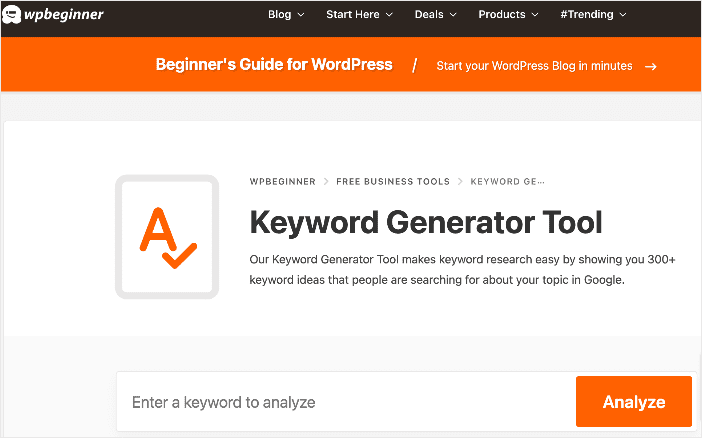
WPBeginner Keyword Generator is a free SEO tool that helps you discover keyword ideas you can create content around and include in your content.
The tool generates 300+ keyword ideas, making it one of the best WordPress keyword research tools. It’s also so easy to use. All you have to do is input your seed keyword and click the ‘Analyze’ button. The tool will then organize all the keyword ideas into three sections: alphabetical order, prepositions, and questions.
You can use the data the tool generates for blog post ideas, topic clusters, market research, and more. Plus, you can download all the keyword ideas as a CSV file and use them to map out your content strategy.
Other than that, WPBeginner’s Keyword Generator Tool comes with an SEO topical entity graph. This lets you assess the relevance of a particular keyword, a crucial factor in determining which keywords are more important to use in your content.
Features
- Comprehensive keyword list
- Filters for different types of keywords
- Downloadable spreadsheet
If you’re looking for help with keyword research, this might be one of the best WordPress SEO plugins.
Pricing: Free.
6. MonsterInsights
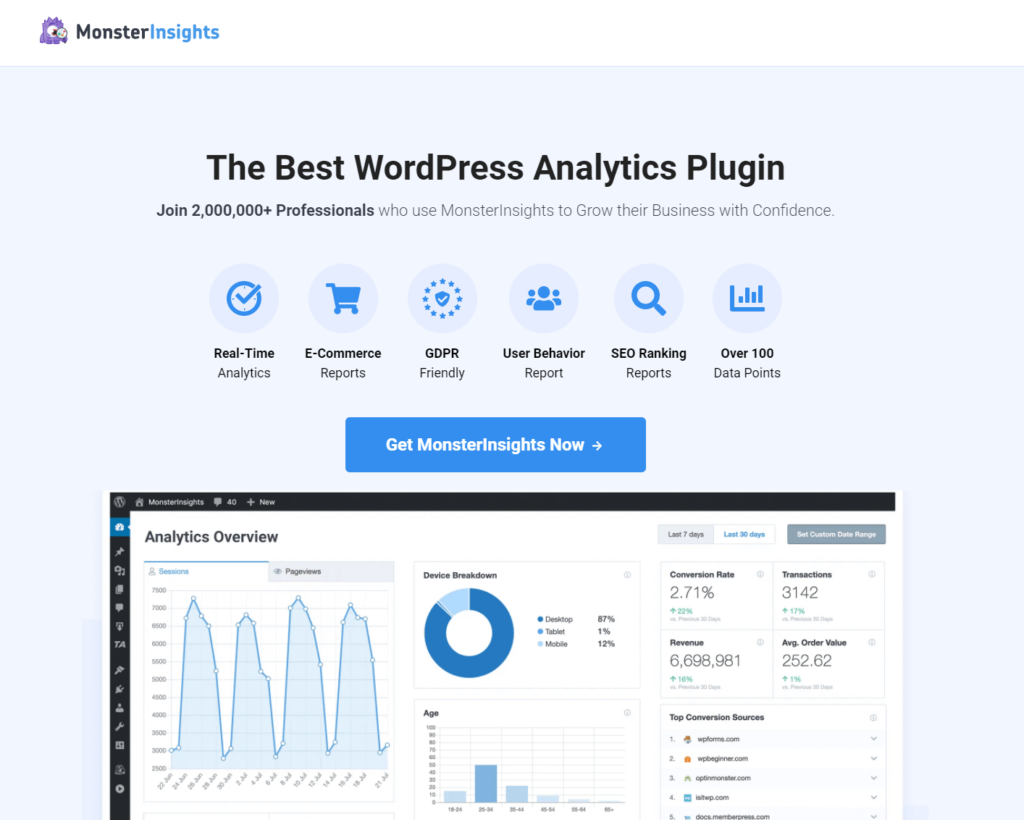
MonsterInsights isn’t an on-page SEO plugin, but it is an essential Google Analytics tool for optimizing your site and driving more traffic. Best of all, it tells you the stats that matter so that you can grow your business.
It lets you easily track visits to your website, your most popular keywords and pages, referral traffic, and more. MonsterInsights comes with a free Light version and Premium versions.
MonsterInsights has over 3 million active installations, so it’s worth trying out these features if you want to grow your business:
- Google Analytics Dashboard: The plugin’s key advantage to Google Analytics is the freedom to review real-time results directly from your WordPress dashboard. You don’t have to slide back and forth between Google Analytics and your website, which can easily get confusing.
- Universal Tracking: It allows you to set up universal website tracking across devices and campaigns with just a few clicks. No coding is needed.
- Referral Traffic Tracking: This Analytics feature lets you track your referral traffic so you can focus on securing more partnerships and backlinks to your site.
- Enhanced Ecommerce Tracking: The plugin offers 1-click Google Analytics enhanced eCommerce tracking for WooCommerce, Easy Digital Downloads, and MemberPress.
- Performance and Optimization: You can enable Google Optimize for A/B testing and for adjusting the speed and sample rate.
Pricing: The Pro plan starts at $99.50 annually with a 14-day money-back guarantee. If you’re looking for a free Google Analytics plugin, you can also use MonsterInsights Lite to get access to the free analytics features before upgrading to the premium version.
7. Google Search Console
Google Search Console (GSC) is one of the best WordPress SEO tools, especially for free versions. The tool gives you detailed SEO performance data for your website. You can even use it to discover keywords that are getting the most clicks.
GSC displays search engine result performance metrics, including total clicks, impressions, click-through rate, and average position. It also allows you to go as deep as you want when analyzing individual pages on your site. You can see the exact queries getting impressions and clicks, and their average position on Google search results at any given time.
While Google Search Console isn’t a WordPress plugin, you can integrate it with your website using a plugin like AIOSEO. This way, you can track most of your important SEO data right from your WordPress dashboard.
While Google Search Console isn’t a WordPress plugin, you can integrate it with your website using a plugin like AIOSEO. This way, you can track most of your important SEO data right from your WordPress dashboard.
Pricing: Free.
8. WP Rocket
WP Rocket is the best WordPress caching plugin on the market. It offers a comprehensive set of tools to speed up your website, including page caching and preloading.
Even if you can’t optimize your metadata with this plugin, you can optimize your site’s speed and performance, which is important for SEO.
WP Rocket offers a free WordPress cache plugin, Lazy Load, and a Premium version with more advanced features.
Features:
- Improved Page Speed: The plugin crawls and caches static copies of your pages, allowing WordPress to serve them to users instead of generating them on the fly. This frees up server resources on your website and improves the overall page load time.
- Advanced Caching: It gives you full control over caching. You can choose to exclude pages that you don’t want to be cached to increase site load speed even more.
- Browser Caching: This feature stores frequently accessed resources on your site, such as images, JS, and CSS, in the user’s device’s local storage, whether desktop or mobile. Your visitors can then view your website content faster.
- GZIP Compression: It lets you minify static files such as JavaScript and CSS stylesheets. This can help reduce your overall bandwidth usage and save your hosting costs.
- eCommerce Optimization: The plugin helps your eCommerce store run fast and smoothly by excluding sensitive pages from the cache. It helps ensure that there are no interferences in the purchasing process.
WP Rocket also includes add-ons such as Google Analytics, Facebook Pixel, Cloudflare, etc.
Pricing: The Pro plan starts at $49 per year for a single site. But if you’re looking for a free image optimizer plugin, you can use Lazy Load and later upgrade to the premium version.
9. W3 Total Cache
W3 Total Cache is the fastest and most complete WordPress performance optimization plugin. It lets you optimize your website for speed and performance, thereby improving your search rankings.
It does this by leveraging features such as page and browser caching and Content Delivery Network (CDN) integration.
For more details, see WPBeginner’s guide on how to install and set up W3 Total Cache and MaxCDN. W3 Total Cache comes with a free Lite version and a Pro version.
Features:
- CDN Integration: The plugin integrates with MaxCDN, one of the largest CDN providers. It helps accelerate your site and decrease the server load.
- Page and Browser Caching: It provides instant repeat page views for the sites you’ve visited, so you don’t need to reload the page.
- Caching in Memory, Disk, or CDN: The plugin caches your minified and compressed pages and posts in memory, on disk, or on a CDN (FSD). You can save up to 80% on bandwidth by minifying HTML, CSS, and JS files.
- Website Security: It offers various security features to help ensure website safety.
- Caching Statistics: View caching statistics to gain performance insights.
Cache plugins are a good complement to SEO plugins, as they help optimize your website’s load speed. For example, you should definitely use both AIOSEO and W3 Total Cache for optimal SEO and performance.
Pricing: The Pro license costs $99 per year and gives you access to more advanced cache features.
P
10. Schema Pro

Schema Pro is an excellent WordPress SEO plugin for adding schema markup to your website. This results in rich snippets that help your content stand out in search results by providing extra information, such as star ratings, prices below a product, images or videos next to the description, and so on.
Features:
- Unlimited websites: You can use a single license on an unlimited number of websites.
- Over 20 advanced schema types: Choose from over 20 schema markup types for each page or post you create.
- Article guidelines: Provide guidelines on the schema type needed for each page.
- Live schema testing lets you see how your rich snippets will appear in search engine results pages (SERPs).
Most WordPress SEO plugins, such as All in One SEO (AIOSEO), already add schema markup to your website. But, if you need more schema types or simply want to extend the functionality of your SEO plugin, then Schema Pro can help you do just that. Schema Pro can work alongside your WordPress SEO plugin by mapping the plugin data to Schema Pro fields.
Pricing: You can get Schema Pro for $79/year or pay for a $249 lifetime license.
11. SEOPress
SEOPress is another WordPress SEO plugin you should have on your radar. Like the other SEO plugins on this list, it comes with free and paid versions.
One of the advantages of SEOPress is that it’s super easy to use. This makes it beginner-friendly.
Features:
- WooCommerce integration: Helps you optimize your WooCommerce store listings.
- Schema markup: For rich snippets on SERPs, resulting in improved clickthrough rates.
- Sitemaps: Create sitemaps to help search engines understand which URLs to prioritize during crawl.
- Content analysis: Gives you guidance on how to better optimize your content.
- Open Graph and Twitter cards: Optimize your content for social media sharing.
- Image SEO: Increase your page load speed by optimizing your images.
While SEOPress has many features, it lacks some of the more advanced features you’ll find in powerful plugins like AIOSEO. Check out our AIOSEO vs. SEOPress review for an in-depth comparison of the 2.
While SEOPress has many features, it lacks some of the more advanced features you’ll find in powerful plugins like AIOSEO. Check out our AIOSEO vs. SEOPress review for an in-depth comparison of the 2.
Pricing: Pricing starts at $49/year.
Honorable Mentions
SEO is not just about tweaking your website to rank higher. It goes beyond that to include elements like user experience and conversions.
So, this section covers some other WordPress plugins and SEO tools you’d do well to have for a long-term strategy.
12. SeedProd
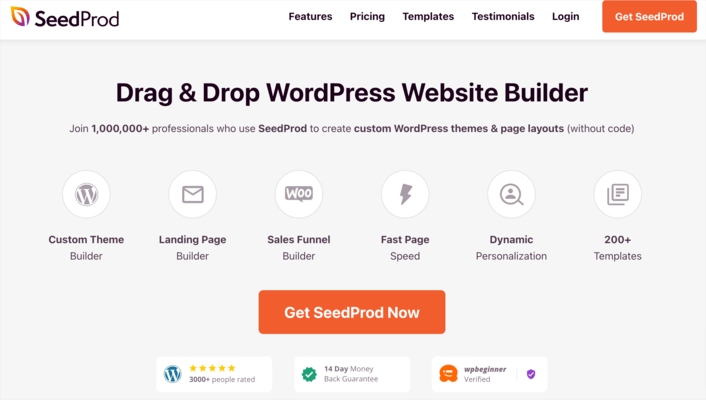
SeedProd deserves the top spot in this section as it is a powerful WordPress SEO theme and page builder. Trusted by over 1 million websites, it’s a great plugin for building lightweight, fast, responsive websites.
Because it comes with many templates for any industry and niche, you can easily use it to build custom sites. The best part is that you don’t need any coding or technical knowledge to use SeedProd. That’s because it comes with drag-and-drop functionality that lets you see what you’re building as you build.
13. OptinMonster
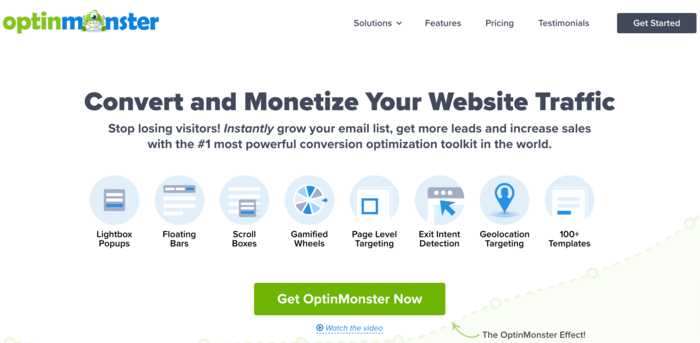
All your SEO efforts will be wasted if the traffic you drive to your website doesn’t convert. That’s why you need a tool like OptinMonster.
OptinMonster is the most powerful lead-generation and conversion-optimization software on the market. It helps you convert your traffic into leads by signing visitors up for your email list. This is all thanks to the powerful Exit-Intent® technology that converts abandoning visitors into subscribers. It also enables you to create custom campaigns to display to users based on their behavior and location.
To make campaign building easy, OptinMonster comes with dozens of professionally designed templates. Customizing them is super easy, thanks to the drag-and-drop builder. Moreover, it seamlessly integrates with other marketing platforms you need to drive sales from your email list.
14. RafflePress

RafflePress is a popular WordPress giveaway and contest plugin you should consider using. Sure, it may not be an SEO plugin, but you can use it to drive tons of traffic to your website from social media. This is important to your SEO, as high traffic volumes signal to search engines that your website is valuable to users. As a result, this will boost your rankings.
One thing users love about RafflePress is its ease of use. Creating custom campaigns is a breeze thanks to the plugin’s pre-built giveaway templates. It also comes with a terms-and-conditions generator. With these features and more, you can easily create your giveaways in 5 minutes or less. Other notable features include tracking, retargeting, fraud protection, and more.
15. LowFruits
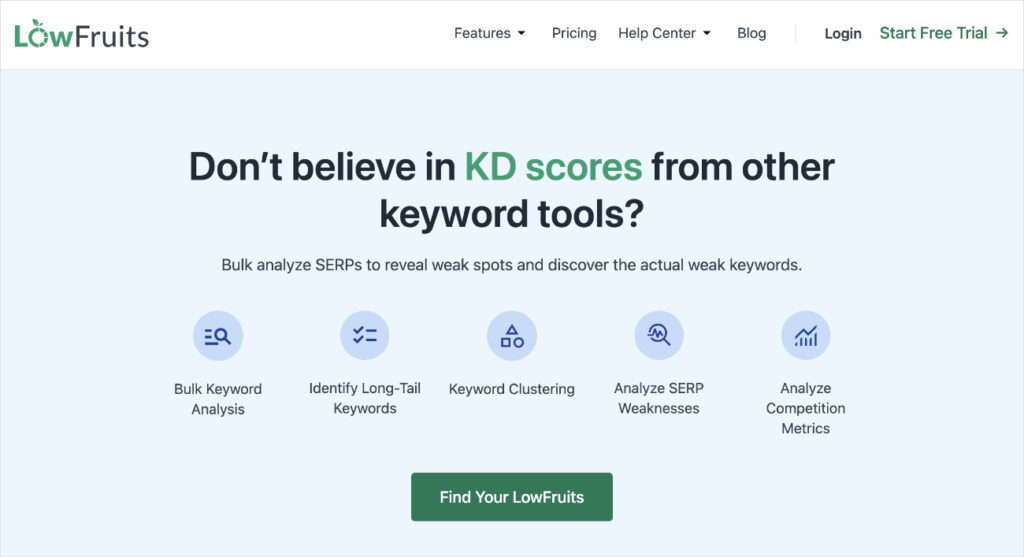
LowFruits is one of the top keyword research tools on the market. While not technically a WordPress plugin, it deserves a shoutout. The tool empowers you to identify low-competition keywords by using a proprietary algorithm to locate weak spots on SERPs. This unique combination of keyword research and SERP analysis makes it a standout tool compared to other platforms.
LowFruits also offers a range of other features, such as:
- Rank Tracker: LowFruits’ Rank Tracker provides a visual representation of historical and current ranking data. You also get a list of the top 10 organic results for the keyword.
- Domain Explorer: The Domain Explorer shows you a list of competitors within your niche. You can add these websites to your extraction list and get their keywords.
- Keyword Extractor: The ranking keyword extractor tool extracts the top-ranking keywords from competitors’ websites.
I find LowFruits to be a versatile keyword research tool and turn to it often for most projects. It’s great at uncovering relevant and easy-to-rank keywords (low-hanging fruit). It also offers tools to help me spy on competitors, empowering me to outrank them.
For example, below is a list of weak competitors I found within the florist industry. All I had to do was click the + button to add it to my extraction list.
Once you’ve added competitors to your list, you can use the Extractor tool to get a list of competitors’ keyword ideas, ranking keywords, or even their sitemaps.
Features:
- Low-competition keyword research
- Niche competitor research
- Competitor keyword research
- Rank tracking
LowFruits is the perfect solution for small business owners, DIY SEOs, and solo marketers who want an advanced keyword research tool but don’t have the budget for the popular (and expensive) solutions on the market.
Pricing: LowFruits offers pay-as-you-go (PAYG) pricing and subscriptions. PAYG packages are based on credits and start at $25 for 2,000 credits. A standard subscription costs $249/year and includes 3,000 credits per month. LowFruits also offers new users 10 free credits — no credit card required.
16. SEOBoost
Another SEO tool I recommend adding to your tool stack is SEOBoost. While it’s not technically a WordPress plugin, SEOBoost deserves an honorable mention among the best WordPress SEO plugins as it does a fantastic job of helping you create content that ranks.

SEOBoost is a full-suite content management platform designed to help you create and manage your SEO content creation from start to finish. You can use the tool for tasks such as:
- Create content briefs and outlines
- Create topic reports
- Use AI to speed up content optimization
SEOBoost also supports keyword research by identifying relevant secondary and LSI keywords to use in your content.
Personally, I’ve found SEOBoost most helpful for updating existing content. You can run a content audit of your existing content based on your target keyword. All you have to do is input the URL of the page you want to audit and your focus keyword. SEOBoost will run an audit and give you a detailed report.
This feature is especially useful for bulk-optimizing existing products and landing pages.
Pricing: Starts at $30/month. SEOBoost also offers a 14-day free trial.
The Best SEO Plugins for WordPress: Your FAQs Answered
What are the best SEO plugins for WordPress?
WordPress SEO plugins are tools that help optimize your website for search engines like Google. It provides features and settings to improve your site’s visibility, rankings, and overall SEO performance.
Why do I need an SEO plugin for my WordPress site?
SEO plugins are essential for WordPress websites because they make it easier to implement on-page and technical SEO optimizations, such as optimizing meta tags, generating XML sitemaps, improving site speed, and more. They help you improve your site’s search engine rankings and organic traffic.
Do I need technical expertise to use SEO plugins?
No, you don’t need advanced technical skills to use SEO plugins. They are designed to be user-friendly and often include helpful guides and documentation. However, some knowledge of SEO best practices can help you optimize your site effectively.
What Next?
Well, you can use any of the best SEO plugins for WordPress mentioned in this blog post to optimize your website for rankings in search engines. It would depend on your specific needs, budget, and goals, of course. As well as the cache plugins to increase speed and performance. After all, neither Google nor your website visitors like a slow site.
However, I’d highly recommend AIOSEO if you want to optimize WordPress SEO like a pro and climb the rankings in no time. It’s the best WordPress SEO plugin in the market.
AIOSEO gives you access to all the advanced SEO tools and features that you’ll need to take your SEO efforts to the next level. All this can be done without any coding skills.
Ready to get started? Here are some WordPress SEO tips to help you hit the ground running.
The post 15 Best SEO Plugins for WordPress (Tried and Tested) first appeared on AIOSEO.
Source link


