


Too many agencies still spend hours on things that should be automatic. Things like plugin updates, deployment preparation, and client status emails. The list goes on. These tasks can be tedious and eat into your billable time. Plus, they increase the chance of human error.
Automation helps you avoid all that. It saves time, reduces mistakes, and frees your team to focus on actual client work. It also makes it easier to scale because you’re not building processes from scratch every time you onboard a new site or push an update live.
In this guide, we cover automation workflows built specifically for WordPress agencies. In it, you learn how to:
- Use Git-based version control, even if your team isn’t full of developers
- Automate testing and deployments
- Move cleanly from local development to staging and production
- Automate updates, health checks, and error handling with the Kinsta API
- Connect your workflow to tools like project management systems
- Set up internal automations that handle onboarding and publishing
Let’s start with the foundation of any solid automation setup: Git.
Git-based automation workflows
Git should be standard for every WordPress agency, regardless of how technical your team is. It keeps your code organized, makes collaboration cleaner, and gives you a reliable way to roll back if something breaks.
Thanks to visual tools like GitHub Desktop or GitKraken, even non-developers can follow along and contribute without needing to use the command line.
Automating with GitHub Actions or GitLab CI/CD
Version control is just the beginning. Once you’ve got Git in place, you can layer on automation tools like GitHub Actions or GitLab CI/CD to handle the repetitive tasks.
You can automatically run tests or code quality checks every time someone pushes code. You can also trigger deployments based on branch activity, like pushing to main or merging a pull request.
Suppose you want to compile assets or install dependencies before code hits staging. You can just add your composer install or npm run build steps to the pipeline. This eliminates as many manual touchpoints as possible, resulting in faster, more reliable, and consistent deployments across every project.
Here’s a sample GitHub Action workflow that installs dependencies, checks code quality, and builds assets for a WordPress project:
name: CI for WordPress

on:
  push:
    branches:
      - main
      - staging
  pull_request:

jobs:
  build-and-test:
    runs-on: ubuntu-latest

    steps:
      - name: Checkout code
        uses: actions/checkout@v4

      - name: Set up PHP
        uses: shivammathur/setup-php@v2
        with:
          php-version: '8.2'
          extensions: mbstring, intl, mysqli
          tools: composer

      - name: Validate composer.json and install dependencies
        run: |
          composer validate
          composer install --no-interaction --prefer-dist

      - name: Run PHPCS
        run: vendor/bin/phpcs --standard=WordPress ./wp-content/

      - name: Set up Node.js
        uses: actions/setup-node@v3
        with:
          node-version: '18'

      - name: Install and build frontend assets
        run: |
          npm ci
          npm run build

      # Optional: Add a deployment step here via SSH or Kinsta API/Webhook
      # - name: Deploy to staging/production
      #   run: ./deploy.sh
Kinsta compatibility
If you’re using Kinsta, you’ve already got everything you need to plug into these workflows. SSH access is built in, so you can deploy directly from your Git repo or CI/CD pipeline.
WP-CLI is also available, making it easy to script post-deploy tasks like flushing the cache, activating plugins, or even running database updates.
Git adds structure to your workflow. With automation layered on top, it becomes the backbone of everything that follows.
Automated deployment pipelines (from dev to production)
A reliable development pipeline helps agencies move faster without cutting corners. It reduces the risk of last-minute surprises and gives your team a predictable way to test, review, and launch changes. With the right tools, you can go from local development to production with minimal friction (and without repeating yourself).
Take Sod as an example. By using the Kinsta API to automate site provisioning, staging deployments, and other maintenance tasks, they’ve streamlined operations across 400+ WordPress sites, freeing up dev time and scaling without the usual headaches.
Using tools like DevKinsta for local development
DevKinsta makes it easy to spin up a local WordPress environment that mirrors your production setup.
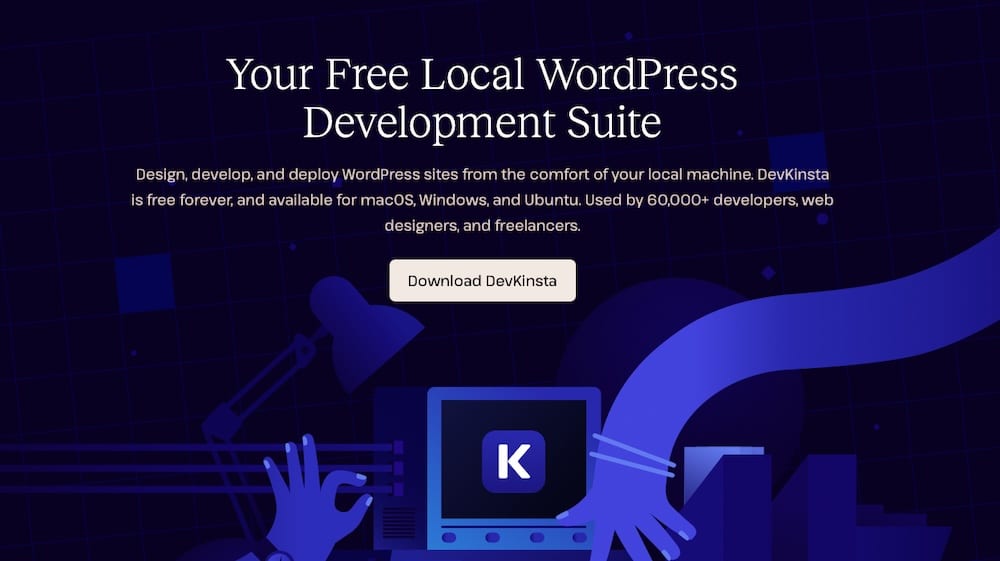
It includes a local database, SMTP server, and error logging out of the box so you can catch issues early, test plugin compatibility, and develop features in isolation before syncing anything to staging.
One standout feature is that DevKinsta blocks emails by default, so there’s no risk of accidentally blasting a test message to real users. And when you’re ready, you can push changes to a Kinsta staging environment with just a few clicks.
Composer and WP-CLI for automated dependency management
If you’re managing multiple client sites, you know how quickly plugin versions can get out of sync. Composer solves that by treating plugins and themes like code dependencies. You can lock versions, enforce consistency, and install everything automatically during deployment, eliminating the need to manually upload zip files.
WP-CLI takes things further by letting you script repetitive tasks. You can use it to activate plugins, import demo content, update options, or even run custom commands. Together, Composer and WP-CLI create a much cleaner workflow for building and maintaining WordPress sites.
Here’s a quick post-deployment script that installs all Composer dependencies, activates each plugin using WP-CLI, and updates site settings automatically:
#!/bin/bash

# Exit on any error

set -e

# Install Composer dependencies (plugins/themes)

composer install --no-dev --prefer-dist

# Activate all installed plugins via WP-CLI

wp plugin list --field=name | while read -r plugin; do

wp plugin activate "$plugin"

done

# Optional: Set site options programmatically

wp option update blog_description "A fast, automated WordPress build"
You can reuse this across client projects to ensure consistent environments, fewer manual steps, and faster handoffs to quality assurance or content teams.
Deployment to Kinsta environments
Once you test your code, it’s time to deploy. You can do this manually via Git + SSH or automate it with a CI/CD pipeline. Kinsta’s staging environments provide a safe space to verify changes before they go live. If anything goes wrong, it’s easy to roll back or restore from a backup.
This structured pipeline, which progresses from local to staging to production, accelerates the process and reduces stress. Your team knows what to expect, your clients get fewer surprises, and your launches start to feel a whole lot smoother.
Managing plugin and theme updates automatically
Plugin and theme updates are one of those agency tasks that quietly eat up more time than you think, especially when you’re managing dozens (or hundreds) of client sites. Done manually, it’s a process you’d need to engage with on a near-daily basis. When done right, with automation, it becomes a background process you can trust.
Automatic plugin updates with Kinsta
Kinsta gives you the option to enable automatic updates for plugins and themes on a per-site basis. You can monitor them through the MyKinsta dashboard, so you always know what’s updated and when. And if you’d rather take a cautious approach, Kinsta lets you delay rollouts or exclude specific plugins from auto-updating.
You also have the option to test updates in a staging environment first. That way, you’re not gambling with a live site when trying to roll out a new version of a plugin. It’s a smart layer of protection that adds peace of mind without slowing down your workflow.
Using the Kinsta API for custom update flows
If you’re managing updates across a large number of client sites, the Kinsta API gives you even more flexibility. You can build custom scripts to trigger updates, check plugin versions, or scan for issues automatically.
For example, you could:
- Trigger updates after a successful code deployment
- Run health checks and alert your team if a plugin fails to update
- Or send automated emails to project managers if a manual review is needed
This type of control enables you to automate repetitive tasks while maintaining visibility.
Here’s a simple shell script that calls the Kinsta API to update all plugins in a staging environment:
#!/bin/bash

# Replace these with your actual values

KINSTA_API_TOKEN="your_kinsta_api_token"

SITE_ID="your_site_id"

ENVIRONMENT="staging" # or "production"

curl -X POST "https://api.kinsta.com/v2/sites/$SITE_ID/environments/$ENVIRONMENT/wordpress/plugins/update"

-H "Authorization: Bearer $KINSTA_API_TOKEN"

-H "Content-Type: application/json"
You can build on this to check update logs, send alerts, or combine it with WP-CLI for post-update testing. It’s a clean way to reduce manual update work while still keeping your sites stable and secure.
To go deeper, check out our guide on managing your WordPress sites with shell scripts and the Kinsta API.
Connecting your workflow to project management tools
Automation isn’t just for code. When your technical workflows talk to your project management tools, your entire agency runs more smoothly. Updates get tracked, to-dos don’t get missed, and project managers stay in the loop without constantly asking developers for status updates.
Sync tasks between Git and project management tools
You can connect GitHub or GitLab directly to tools like Asana or Trello. That way, whenever someone opens a pull request, completes a deployment, or pushes to a production branch, a new task or comment appears automatically in your team’s project board.
Not using native integrations? No problem. With tools like Zapier or Make, you can set up automations that bridge the gap. For example, when a plugin fails to update or a deployment gets blocked, you can auto-create a task that flags it for review with no manual tracking needed.
Automating client status updates
This kind of integration is especially helpful for keeping clients informed. You can set up simple automation to notify them when key milestones happen: site updates go live, a revision is ready for review, or their feedback is needed.
Slack messages, emails, or project management comments can all be triggered automatically, based on events in your Git or hosting workflow. It keeps communication proactive, not reactive, so your clients feel involved without your team having to send individual updates every time something happens.
Automating internal agency processes
Internal operations can be just as repetitive as development work. Setting up new clients, sharing files, and moving tasks between systems all add up. Automation helps your team stay focused on strategy and execution instead of admin work.
Using Zapier, Make, or Uncanny Automator
Tools like Zapier, Make, and Uncanny Automator let you connect WordPress to the rest of your tech stack without writing custom code. They’re great for bridging systems and triggering actions based on what’s happening inside your WordPress sites.
For example, you can:
- Create a Trello card every time someone fills out a contact form,
- Notify a Slack channel when a blog post is published,
- Or auto-generate a Google Drive folder when a new project kicks off.
These are simple automations, but they eliminate tedious tasks and reduce the risk of missed steps, especially for teams juggling multiple clients and deliverables.
Automating client onboarding
Client onboarding is one of the best places to add automation. You can connect your CRM, such as HubSpot, Zoho, or Pipedrive, to your internal systems so that when a deal is marked as “won,” it triggers a new site setup, complete with a base theme, essential plugins, demo content, and a shared folder for assets.
It’s easy to build this kind of workflow using a mix of Kinsta’s API, WP-CLI scripts, and automation platforms. Once it’s in place, your team spends less time on setup and more time delivering value.
Publishing workflows
You can also use automation to support your content publishing process. Tools like Uncanny Automator can auto-schedule content based on form submissions, notify editors when a draft is ready, or even push updates to social media once something goes live.
These workflows are small but powerful. They keep your processes consistent and reduce the need for manual coordination between roles when content, marketing, and development all have to work together.
Monitoring, logging, and recovery automation
Once everything’s live, automation doesn’t stop. Monitoring and recovery are just as important as deployment, especially when you’re managing dozens of client sites. A good setup notifies you when something breaks and offers up a way to fix it fast.
Health checks and error detection
Kinsta includes server-level monitoring and alerts by default, so you’ll know right away if a site goes down or starts behaving unusually. But for broader coverage, especially from the user’s perspective, you might want to pair that with external tools like Better Uptime or StatusCake. These can ping your sites at regular intervals and alert your team via Slack, email, or SMS when something’s off.
You can also integrate these checks into your deployment process, so if a post-deploy test fails, it triggers a task or rollback automatically. That extra layer of protection makes a big difference when you’re updating multiple sites at once or deploying outside of business hours.
wPowered struggled to scale their network of over 280 sites due to frequent performance issues and persistent hosting challenges. Manual troubleshooting also consumed time. When they switched to Kinsta, they were able to use Kinsta’s APM, MyKinsta dashboard, and 24/7 expert support to identify bottlenecks quickly.

Then, they applied fixes, such as cleaning up WP-Cron jobs and optimizing theme resources. The end result? Zero downtime and reliable performance
Backup and rollback automation
Before you push any major update, take a backup. Sounds obvious, but it’s easy to forget when you’re moving fast unless you automate it. With Kinsta, you can use the MyKinsta dashboard or API to trigger backups right before a deployment or when syncing staging to production.
If something goes wrong, Kinsta’s one-click restore makes it easy to recover. You can also build backup and restore steps into your scripts or CI/CD pipeline, so rollbacks become a natural part of your workflow and not a scramble after a client email comes in.
Automated recovery isn’t just a failsafe, though. It provides real peace of mind for your team and builds trust for your clients.
Summary
Agency work moves fast. When your team is juggling updates, launches, and client communication across dozens of websites, even small inefficiencies start to accumulate. Automation helps you reclaim that time.
From Git-based deployments to plugin updates, from onboarding to monitoring, building smart workflows turns chaos into consistency and frees your team to focus on the work that drives results.
Kinsta makes a lot of these automations easier to build and manage. With tools like DevKinsta for local development, the MyKinsta dashboard for site management, and a powerful API for custom workflows, you have everything you need to automate with confidence, whether you’re managing five client sites or fifty.
If you’re ready to scale without burning out your team, Kinsta helps you do it. Learn how Kinsta hosting can help your agency automate tasks today.

Kinsta
Senior Editor at Kinsta, WordPress Web Developer, and Content Writer. Outside of all things WordPress, I enjoy the beach, golf, and movies. I also have tall people problems.


