


If you’re managing dozens of WordPress sites for enterprise clients, you know that security plugins are only one part of the story.
You need protection built into the infrastructure itself. The kind that stops threats before they even reach WordPress. That’s exactly what the Kinsta infrastructure delivers. It includes isolated containers, enterprise WAF protection, compliance certifications, and much more.
This post walks through almost everything Kinsta offers to deliver superb enterprise WordPress security.
Understanding Kinsta’s enterprise security architecture
Enterprise WordPress security involves using multiple defense layers that work independently but back each other up when things go wrong.
Kinsta delivers this through strategic infrastructure partnerships, containerized isolation, and security controls that can meet the strictest compliance requirements.
Each WordPress installation gets its own isolated LXD container with dedicated compute, memory, and networking.
The architecture is suitable for many different types of enterprise-level sites. For instance, you could be an agency juggling client sites, a dev team building mission-critical applications, or dealing with strict compliance requirements.
In most cases, an enterprise WordPress site needs to prove it can keep data secure. Kinsta’s SOC 2 Type II and ISO 27001 certifications ensure that our security practices withstand rigorous scrutiny.
Infrastructure-level protection
At the enterprise level, security can’t rely on plugins alone. It must start at the infrastructure layer, where isolation, encryption, and proactive defenses prevent issues before they ever reach WordPress.
Kinsta’s architecture is designed with that in mind. Each WordPress site runs in its own containerized environment, with dedicated resources and strict isolation. Every LXD container has its own file system, process space, and network stack, so a vulnerability in one site can’t compromise another.
In addition, Kinsta provides encrypted storage by default and physical-layer network isolation, running on high-performance virtual machines with confidential computing. This ensures your data stays encrypted even while it’s being processed across a global network of enterprise-grade data centers that meet strict physical security requirements.
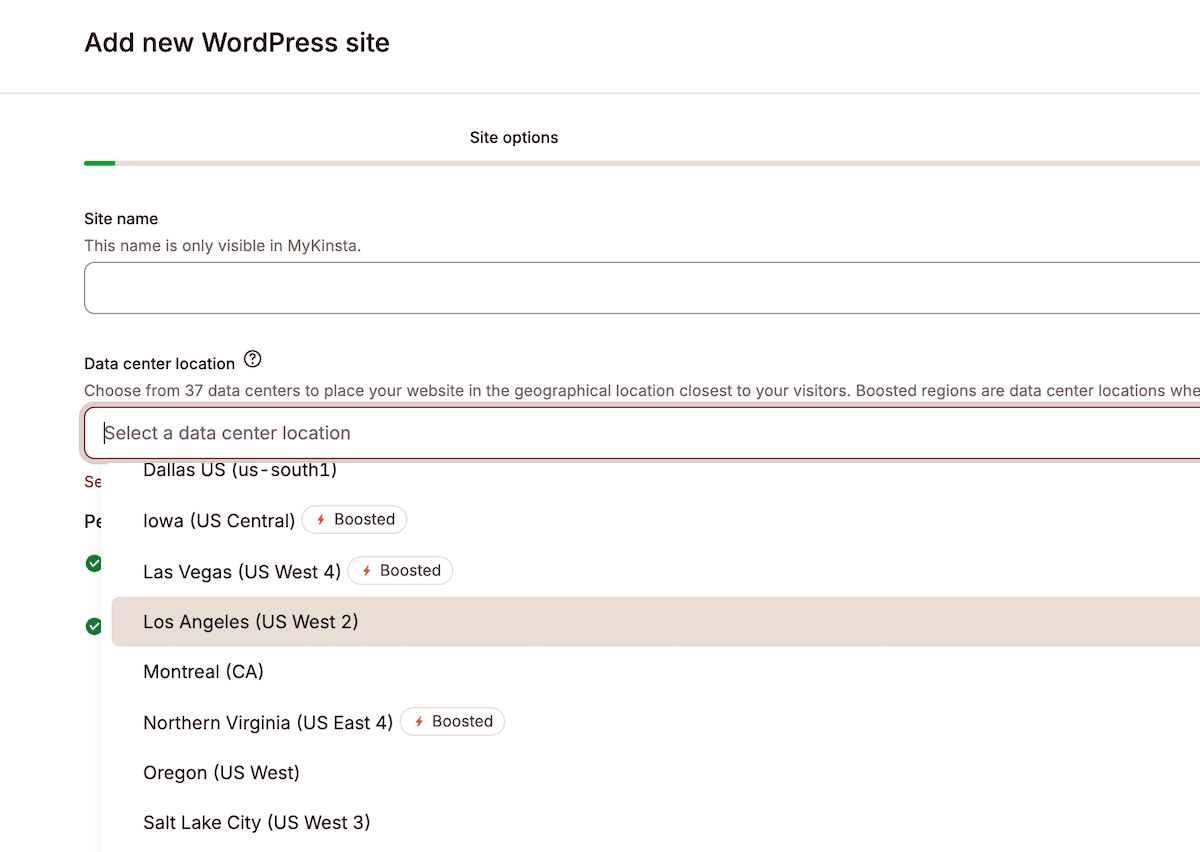
And because Cloudflare Enterprise is fully integrated, every site benefits from advanced edge protection. The Web Application Firewall applies the OWASP Core Ruleset (v3.3) to inspect every request before it reaches WordPress. Using score-based threat detection, it blocks malicious traffic in under three seconds across Cloudflare’s global network of 330 cities.
Smart DDoS (Distributed Denial of Service) protection also distinguishes between legitimate surges, like a client’s product launch, and actual attacks. With Anycast routing, traffic is distributed across multiple data centers, so no single location is overwhelmed. Real users stay online, while attackers waste their resources.
This protection isn’t just theoretical. When EQ Applied went viral, Kinsta’s enterprise-ready infrastructure absorbed the surge without slowing down. Founder Justin Bariso credited the stability with over $150,000 in course and membership sales and thousands of new leads—all while the site stayed fast and available.
I’ve had viral articles send hundreds of thousands of visitors my way, and Kinsta has never let me down.
— Justin Bariso, Founder of EQ Applied
MyKinsta’s security management capabilities
MyKinsta centralizes the controls that security teams use daily, from access rules to identity and audit trails, so protection isn’t just “on;” it’s manageable.
Geographic and IP-based access controls
Sometimes, you need to block more than individual users. For example, you may need to block an entire country based on your performance analytics and security logs.
Kinsta gives you multiple ways to do this:
- IP Geolocation: Configure country- or city-based redirects and cache rules directly in the dashboard. This is perfect for sending visitors to localized versions of your site while keeping performance high.
- IP Deny: Instantly block specific IP addresses or entire ranges. These rules propagate across our infrastructure within seconds and support both individual IPs and CIDR ranges, giving you precise control.
- Geo-blocking (via Support): If you need to block traffic from an entire country or region, our support team can enable server-side geo-blocking for you.
The clever aspect is that these controls work seamlessly with our Edge Caching. This means static content serves from Cloudflare’s edge locations and cuts requests to your WordPress installation.
All of this while maintaining your security rules. You get HTTP/3 support, 103 Early Hints, Brotli compression and other facets to slash the Time To First Byte (TTFB) without sacrificing protection.
Identity and permissions: 2FA + role-based access
MyKinsta requires Two-Factor Authentication (2FA) for everyone without exception. This is straightforward to set up for an individual site, and you can connect it to your password manager of choice, such as Google Authenticator or Authy.
This means that even if someone obtains a site’s credentials, they won’t be able to access it without the second factor.
Also, role-based access control works exactly how you’d expect it to. It’s a clean and logical setup and keeps everyone in their lane:
- Company Owners handle billing and infrastructure decisions.
- Administrators manage sites and users.
- Developers get the technical access they need without touching unrelated settings.
However, activity logging tracks everything, which is what really matters for compliance. Every login attempt, configuration change, and administrative action gives you a timestamped audit trail.
When your client’s security team wants to know who did what and when, you have the answers. Overall, the system gives you early warning signs of potential problems.
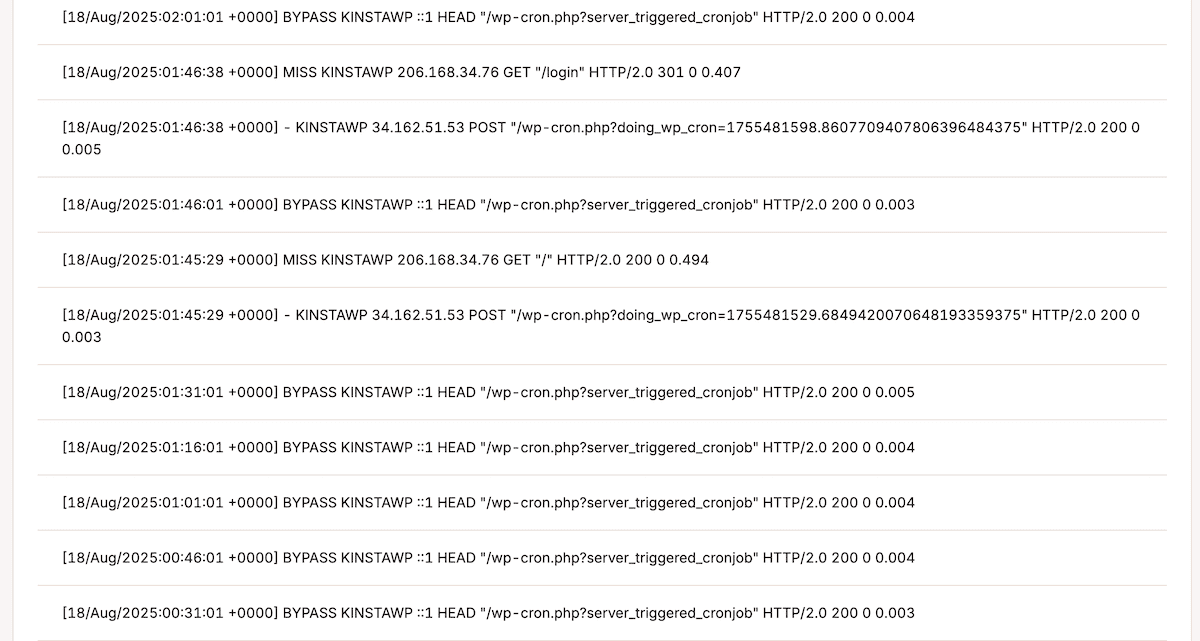
Finally, uptime monitoring runs checks from multiple global locations and alerts you within minutes if something’s wrong. It goes deeper: performance anomaly detection identifies unusual patterns that may signal security issues. For example, if you get sudden traffic spikes from crypto mining malware or a resource drain from brute force attempts, you’ll know about it.
Backup and disaster recovery
Not all functionality has to be complex. Kinsta’s automated backups capture everything connected to your sites daily, giving you peace of mind.
Month-by-month plans keep backups for 14 days, and higher tiers store them for 30 days. Also, the backup runs separately from your live site, so there’s zero performance impact.
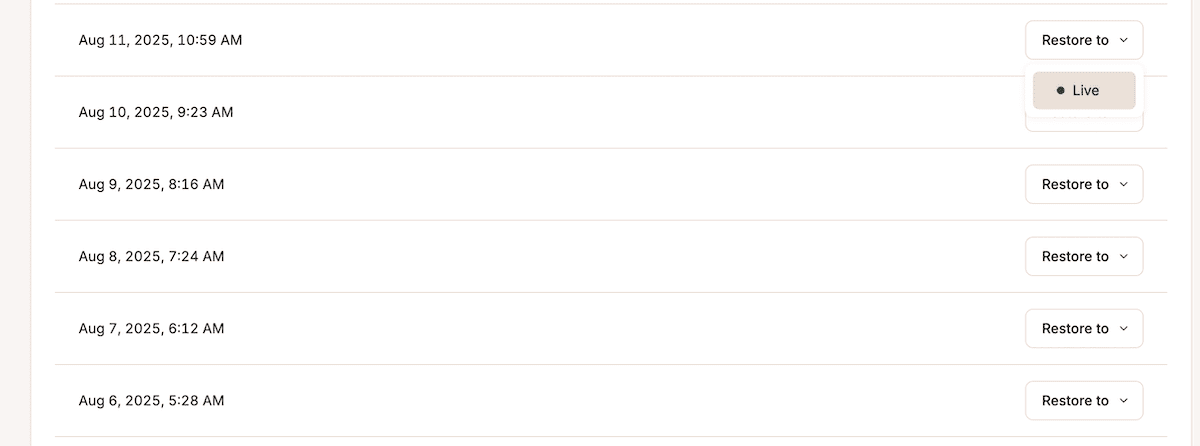
Unfortunately, disaster could strike at any time, so it’s important to plan for it. With Kinsta’s system, you can restore to any backup point with a single click. While you can retrieve everything from the backup storage, you can also select individual components. So, if you need just one file or database table, you can download individual backups and grab what you need without touching the live site.
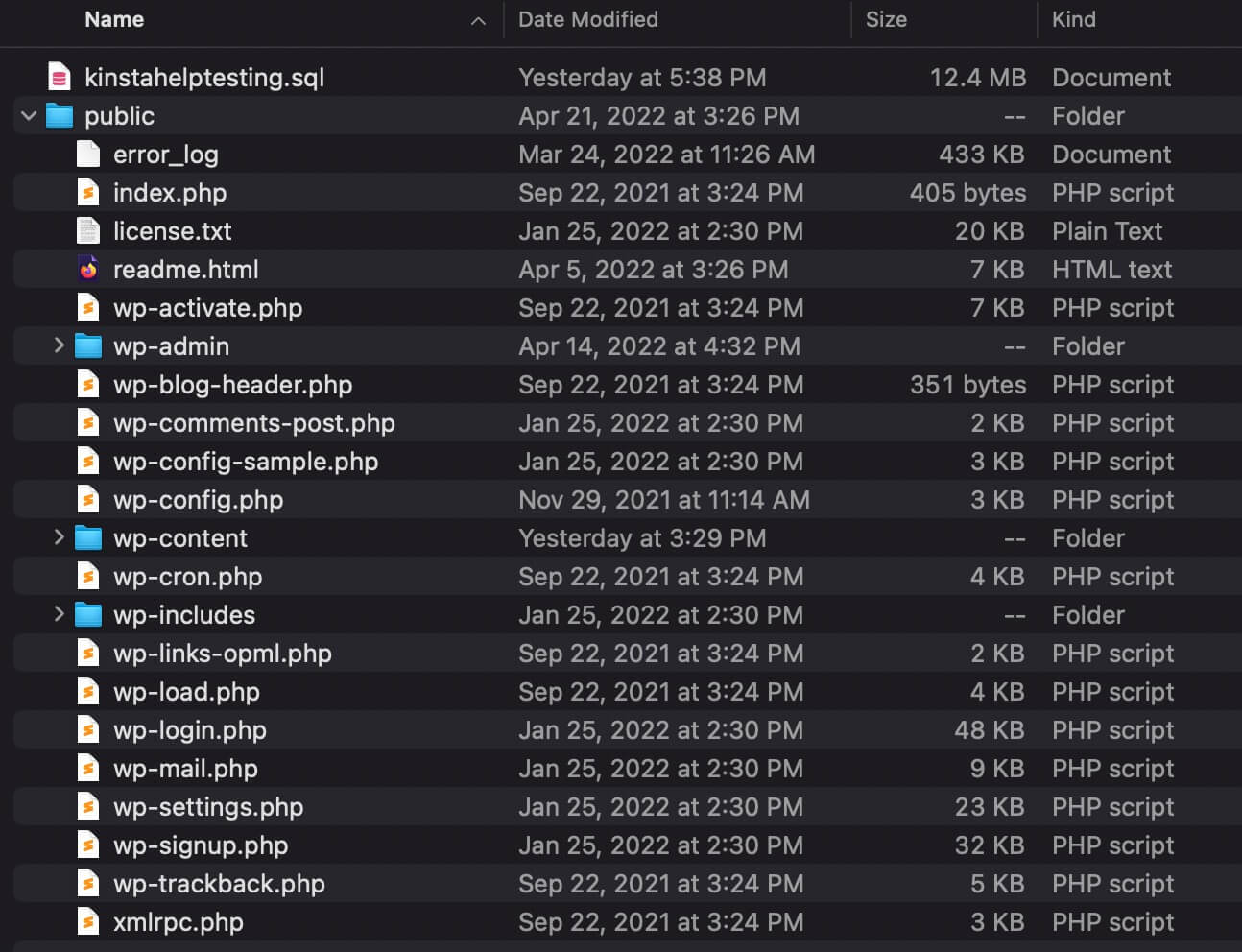
Our staging environments also give you a complete playground that mirrors your production environment. For example, you can test plugin updates and experiment with new functionality. You can even pen test or run other security tests without breaking your live site because your stage is isolated.
When you’re ready, selective push lets you deploy only the changes you want. You’re even able to go from DevKinsta to live with a minimal number of clicks.
The security functionality Kinsta includes with every plan
Kinsta’s enterprise-grade security isn’t reserved for higher tiers. Every plan includes these protections by default:
- Edge Caching: Static content is served from Cloudflare’s global network, reducing requests to your WordPress installation. Fewer requests mean fewer attack opportunities. The system also respects authentication, so logged-in users and dynamic content still work seamlessly.
- Free SSL/TLS Certificates: Every site gets wildcard SSL certificates with automatic renewal. You benefit from 256-bit encryption for your root domain and all subdomains. Modern TLS protocols are enforced by default, with backwards compatibility available only when absolutely necessary.
- Continuous Malware Scanning: Kinsta scans your sites 24/7 for suspicious files and code patterns. The threat database updates constantly to catch new malware variants. If something is detected, you’ll get instant alerts with clear remediation options.
- SSH Access with Key Authentication Only: Password logins are disabled by default. Instead, Kinsta supports RSA, DSA, and ECDSA keys, letting you keep your existing secure workflow without compromise.
- Developer-Grade Tools (WP-CLI + API): WP-CLI comes preinstalled for automation and security tasks, from running updates to verifying file integrity with wp core verify-checksums. For full flexibility, the Kinsta API lets you manage sites and servers directly from the command line.
Together, these features ensure every Kinsta plan has enterprise-ready security baked in from the start, not bolted on later.
Compliance and data sovereignty
At Kinsta, we’re proud of our security and compliance certifications. Our dedicated Trust Center provides full details of our performance.
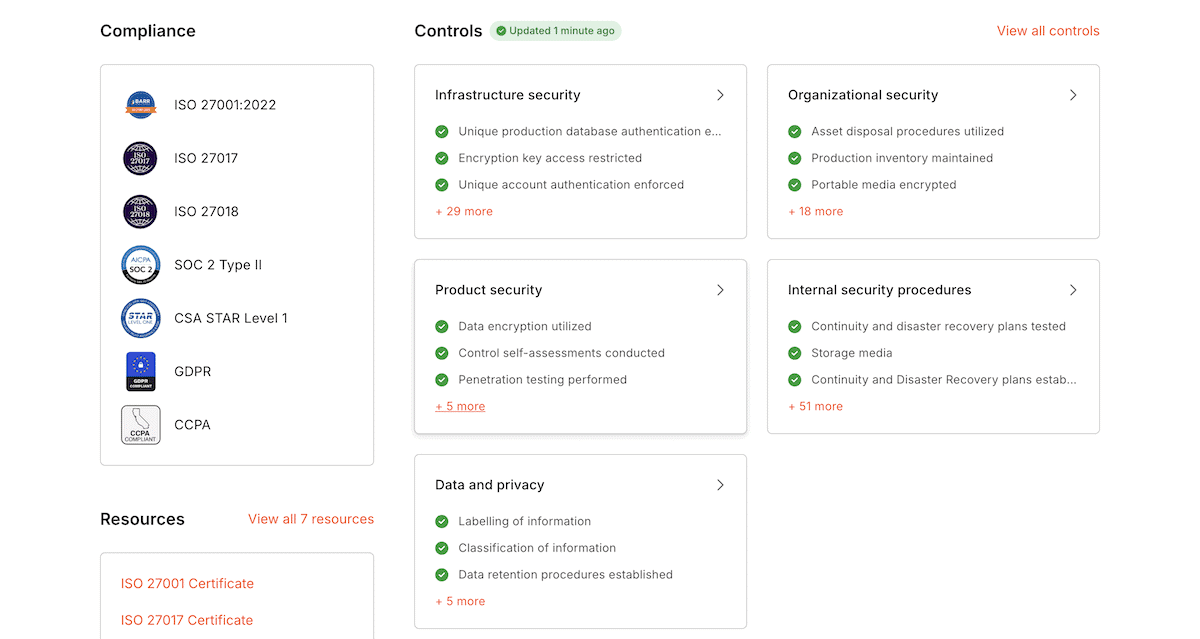
While all of the certifications are important, there are two in particular that you should take note of:
- SOC 2 Type II requires annual audits by independent assessors to check security, availability, processing integrity, confidentiality, and privacy. Every year, Kinsta has to prove that our controls still work.
- ISO 27001 certification covers the entire Information Security Management System. This includes policies, procedures, operational controls, and more that meet international standards.
These two stand out because your enterprise clients recognize them. They also require this compliance.
Even so, GDPR compliance is still just as important. Kinsta provides proper data processing agreements, privacy controls that actually work, and the ability to choose data centers in specific jurisdictions. For instance, if you need to keep data in Europe or Asia specifically, you can. The platform includes almost all of the tools for data portability, deletion, and access requests that regulations demand.
Summary
There’s something to be said for bloating a product with even more tools, but Kinsta’s enterprise security suite is comprehensive and has the right foundation from the start.
Businesses like EQ Applied back this up with real data as they have been able to turn viral moments into six-figure sales events without downtime. Additionally, agencies like Hall have supported client revenue growth from $3 million to $50 million on Kinsta.
If you’re ready to stop worrying about WordPress security, explore Kinsta’s managed hosting for WordPress and see how proper infrastructure makes all the difference.

Kinsta
Senior Editor at Kinsta, WordPress Web Developer, and Content Writer. Outside of all things WordPress, I enjoy the beach, golf, and movies. I also have tall people problems.


