


Experimenting with WordPress typically requires setting up a local environment, managing database configurations, and working through a complex server setup. These steps can be time-consuming, especially when you simply want to test a plugin, try out a theme, or tweak some code.
WordPress Playground offers a browser-based environment that spins up a full WordPress instance in seconds, with no installation or backend setup required.
This guide shows how to rapidly prototype, test, and debug WordPress features without touching a live site or configuring a local stack. We also exploring what WordPress Playground can do, where it fits in your workflow, and how to use it effectively.
Understanding WordPress Playground
WordPress Playground is a new way to interact with WordPress. It gives you a platform that runs complete WordPress instances directly in the browser without requiring a host, database, or server configuration.
This provides an isolated environment ideal for rapid prototyping, plugin and theme testing, or troubleshooting — all without affecting your live site.
Here are the key features that make the WordPress Playground especially useful for development:
- Version switching. Playground supports testing across multiple WordPress versions via a dropdown menu. This addresses the challenge of maintaining compatibility in an ecosystem with perpetual evolution and lets you learn about newer WordPress versions without risk.
- Real-time previewing. When you make changes to themes, plugins, or content, you can immediately see the results without waiting for server-side processing or page refreshes.
- API integration. There are a few different APIs available with WordPress Playground that can offer deeper integration with your development workflows. With the right implementation, you can integrate with Continuous Integration and Continuous Delivery (CI/CD) pipelines, documentation sites, and development tools.
There’s more going on under the hood of WordPress Playground too.
WordPress Playground’s technology stack
The technology that underpins WordPress Playground is innovative and complex.
At its core, Playground leverages WebAssembly (WASM) to compile server-side technologies into browser-compatible code. This includes a WebAssembly port of PHP (Php-Wasm) that powers WordPress’ server-side logic directly in the browser.
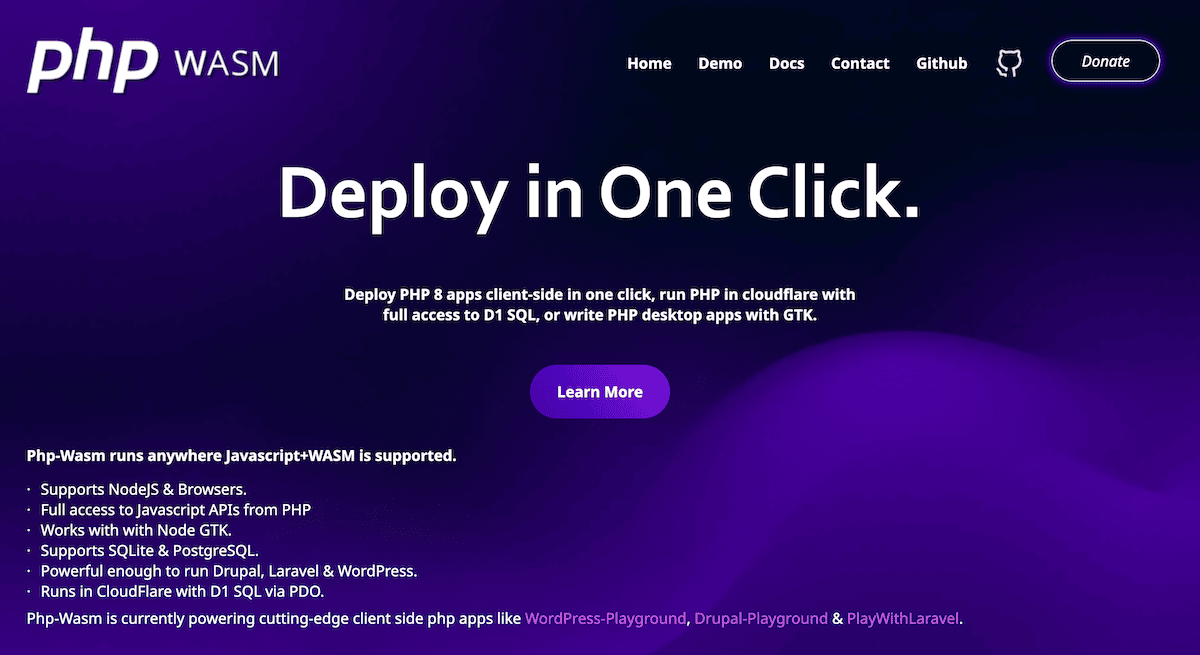
Rather than using MySQL, Playground uses SQLite as its database. This provides full database functionality without using external dependencies. Service Workers handle the necessary file system operations to create a complete environment that faithfully reproduces WordPress’ functionality.
Accessibility wise, you only need a modern browser and an internet connection to use a fully-functioning WordPress instance that you can pre-configure to your exact specifications. You’re able to include specific themes, plugins, WordPress versions, and even sample content — all definable through simple URL parameters or detailed configuration files known as Blueprints.
The result is a flexible sandbox ideal for exploring edge cases or testing risky changes. If anything breaks, a simple browser refresh resets the environment, though saving your work between sessions requires deliberate configuration.
How to use WordPress Playground
Visit the official Playground site, and a fresh WordPress instance loads right in your browser.
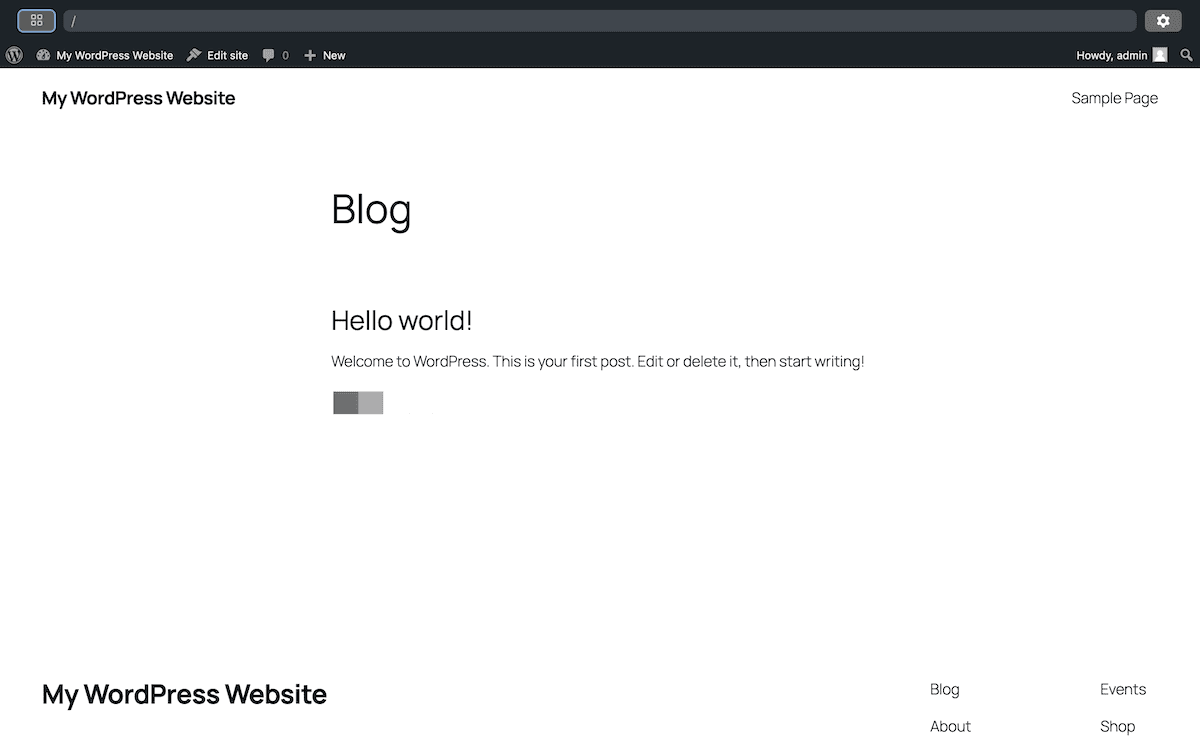
For more specific setups, you can use URL parameters to customize your instance, which you append to the main URL. This uses the dedicated Query API:
- To test a specific plugin.
?plugin=plugin-name - To try a particular theme.
?theme=theme-name - To use a specific WordPress version.
?wp=6.4
These parameters let you instantly customize your testing environment without navigating through the WordPress admin interface or using WP-CLI.
Once the instance loads, you see a typical WordPress site, but with an additional Toolbar interface:

The toolbar includes:
- A URL field for navigating your instance.
- A settings icon on the right to change PHP and WordPress versions.
- An options icon on the left with advanced options like saving, exporting, and enabling network access.
Making your instance persistent
By default, every Playground session is temporary — any changes vanish when the tab is closed. To save your work:
- Open the left-hand panel
- Click the blue Save button
- Choose one of the available options (depending on your browser)
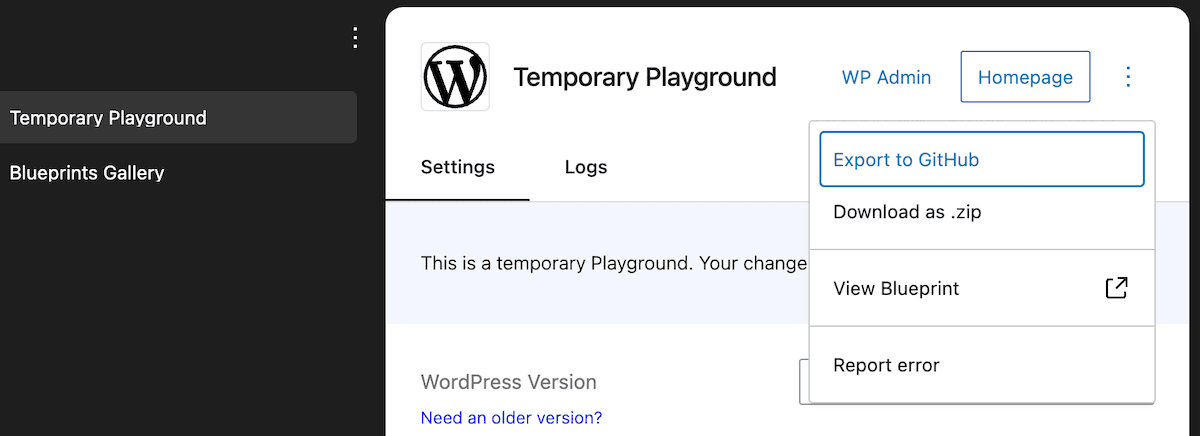
You can also export your instance using the kebab menu icon (⋮), and either as a ZIP file or directly to GitHub.
Clicking the Allow network access checkbox turns your Playground from an isolated sandbox into one that can communicate with third-party and external services.
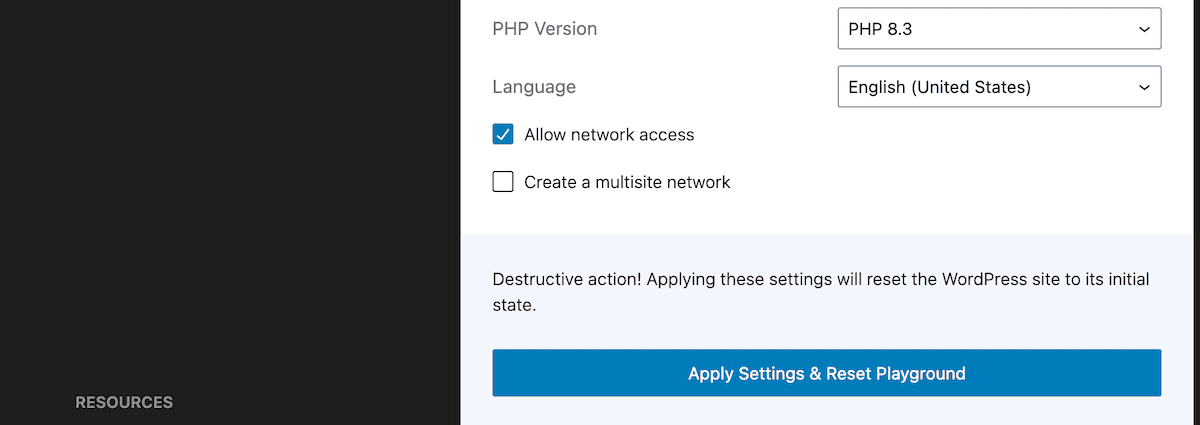
The default isolation enhances security, but does not suit plugins that require an API connection. Enabling this is essential for testing some plugins, such as Jetpack.
Using Blueprints
Templates can help with rapid setups, and for Playground, you use Blueprints via the Blueprints API. Within simple JSON files, you can define complex Playground setups that include plugins, themes, content, and settings.
The built-in Blueprints Gallery contains a searchable batch that covers all sorts of different use cases:
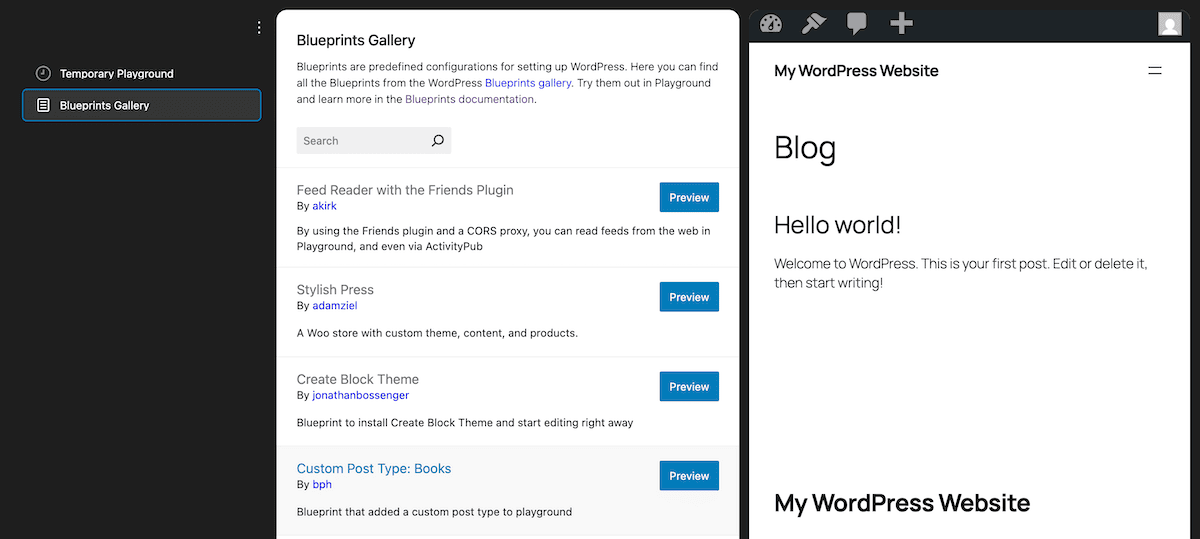
You can view your own Playground’s Blueprint through the small ‘traffic light’ menu link in the black, left-hand sidebar. This opens a dual editor and viewer:
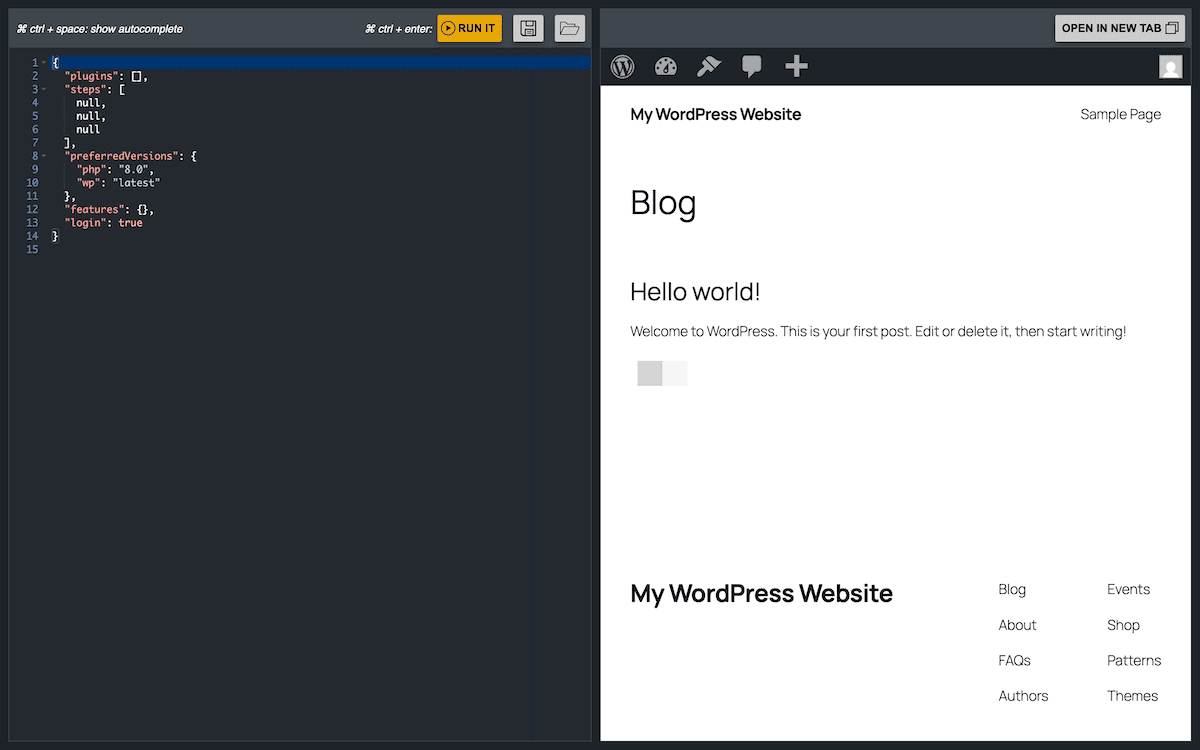
You can also save and open Blueprints from here. However, this isn’t a true code editor — it only lets you work with the Blueprint JSON.
How you can use WordPress Playground for development work
WordPress Playground’s versatility makes it suitable for developers, educators, and agencies alike. Its browser-based setup removes traditional barriers and enables rapid experimentation in a wide range of scenarios.
Rapid prototyping and feature testing
Playground is ideal for quickly testing new concepts without setting up a local environment. Within minutes, you can evaluate different solutions, experiment with WordPress APIs, or validate plugin and theme behavior.
Even where you use a third-party code editor, the process is rapid. A typical workflow would involve making changes to the files in your local editor, packaging those files into a ZIP format, uploading them to Playground, and viewing the results without waiting for server-side processing.
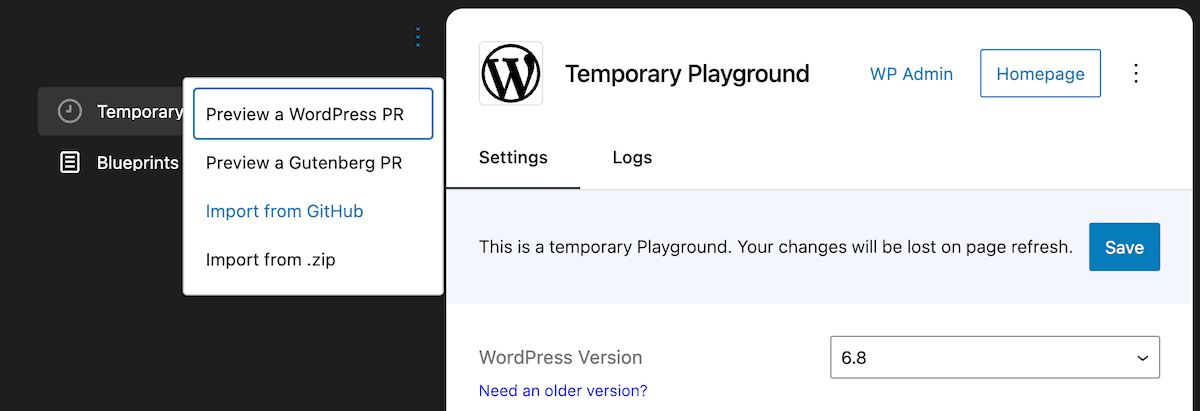
For quick edits, you can also use the WordPress dashboard within Playground to modify theme or plugin files directly—ideal for small adjustments during client feedback or testing.
Plugin compatibility checks
Testing plugin compatibility is one of Playground’s strongest use cases. You can install multiple plugins, adjust settings, and observe interactions in a clean, isolated environment.
Version switching is also built in, letting you test across multiple WordPress versions from the same interface:
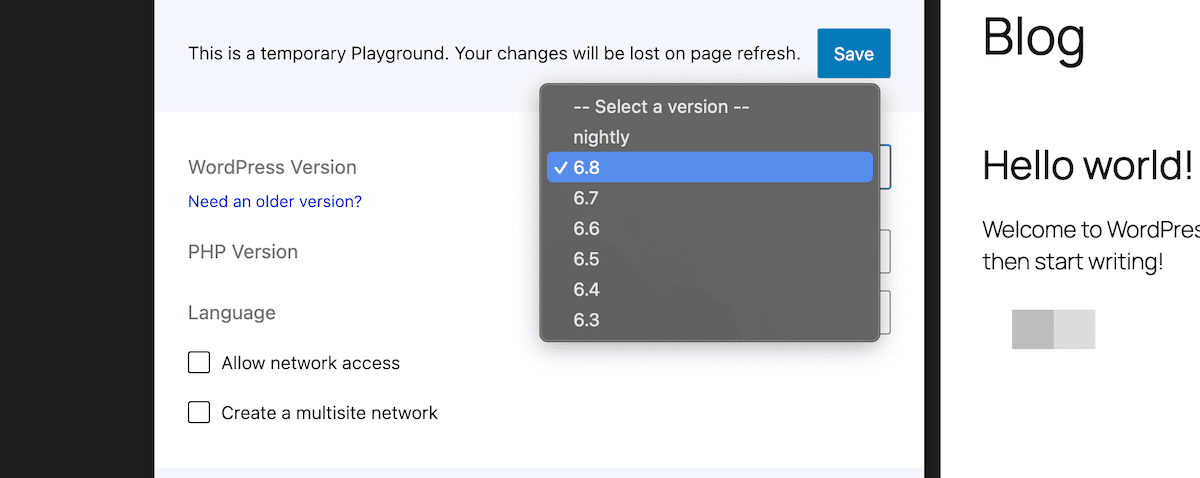
You can also assess performance impacts in a controlled environment. Browser-based performance won’t offer an exact replication of server performance, but it does provide useful comparative data. For instance, you can see whether adding a particular plugin increases page load time or introduces new database queries that might affect scalability.
Theme development and block theme testing
Developing themes offers many of the same benefits and workflows as plugins. You can test responsive layouts with different content types, verify theme compatibility with popular plugins, and experiment with various design elements all within a single browser tab. This capability can supercharge your design iteration process and let you refine your themes with greater efficiency.
Block Themes testing benefits from Playground’s immediacy. You can explore different template variations, customize site editor settings, and test global style variations without waiting for server processing.
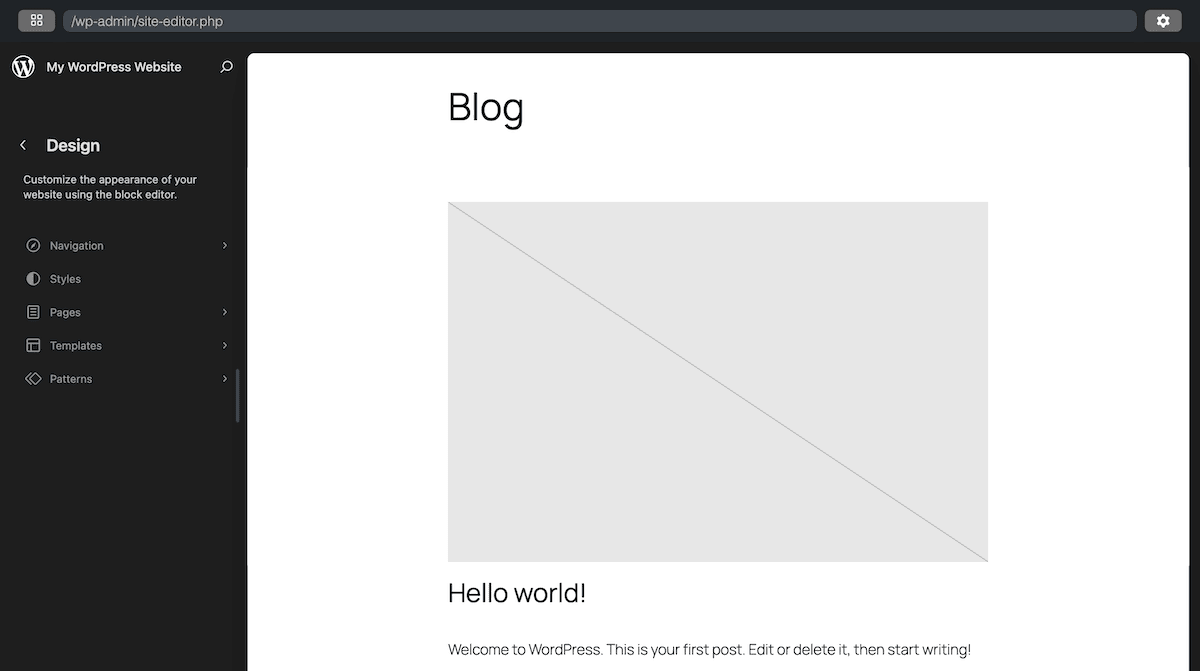
This immediate feedback loop is valuable when you work with complex layouts or adjust typography and spacing that might require numerous small adjustments to perfect.
Playground’s isolation also makes it easy to test edge cases like extremely long titles, multilingual content, or unusual media usage — without affecting your main development environment.
Teaching and learning WordPress
Playground is a game-changer for education. Instructors can create custom-configured WordPress environments using Blueprints and share them with learners via a simple link—no installs or local setup required.
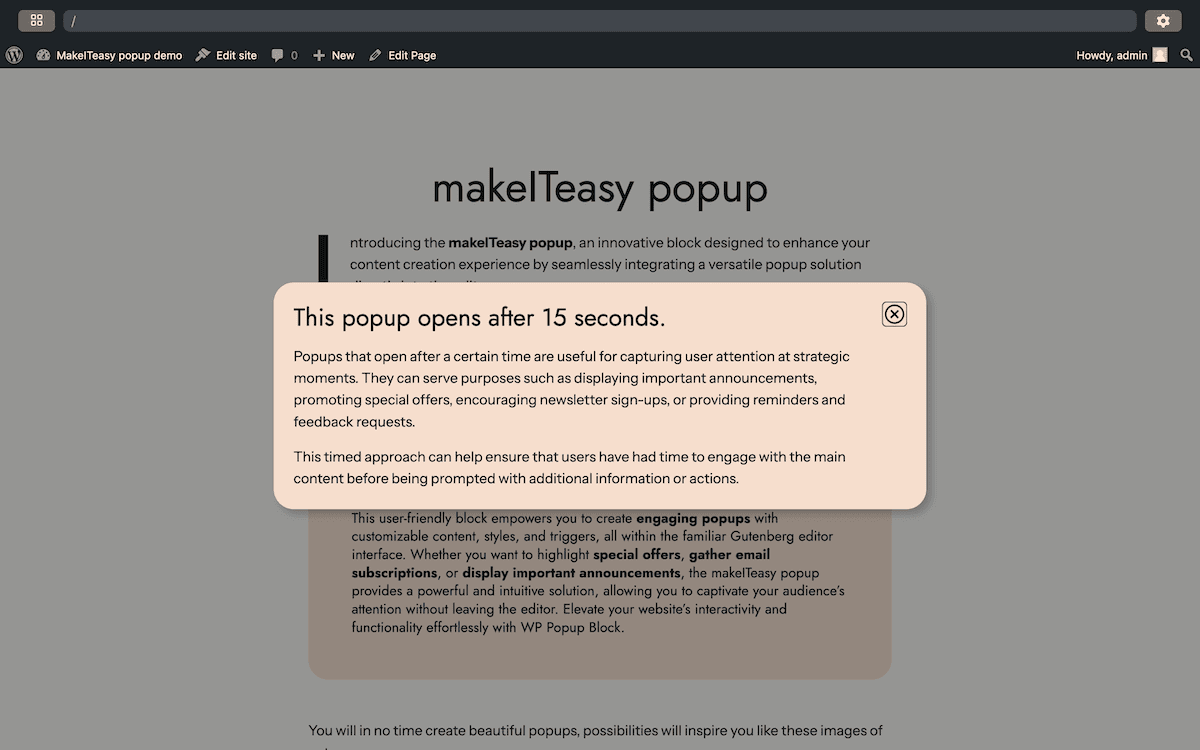
You can also embed Playground into websites or apps using its JavaScript API, creating fully interactive learning modules or live demos:
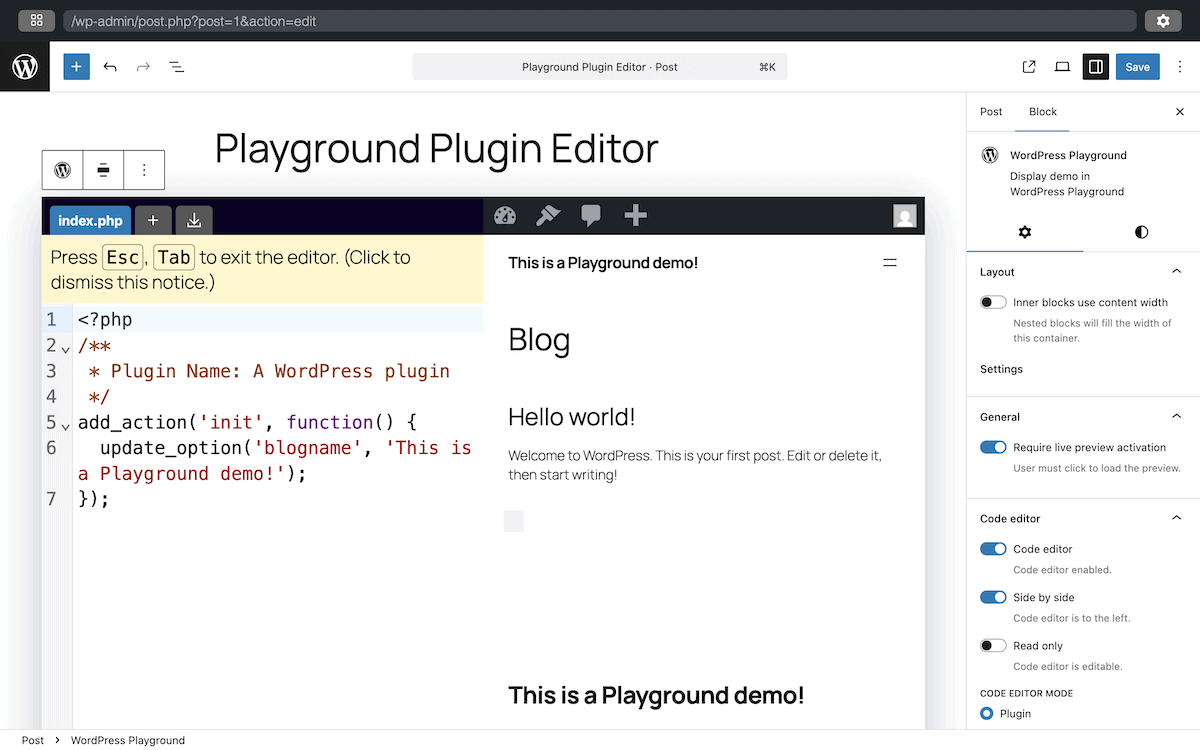
The code from the screenshot above creates a simple plugin that changes the blog name, while the right-hand panel shows the resulting WordPress blog with the updated title.
This setup also works well for sales and client education. You can build a plugin and develop an environment that showcases its functionality and lets your potential customers interact with it without restriction.
You might provide several alternative implementations to let your clients or customers compare them and make an informed decision. Similarly, you can create before-and-after comparisons that illustrate the impact of any proposed changes. This helps clients understand the value of any recommendations or enhancements.
Debugging and troubleshooting
Effective debugging requires isolation. WordPress Playground provides the ability to reproduce any issues in an environment you control, where you can manage the variables and carry out systematic tests.
The process typically begins with reproducing the issue in Playground with a minimal test case to demonstrate the problem. This alone can provide valuable insights, as it requires you to identify any essential components and configurations that contribute to the issue. Once you reproduce it, you can test potential solutions away from your live site.
When working with support teams or external developers, Playground also enables you to create and share reproducible test cases. Rather than describing an issue in abstract terms, you can provide a Playground URL that demonstrates the problem to ensure everyone is clear on the issue. This clarity accelerates the troubleshooting process and leads to more effective solutions.
What you should know about working with WordPress Playground
WordPress Playground offers remarkable flexibility as a browser-based development environment. However, understanding its capabilities, limitations, and ideal use cases helps you leverage it better.
Security model differences
The security architecture of WordPress Playground also differs from traditional WordPress installations. Browser isolation does provide security benefits, but may not reflect your production security scenarios.
For instance, many Playground configurations can grant Administrator access by default, which creates a double-edged sword. First of all, you get inherent protection against many security threats. In contrast, plugins and configurations won’t necessarily behave as they would on a live site.
Enabling network access means Playground also interacts with external services. This can potentially introduce security considerations unique to the environment.
In addition, consider the security implications of the data you store. For example, avoid using sensitive information in Playground environments, as data exports could potentially be shared or accessed. This is important if you use Playground for client demonstrations or collaborative development.
Plugin compatibility considerations
WordPress Playground might not support all plugins equally. Resource-intensive plugins may not have optimal performance in the browser environment, for example. Some plugins rely on server-side technologies that aren’t even available in the browser environment.
In fact, you can predict the types of plugins most likely to experience issues:
- Those that require specific server configurations or PHP extensions.
- Solutions that rely on external API connections.
- Plugins that perform resource-intensive operations.
- Those that depend on MySQL-specific database features not available in SQLite.
- Plugins that use ‘cron jobs’ or background processing.
This is where incremental plugin compatibility testing provides the most reliable approach when working with complex plugin combinations.
Integrating WordPress Playground into your development workflow
While WordPress Playground offers significant benefits, it’s not always an optimal solution. Other tools might better serve your needs when you need to replicate your production configuration. DevKinsta, for instance, can offer better fidelity in many cases.
Think of Playground as a complementary tool that fits neatly into modern WordPress workflows:
- Quick experiments. You can use Playground for rapid testing and experimentation before implementing changes in your local environment.
- Isolated testing. You’re able to test plugins, themes, or configurations in isolation without affecting your local development setup.
- Alternative verification. You can verify fixes or changes in a different environment to ensure they work consistently.
- Client demonstrations. You might want to use Playground for client demonstrations while maintaining your primary development in a local environment.
Including DevKinsta in your WordPress Playground workflow
DevKinsta is already a complete and comprehensive solution for WordPress development across all environments.
A workflow that combines DevKinsta and WordPress Playground might include some or all of the following:
- Initial concept testing. Playground can quickly test concepts and ideas without the need to set up a new DevKinsta site.
- Primary development. You can conduct your primary development in DevKinsta to leverage its full-featured environment and performance.
- Compatibility testing. Playground could help to verify compatibility across different WordPress versions or configurations.
- Client review. When your clients need to review changes, you can either deploy to a Kinsta staging environment or use Playground for a quick demonstration.
- Production deployment. The final live site would deploy to your Kinsta production environment.
This integrated approach can leverage the strengths of each tool and minimize its limitations. However, DevKinsta is your solution for primary development work on themes and plugins, especially for sustained development with persistent data requirements.
It’s also going to be your choice where you need a high-performance development environment or work with plugins that may not work in Playground. For most testing, use a production-like environment, which is where DevKinsta shines alongside Kinsta’s staging environments.
Version control and team collaboration
While WordPress Playground doesn’t include built-in version control, it can integrate with external version control systems. For example, you can export changes from Playground, commit them to your version control system, and re-import as you need. You can also maintain Blueprints in version control to ensure a consistent testing environment across your team.
There are a couple of other ways to use version control when using WordPress Playground:
- Linking Playground configurations within your documentation to provide interactive examples for each page.
- You can reproduce troubleshooting or bug issues using Playground URLs within reports to provide test cases.
As for incorporating Playground into team environments, consistency is important. Establishing shared configurations and processes for exporting, documenting, and sharing Playground environments can help mitigate any difficulties. There are a few ways you can approach collaboration unique to Playground:
- Sharing Blueprints. You could create and share Blueprint files that define consistent testing environments for your team.
- Standardized testing procedures. Your team can look to define which tests you conduct in Playground as opposed to local environments with DevKinsta.
- Knowledge sharing. Using Playground to create interactive examples for team training and knowledge sharing boosts understanding and overall collaboration.
- Code review integration. You can include Playground configurations in code review processes to enable reviewers to quickly test changes.
These approaches can help ensure that Playground usage is consistent across your team. Not only does it maximize its value for collaboration, but you may also uncover some unique use cases for your own development.
Tools and resources for WordPress Playground
The left-hand settings panel includes a few links to various resources that let you understand more about the ecosystem of WordPress Playground. There are also links to GitHub and tools such as the Pull Request Previewer:

The official documentation offers comprehensive coverage of Playground’s functionality, capabilities, and implementation. It’s the primary reference for understanding Playground’s architecture and usage patterns.
While the Blueprint Gallery provides a collection of example configurations for various scenarios, there are a few more demos to uncover. For instance, there are examples of a WP-CLI emulation and a showcase of using interactive elements within the Block Editor.
You can also find several tools that extend Playground and integrate it into development workflows. The VS Code extension lets you test WordPress code without leaving VS Code — albeit for macOS only at this point. Much like WP-CLI, the wp-now tool enables you to set up rapid WordPress instance creation and management from the terminal. It’s going to suit script-based workflows and automation pipelines.
When it comes to support for Playground, the first port of call is the GitHub Issues page for the repo.
However, for public-facing Playground implementations, the Meta Trac channel might be a better fit as this deals with WordPress.org websites (which Playground is).
Summary
While Playground isn’t a replacement for robust local development environments such as DevKinsta, it does offer value as a complementary tool. It can excel at rapid prototyping, isolated testing, and educational applications.
However, DevKinsta still provides an end-to-end way of developing for WordPress. With dedicated Kinsta hosting, you can work within a local environment, push to staging with minimal clicks, then deploy to production using the toolset you wish. You may even find DevKinsta excellent for rapid prototyping!
Even if you build and test in Playground, you still need a secure, high-performance place to host your actual WordPress sites — especially when you want to share work, collaborate with others, or go live. Kinsta’s managed hosting for WordPress offers the speed, security, and developer tools you need to take your project from prototype to production.

Kinsta
Senior Editor at Kinsta, WordPress Web Developer, and Content Writer. Outside of all things WordPress, I enjoy the beach, golf, and movies. I also have tall people problems.


