

If you’ve searched for “business website cost”, you’ve probably seen estimates ranging anywhere from a few hundred dollars to tens of thousands. That’s because there isn’t one fixed price for a business website, and those broad ranges can make budgeting feel confusing.
As someone who regularly designs and builds websites for small businesses, I’ve found that there are two important factors that affect the price: what you’re building and how you’re building it.
For example, a simple DIY WordPress site using a pre-built business theme will cost much less than a custom website developed by an agency.
In this guide, we’ll break down realistic website costs for 2026, what affects pricing, and what different types of businesses can expect to spend.
What Is the Average Business Website Cost in 2026?
One of the biggest challenges with pricing a website is that two businesses can ask for “a business website” and mean completely different things.
A local consultant might need a simple five-page site with a contact form and service pages. A growing company might need booking functionality, integrations, or custom features. The price changes with the scope of the project.
From building websites for small businesses, one thing becomes clear very quickly: website cost usually comes down to two factors:
- What kind of website you’re building. Is it a small business website? What features and functionality does it need?
- Who’s building it. Do you want to DIY it or hire a professional to help?
A DIY WordPress website using a premium theme and pre-built templates can often cost only a few hundred dollars per year. On the other hand, a fully custom website designed and developed by an agency can cost thousands (in some cases, tens of thousands).
The estimates below give you a realistic starting point for what different website types typically cost in 2026 depending on whether you build it yourself, hire a freelancer, or work with an agency.
| Website Type | DIY | Freelancer | Agency |
|---|---|---|---|
| One-page website | $100 to $500 | $500 to $1,500 | $2,000 to $5,000 |
| Small business website (5–10 pages) | $300 to $1,000 | $1,500 to $5,000 | $5,000 to $15,000 |
| Service business website with custom features | $500 to $2,000 | $3,000 to $8,000 | $8,000 to $20,000+ |
| eCommerce website | $1,000 to $5,000 | $3,000 to $10,000 | $10,000 to $25,000+ |
| Custom web application | Rare DIY project | $10,000 to $25,000+ | $25,000 to $100,000+ |
The Main Costs of a Business Website
A common misconception is that a business website is one expense. In reality, it’s a collection of smaller costs. Here are the main factors that typically shape your total website budget.
Domain Name
Your domain name is your website’s address on the internet, and it’s usually one of the smallest but most important ongoing costs. Most domains cost around $10 to $20 per year, depending on the extension (.com, .net, etc…) and where you register it.
This is not an area where businesses usually overspend, but it is one they often overlook when budgeting. Some premium domains can cost more if they’re already owned, but for most small businesses, a standard domain is affordable and straightforward to set up.
Hosting
Hosting is what keeps your website live and accessible on the internet, and it’s one of the most important ongoing costs in your budget so it’s important to do your research before buying a hosting plan.
For most small business websites, hosting typically ranges from $10 to $30 per month i.e. $120 to $360 per year, depending on performance, support, and scalability.
In practice, I’ve found this is where many businesses try to save money early on, but end up upgrading later as their site grows. Better hosting usually means faster load times, stronger security, and fewer technical issues.
Website Theme
Your website theme defines how your business website looks and how efficiently it can be built. For WordPress sites, themes can range from free options to premium solutions that typically cost between $50 and $100 per year (these come with ongoing updates and support).

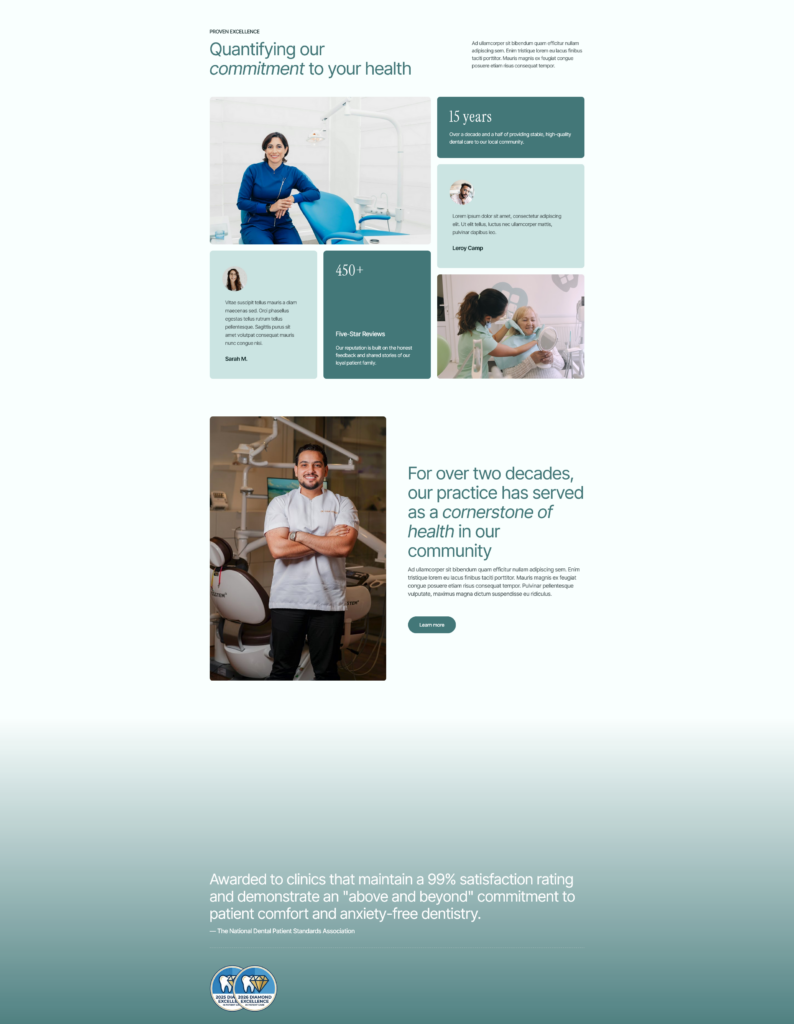

From a practical standpoint, a well-built premium business theme can significantly reduce development time and overall costs because much of the design and layout work is already done. Instead of building everything from scratch, you start with a structured foundation and customize it to fit your brand.
Plugins and Functionality
Plugins are what turn a basic website into a fully functional business tool. They add features like contact forms, SEO tools, booking systems, security, and e-commerce capabilities without needing custom development.
For most small business websites, plugin costs can range from $0 to $200+ per year, depending on whether you use all free plugins or a mix of free and premium plugins. In more advanced setups (e.g. e-commerce stores, booking platforms, membership sites, LMS sites, real estate websites, restaurant sites, or corporate websites) costs can increase as you add specialized functionality.
In my experience, this is where costs gradually grow over time if you’re not clear from the get-go about what you actually need.
Content Creation
Content creation is often one of the most underestimated parts of a business website budget. It includes writing website copy, sourcing or producing images, optimizing content for SEO, creating brand visuals, and photography or video (if you’re building a media-heavy site).
Costs here vary widely. Some businesses write everything themselves, while others hire copywriters, photographers, or designers, which can range from a few hundred to several thousand dollars per year depending on quality and scope.
Strong content is what makes a website feel complete and trustworthy. Even with a great design, weak or missing content can significantly reduce the impact your website delivers.
Developer or Designer Costs
If you’re not building the website yourself, developer or designer costs will often be the largest part of your budget.
Freelancers typically charge anywhere from $1,500 to $7,000 for a small business website, while agencies can range from $5,000 to $25,000 or more depending on scope and complexity.
The difference usually comes down to factors like process, customization, and ongoing maintenance and support. A freelancer might focus on execution, while an agency often includes strategy, design, content planning, and ongoing maintenance.
Business Website Costs by Build Method
Business website costs vary significantly by build method. Let’s take a closer look at the three main ways you can go about building a business website:
- DIY WordPress setups
- Freelancers for custom builds
- Agencies offering full-service design, strategy, and development packages
Option #1: DIY Business Website ($100-$500/year)
A DIY WordPress business website is the most budget-friendly way to get online these days, especially for small businesses that want to keep costs low while maintaining full control over their site.
This setup typically includes a domain name, hosting, a premium theme, and a selection of essential plugins for features such as contact forms, SEO, and security. I generally recommend that small business owners start with a premium theme because it comes with dedicated developer support and regular updates.
Since a business website plays a key role in representing your brand, it’s important that it looks professional and functions reliably. Investing in a premium theme can help ensure a polished appearance, better performance, and access to support when needed.
What’s included
- Domain name ($10-$20/year)
- Hosting ($10-$30/month)
- Premium WordPress theme ($50-$100/year)
- Essential plugins (free or paid extensions, depending on needs)
Pros
- Very low cost compared to other options
- Full control over design, content, and updates
- Easy to scale gradually over time
- No dependency on external developers
Cons
- Requires a significant time investment
- Learning curve if you’re new to WordPress
- You’re responsible for maintenance and troubleshooting
Best for
This option is best for solo entrepreneurs and small business owners who are budget-conscious and willing to invest time instead of money. It works particularly well for those who want to start simple and improve their website gradually rather than launching with a fully custom build from day one.
Option #2: Freelancer-Built Business Website ($1,500-$7,000)
A freelancer-built website is a step up from DIY and is often the most practical choice for small businesses that want a professional result without agency-level costs. In most cases, you’re paying for a custom design, WordPress setup, and help with getting everything properly configured from the start.
What’s included
- Custom website design based on your brand
- WordPress setup and configuration
- Theme customization and layout adjustments
- Basic functionality setup (forms, SEO, booking)
Pros
- More professional and polished design than DIY
- More affordable than hiring an agency
- Direct communication with one person managing the project
- Faster decision-making and simpler workflow
Cons
- Quality varies significantly between freelancers
- Requires careful vetting to find the right person
- Project timelines can be affected by one person’s availability
- Limited capacity for large or highly complex builds
Best for
This option is best for local businesses, consultants, and service-based businesses that need a professional online presence but don’t require a large team or complex custom systems. It’s a strong middle ground between affordability and quality.
Option #3: Agency Website ($5,000-$25,000+)
An agency-built website is a full-service option designed for businesses that want a complete, strategic approach to their online presence. In addition to just building a website, agencies typically handle planning, design, development, and often ongoing support. Some
What’s included
- Website strategy and planning
- Branding and visual identity work
- Copywriting and content structure
- SEO setup and optimization
- Custom features and functionality
- Full design and development execution
Pros
- High-quality, professionally built website
- End-to-end service from strategy to launch
- Access to a full team (design, development, marketing)
- Often includes ongoing marketing or support options
- Strong focus on scalability and long-term growth
Cons
- Significantly higher cost than other options
- Longer timelines due to structured processes
Best for
This option is best for established businesses, growing brands, or companies that need more than just a website (i.e. strategy, branding, and long-term digital support). It’s ideal when your website plays a central role in lead generation or business growth.
Hidden Website Costs
When budgeting for a business website, it’s easy to focus on the upfront build cost and overlook the ongoing expenses that come after launch. In my experience, these are the costs that often catch business owners off guard over time.
Hidden or recurring website costs can include:
- Website maintenance (updates and fixes)
- Plugin renewals and license fees
- Premium tools and subscriptions
- Ongoing content updates
- Security monitoring and protection
- Regular backups
- SEO tools and software
- Occasional redesigns or layout updates
Individually, these may seem small, but together they can form a meaningful part of your yearly website budget. Planning for them early helps avoid unexpected costs.
So, How Much Should You Spend?
There’s no single “correct” budget for a business website, but there is a practical way to think about it based on your goals, stage, and how important your website is to your business.
A useful way to decide is to match your budget to your business type and expectations. Here’s a decision-making framework you can use:
- If you’re a local service business, a DIY setup or freelancer-built website is often enough to get started.
- If you’re a solo entrepreneur, investing in a more polished freelancer-built site can help build credibility.
- If you’re a growing company, a more strategic approach with a freelancer or small agency can support scalability and lead generation.
- If you’re an e-commerce brand, it usually makes sense to invest more upfront in performance, design, and functionality.
The key is to find a balance where you’re not overspending early, but also not underinvesting in a site that directly impacts your revenue. Which brings me to the next point …
5 Ways to Reduce Business Website Costs
Here are some practical ways to keep your website budget under control:
- Start with a clear sitemap. Plan your pages in advance so you only build what your business actually needs.
- Use a premium starter site or business theme. Pre-built layouts reduce design time and lower development costs significantly. WPZOOM offers 50+ business starter sites for industries like agencies, finance, fitness, wellness, legal, restaurants, architecture, charity, coaching, and much more.

- Avoid unnecessary plugins. Only install tools you actually need, as extra plugins can increase costs and maintenance work.
- Prepare content before development starts. Having your text and images ready prevents delays and additional copywriting costs.
- Choose scalable tools early. Picking flexible platforms and hosting from the start helps you avoid expensive rebuilds later. Avoid tools or plugins that create vendor lock-in, so you maintain the freedom to scale, customize, or migrate your website as your business grows.
Conclusion
Business websites become expensive when customization, content, strategy, and functionality start to add up.
The good news is that modern WordPress tools have made it much easier to launch a professional business website in 2026 without starting from scratch. With the right setup, you can keep costs under control while still achieving a high-quality result.
WPZOOM business themes include customizable designs and starter sites built for a wide range of industries, helping you launch faster with a solid foundation already in place.
Explore WPZOOM business themes to get started.


