


WordPress core updates, strong passwords, and trusted security plugins go a long way in protecting your site, but they’re not always enough. Vulnerabilities can still creep in, especially as your site scales or handles more sensitive data. And when it comes to sophisticated attacks, the standard security checklist may leave some gaps.
That’s why experienced developers sometimes go beyond default tools to implement custom security measures tailored to their needs. You especially need this if you’re:
- Running an e-commerce store, client portal, or membership site with sensitive data.
- Navigating compliance requirements like SOC 2, HIPAA, or ISO 27001.
- Managing a high-traffic or mission-critical site that needs more than general-purpose plugins can offer.
But custom doesn’t mean starting from scratch. In many cases, your hosting provider already covers a lot of ground. For example, Kinsta includes protection like Cloudflare’s advanced firewall, IP geolocation blocking, automatic malware detection, and real-time uptime monitoring. These features handle many of the controls developers typically configure manually, securely, and reliably.
In this article, we show you how to extend your WordPress security safely and where it makes more sense to rely on built-in protections instead.
Create custom WordPress security plugins
There are times when even the best off-the-shelf plugins can’t quite deliver what you need. Maybe you’re working in a regulated industry, managing a high-risk site, or just trying to solve a very specific issue.
In those cases, building a custom WordPress security plugin might sound like the right move, and it can be if you approach it with care.
When building your plugin makes sense
Let’s start with the safe use cases. Writing your own plugin can make sense when:
- You need functionality that no existing plugin offers. For example, logging admin activity to a custom database or syncing login attempts with an external monitoring system.
- You have in-house security expertise. If you or someone on your team has experience with secure development practices and knows how to audit for vulnerabilities.
- You’re operating under strict compliance standards. Regulated industries often need more control over how security events are logged and handled, which may require custom development.
If that sounds like you, a well-designed plugin can give you the control you need without bloat.
What not to build
That said, there are certain things you should never try to build from scratch. Custom security work is risky, and getting it wrong often introduces more vulnerabilities than it solves.
- Don’t reinvent authentication. Avoid building your own login or user verification mechanisms.
- Don’t attempt your own encryption or token logic. These are incredibly complex and best left to proven libraries and services.
- Don’t try to replace plugins like Wordfence or Jetpack Protect. These tools are actively maintained, tested, and audited, and your custom version is highly unlikely to match their maturity.
In short, custom doesn’t mean better, especially if it’s insecure.
Safer use cases for custom plugins
If you do choose to go the custom route, start small and stick to tasks that are easier to implement securely:
Even then, make sure your code is reviewed by someone with security experience or at least tested in a staging environment first.
If you’re hosting with Kinsta, many of these protections are already covered. Built-in features like malware scanning, DDoS mitigation, and login hardening reduce the need for many custom solutions.
Harden your .htaccess or Nginx config for better security
Beyond plugins and hosting-level protections, your web server configuration plays a critical role in keeping your WordPress site safe. Whether you’re using Apache with a .htaccess file or Nginx with server block rules, the right configuration tweaks can help close off common attack vectors.
Here are a few simple, effective ways to harden your setup.
Add security-related HTTP headers
Security headers help browsers enforce best practices and prevent a range of common attacks. Consider adding:
- Content-Security-Policy: Controls which sources of content (like scripts and images) are allowed to load, reducing the risk of XSS attacks.
- Strict-Transport-Security: Forces browsers to always use HTTPS, ensuring secure connections.
- X-Frame-Options: Prevents your site from being embedded in iframes on other domains, which helps block clickjacking.
- X-Content-Type-Options: Stops browsers from trying to guess the content type, which can prevent certain attacks based on MIME type confusion.
If you’re using Apache, you can set these in your .htaccess file. If you’re hosting with Kinsta (which runs on Nginx), you’ll need to contact support to configure custom headers at the server level.
Restrict access to sensitive files
Another critical step is limiting public access to important system files and directories:
These simple rules can quietly eliminate whole categories of attacks before they even reach your theme or plugins.
Limit HTTP request methods
Finally, you can improve security by blocking unnecessary HTTP methods that WordPress doesn’t rely on:
This reduces the potential attack surface exposed by your server and keeps things simple.
Integrate third-party security services
Even with a secure WordPress setup, third-party tools like Sucuri and Cloudflare can add another layer of protection, especially for blocking bots, monitoring traffic, and detecting malware.
Sucuri acts as an external firewall and malware scanner, blocking threats before they reach your server.
Cloudflare, which comes built into Kinsta hosting, offers DDoS protection, bot filtering, and performance boosts.
These tools are widely used and well-documented, making them safer choices than building custom integrations from scratch. This does not mean you shouldn’t be careful. Here are a few tips to make sure you integrate these tools safely:
- Use verified plugins or official APIs when available. This keeps your integration modular, maintained, and easier to update.
- Avoid modifying core WordPress files or injecting raw JavaScript into your templates. Those tactics can open new vulnerabilities and make future updates risky.
- Test in a staging environment first to make sure nothing interferes with caching, performance, or other essential functions.
Monitor and alert for suspicious activity
Good security isn’t just about blocking threats, it’s about spotting them early. Monitoring helps you catch issues like:
- Failed login attempts: An unexpected spike in failed logins could mean someone’s trying to brute-force their way in.
- Unauthorized file changes: If core files or plugins are modified without an update or push, that’s a red flag and should be investigated right away
- New admin account creation: A sudden new admin account, especially if it wasn’t done by someone on your team, warrants a look.
You can use WP-Cron or REST API endpoints to set up lightweight scripts that check for these events regularly.
For more advanced setups, log aggregation tools can help you track and analyze patterns across multiple sites or over time.
Tools like Loggly, Datadog, and New Relic are popular options for aggregating server logs, tracking user behavior, and sending alerts when something looks off.
WordPress-specific logging plugins also exist but tend to be limited in scope or performance-heavy. WP Activity Log is a popular option.
Once you’re collecting the correct data, set up alerts via email or SMS so you’re notified immediately when something serious happens. You want to avoid alert fatigue, so set thresholds that matter, like 10 failed login attempts from the same IP in under a minute, not just any failed login.
If you host with Kinsta, much of this is already included. Kinsta’s platform monitors your site for uptime, malware, and performance issues 24/7.
Using custom IP blocking and rate limiting
Once you’ve implemented monitoring, the next step is knowing how to respond. One of the most effective ways to proactively protect your site is to limit who can access it and how often. IP blocking and rate limiting assist with this well.
These tactics aren’t just for high-traffic sites or advanced users. Even small sites can benefit from targeted filtering.
Custom IP blocking helps reduce risk by stopping malicious actors before they get a chance to interact with your site. This strategy allows you to block known bad IP addresses or ranges, especially if flagged for brute-force attacks, spam, or scraping.
You can also geo-block entire countries if your content or store doesn’t serve certain regions and you’re seeing suspicious traffic from them. Cloudflare rules are a great way to do this safely.
Rate limiting adds another layer of protection by capping how often someone can perform certain actions, like logging in or submitting a form. To do this, you might set per-IP login attempt limits to deter brute-force bots or limit API or contact form requests to prevent spam or denial-of-service attempts.
Many plugins offer this out of the box, but you can also build lightweight rules into your theme or a custom plugin if you need more control.
Kinsta provides enterprise-grade security out of the box
Not everyone has the time, expertise, or team to build and manage custom security systems.
And the truth is, most WordPress site owners don’t need to. That’s because hosting platforms like Kinsta already include advanced security protections at the infrastructure level, so you don’t have to start from scratch.
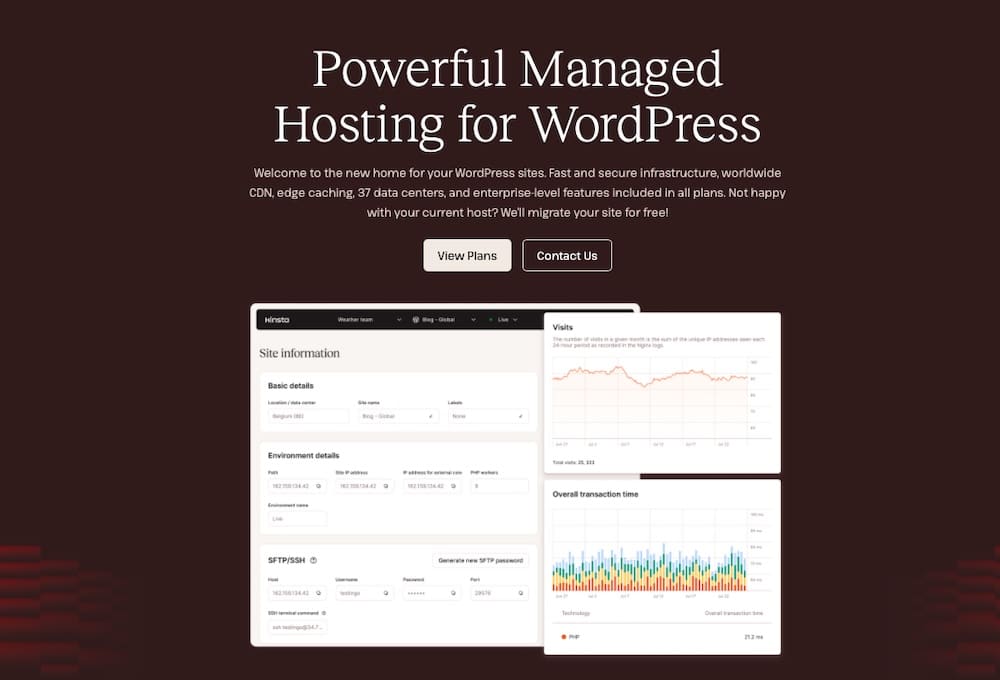
Here’s what Kinsta takes care of for you:
- Cloudflare Enterprise firewall: Blocks malicious traffic, filters bots, and mitigates DDoS attacks, all before they hit your server.
- IP geolocation blocking: Prevents access from countries or regions where you don’t do business or where attacks originate.
- Daily automatic backups: Ensures you can quickly restore your site if something goes wrong.
- Self-healing PHP: Automatically restarts PHP if it fails, helping protect your site from crashes due to bad code or malicious requests.
- Isolated container architecture: Keeps each site completely separate, preventing cross-site contamination.
- Malware removal guarantee: If your site is compromised, Kinsta will fix it at no additional cost.
- SOC 2 and ISO 27001 compliance: For businesses that need proof of strong internal security practices and data protection standards.
- 99.9% uptime SLA: Backed by real-time monitoring across every site on the platform.
These aren’t optional add-ons. They come standard for every Kinsta customer. That means fewer plugins, fewer technical issues, and far less room for error.
So, before you write your own plugin or customize server configs, it’s worth asking: Do you actually need to? If you’re hosting with Kinsta, chances are you’re already covered.
When to call in an expert
Even with strong hosting and cautious customizations, there are times when you shouldn’t go it alone. WordPress security gets complex fast, and a misstep, even with the best intentions, can create bigger problems than it solves.
So, how do you know when it’s time to bring in professional help?
Here are a few signs you should get expert support:
- You’re handling sensitive or regulated data like medical records, financial information, or anything covered by HIPAA, PCI, or GDPR. In these cases, even small security gaps can become legal and reputational risks.
- You’re building a custom plugin or integrating it with external systems, especially ones that touch user authentication, file handling, or payment processing.
- Your site has already been compromised, and you need fast, effective remediation and don’t have time for trial and error.
- You need to configure advanced firewall or CDN rules that go beyond what common plugins or dashboards allow.
Whether you’re hiring a freelance security specialist or working with a dedicated agency, the goal isn’t just fixing vulnerabilities. Rather, it’s also making sure you’re building on a secure foundation going forward.
And if you’re hosting with Kinsta, you already have a head start. Their support team is trained to recognize and respond to security threats and can help coordinate with outside experts when needed.
Summary
Custom WordPress security can offer powerful protection, but only when implemented with care. From writing targeted plugins to fine-tuning server configurations, there are plenty of ways to lock down your site more tightly. But for most site owners, the real challenge isn’t knowing what’s possible but rather knowing what’s safe.
Kinsta makes a big difference in these situations. With enterprise-grade security features offered from the start, like Cloudflare protection, IP blocking, malware cleanup, and compliance-ready infrastructure, you get many of the benefits of custom solutions without the risk of breaking your site or exposing it to new vulnerabilities.
If you decide to go custom, keep your scope narrow, follow best practices, and don’t hesitate to get expert help when needed.
Want to spend less time worrying about security and more time building your business? Explore Kinsta managed WordPress hosting to see how it can keep your site secure, fast, and fully supported starting today!

Kinsta
Senior Editor at Kinsta, WordPress Web Developer, and Content Writer. Outside of all things WordPress, I enjoy the beach, golf, and movies. I also have tall people problems.


