


WordPress isn’t just for bloggers anymore. It’s a flexible, modern platform powering the marketing sites, help centers, and gated resources behind many B2B SaaS companies.
With the right hosting and setup, it gives teams the tools to move fast, publish often, and scale confidently whether they’re launching landing pages, building dashboards, or rolling out localized microsites.
But tapping into that potential takes more than a good theme and a few plugins. For real growth, you need performance, security, scalability, and clear visibility into your customer journey.
In this guide, we show you how to optimize WordPress for SaaS. That includes everything from caching and CDN usage to choosing the right architecture, securing your stack, integrating analytics, and building a setup that supports long-term success.
Performance tuning for SaaS-grade speed
Speed isn’t optional when you’re running a B2B SaaS site. Every extra second of load time risks losing a prospect before they ever see your demo button. It doesn’t matter if you have a marketing site, documentation, or a customer portal. In every case, performance needs to be a priority from the start.
Let’s go over some key optimizations that can help your WordPress site load faster and perform like a SaaS-grade platform.
Static page caching
One of the first steps is setting up static page caching. This means your pages are pre-rendered as HTML and delivered without needing to query the database every time.
Plugins like WP Super Cache handle this well on simpler sites, but server-level caching, like what Kinsta offers, delivers better performance with less hassle. It knows when to purge and regenerate the cache based on site activity, so you get the speed without the maintenance.
CDN integration
To reach a global audience, static caching needs to be paired with a content delivery network (CDN). A CDN reduces latency by serving your site’s files from edge servers close to your users.
Cloudflare is especially popular for SaaS sites because it offers both performance and protection. It’s smart caching and edge rules speed up content delivery while also blocking common attacks.
If you’re already hosting with Kinsta, you get enterprise-grade Cloudflare CDN access out of the box, no setup required.
Image optimization
Images are another common issue. Many SaaS teams upload oversized visuals without realizing how much they slow things down. Optimizing images by compressing and converting them to WebP dramatically reduces load times.
ShortPixel is a favorite for this, automatically handling compression and format conversion. Jetpack also offers image optimization features, including lazy loading, which waits to load images until they’re actually visible in the browser window. It’s a simple tweak that can make long pages feel dramatically faster.
Object caching
Object caching is key for dynamic content like logged-in dashboards or admin interfaces. While static caching helps with public pages, object caching stores the results of frequent database queries so they don’t have to be regenerated every time.
This is especially useful for personalized content, filters, and internal tools. Redis and Memcached are the go-to technologies here.
Kinsta supports Redis and makes it easy to enable directly from the MyKinsta dashboard, no sysadmin skills needed.
Security essentials for SaaS-grade reliability
When you’re running a B2B SaaS platform, security isn’t just some technicality you need to attend to. It’s an important trust signal. Your customers expect their data to be protected, their logins to be secure, and your site to be available 24/7.
A security incident can cause downtime, damage your brand, delay sales, or even trigger compliance issues.
Let’s look at some foundational security practices to help protect your WordPress-based SaaS from day one.
Web application firewall (WAF)
A strong defense starts at the edge. A web application firewall, or WAF, acts as a protective barrier between your WordPress site and malicious traffic. It blocks threats like SQL injections, cross-site scripting, and brute-force login attempts before they ever hit your server.
Cloudflare includes a powerful WAF as part of its platform, and managed WordPress hosts like Kinsta offer their own integrated firewalls for even more targeted protection.
This kind of perimeter security helps keep your infrastructure clean, stable, and safe without forcing you to micromanage plugins or blocklists.
Malware scanning and monitoring
Even with a firewall in place, it’s important to know if something slips through. Malware scanning comes in handy in these situations.
Tools like Wordfence, MalCare, and Jetpack Scan continuously monitor your site for suspicious files, unauthorized code changes, or known vulnerabilities.
Many hosting providers also include malware detection and response as part of their stack, scanning core files and alerting you to threats before they become real problems. The sooner you know there’s an issue, the faster you can fix it. Ideally, that happens before your customers ever notice.
Login protection
Your login page is one of the most targeted entry points on any WordPress site, especially when it’s used to access a customer portal, internal docs, or admin tools. At a minimum, you should enforce two-factor authentication (2FA), limit login attempts, and protect login pages with reCAPTCHA.
Some teams also implement stronger password policies or single sign-on integrations for better control. These enhancements serve as frontline defenses against account takeovers and DDoS attacks.
User role restrictions
When WordPress powers customer-facing dashboards or internal tools, it’s critical to manage access in a super-specific way. Only give administrator access to users who genuinely need it, and restrict content editing or plugin access for support staff, contributors, or third-party partners.
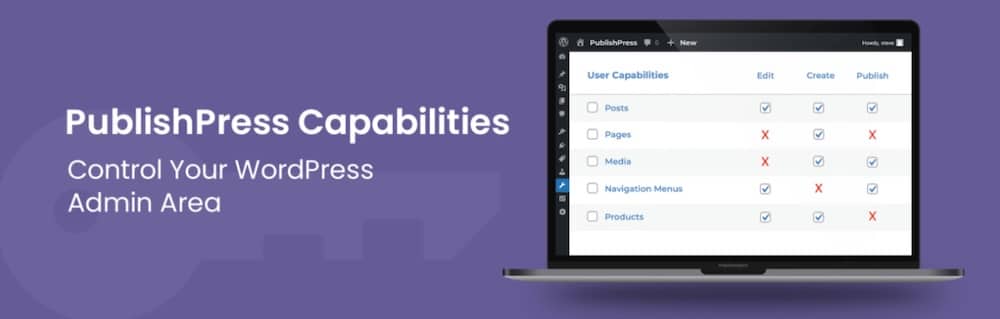
If you’re building a gated experience using wp-admin, roles and capabilities need to be carefully mapped. Tools like Members or PublishPress Capabilities help fine-tune permissions so each user sees only what they’re supposed to and nothing more.
Data compliance
Finally, no SaaS security conversation is complete without mentioning compliance. Make sure your WordPress site is fully encrypted with SSL, and that you’re logging activity in case you need an audit trail.
If you’re doing business in or with customers from regulated markets like the U.S. or EU, you also need to maintain GDPR and CCPA compliance. That often includes cookie consent banners, clear privacy policies, and the ability to export or delete user data upon request.
These details may seem small, but they can make or break your relationship with enterprise buyers.
Scaling strategy: multisite vs. headless WordPress
As your SaaS business grows, so do the demands on your website. You may need to spin up regional variations, launch specialized landing pages, or build fast, app-like experiences that feel tightly integrated with your product.
When that time comes, two architectural approaches often enter the conversation: WordPress Multisite and Headless WordPress.
Let’s look at what each offers and when it makes sense to choose one over the other.
WordPress multisite
Multisite lets you run multiple WordPress sites from a single install, which is ideal for SaaS teams managing regional pages, product microsites, or internal hubs.
You get a shared codebase, centralized plugin management, and the ability to give each site its own domain or subdomain. It’s great for marketing teams that need to launch new sites fast without involving developers every time.
The tradeoff? Everything shares one database, so scaling requires more care. Performance issues or plugin conflicts on one site can impact the rest, making Multisite best for teams that value centralized control and consistency above all else.
Headless WordPress
If you need more frontend flexibility, or you’re building something closer to a web app than a website, headless WordPress might be the right move. In this setup, WordPress handles the backend, while the frontend is built with JavaScript frameworks like React, Gatsby, or Next.js.
This gives developers complete control over the user interface and performance while still benefiting from WordPress’s content workflows. It’s ideal for dynamic SaaS interfaces, such as onboarding flows, dashboards, or interactive documentation.
That said, going headless adds complexity. You need developer resources to manage the frontend, APIs, caching, and deployment. For teams with strong JavaScript capabilities, it’s worth it. For content-led teams, the extra overhead might be a hurdle.
When to choose each
Multisite is the right call when you want to scale fast, stay organized, and keep everything in one place. It’s perfect for marketing-led expansions, such as international rollouts or internal resource hubs.
Headless is a better fit when performance, customization, and interactivity are priorities. If you’re delivering a React-based product and want your marketing site or docs to match that level of responsiveness, headless gives you the tools to do it.
Here’s a quick comparison:
| Feature | WordPress Multisite | Headless WordPress |
| Use case | Multi-region sites, internal tools | Custom frontends, app-like experiences |
| Tech complexity | Low to moderate | Moderate to high |
| Frontend control | Shared WordPress themes | Fully custom via React, Next.js, etc. |
| Content management | Native WordPress editor | WordPress backend via REST or GraphQL |
| Performance tuning required | Minimal (with proper hosting/CDN) | High (requires API caching, build pipeline) |
| Best for | Marketing teams, content-driven SaaS | Developer-led teams, high-interactivity UI |
SEO and analytics integration for better B2B funnel visibility
For most B2B SaaS companies, a website isn’t just a digital brochure. It’s a lead generation engine. To work that way, it needs to rank, convert, and give your marketing team clear insight into how visitors move through the sales funnel.
WordPress gives you the flexibility to do all of that, but only if you’ve got the right tools and strategy in place.
Let’s walk through how to get your SEO and analytics set up working for actual growth.
SEO strategy
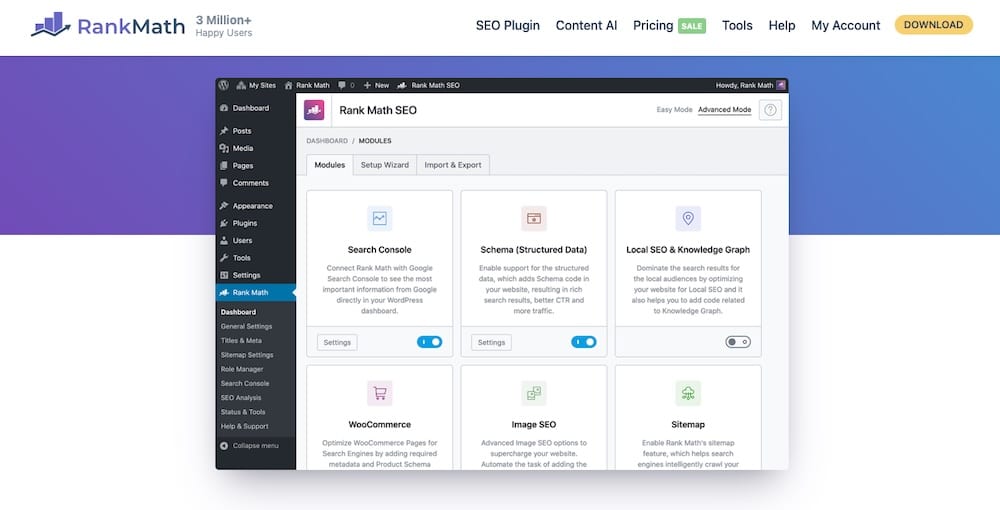
Start with strong on-page SEO. Plugins like Rank Math or Yoast make it easy to manage meta titles, descriptions, and structured data, while ensuring your CTAs and landing pages target the right high-intent keywords.
For SaaS sites, don’t stop at blog content. Product pages, pricing comparisons, and gated assets like whitepapers are all valuable if structured well. Use clear taxonomy, keep your sitemap focused on top content, and submit it through Google Search Console to stay visible and indexed.
Analytics stack
Once your content ranks and traffic rolls in, analytics tools show what’s working. Google Analytics 4 is still the go-to for tracking conversions, signups, and user behavior across your funnel. Setting up goals and attribution models helps you pinpoint drop-off points and optimize key interactions.
For a more straightforward, privacy-focused approach, tools like Plausible or Fathom skip cookies and provide clean, compliance-friendly insights, which is excellent for teams handling GDPR or CCPA concerns.

It’s also smart to pair your setup with Google Tag Manager, so you can easily add tools like LinkedIn Insights, HubSpot, or Hotjar without touching your theme files.
Funnel tracking
B2B buyer journeys are rarely straightforward. Visitors often interact with blog posts, landing pages, webinars, and ads before converting. To understand that path, multi-touch attribution is key.
That starts with consistent UTM tracking, well-labeled campaigns, and syncing your site data with your CRM or automation tools. You’re not just chasing traffic. You’re also uncovering which content and channels drive conversions. With the proper setup, WordPress becomes a measurable part of how you bring in revenue.
Choosing the right stack for SaaS-friendly WordPress
WordPress can be incredibly powerful for SaaS, but only if the stack behind it pulls its weight. This is about more than just picking a polished theme or a handful of plugins. It’s really about setting up a system that supports fast-moving campaigns, quick changes, and the kind of growth your team’s aiming for.
The correct setup keeps things smooth, scalable, and out of your way. Let’s break down the key parts of a stack built for SaaS success.
Managed hosting
Start with hosting that’s built for performance. Inexpensive shared hosting might work for a portfolio site, but it won’t cut it for SaaS. You need a provider that delivers built-in caching, global CDN support, daily backups, malware scanning, and scalable infrastructure without adding configuration overhead.
Kinsta is a strong fit here, especially for growing SaaS teams. It comes with a Cloudflare-powered CDN, container-based architecture for better isolation and uptime, and tools like staging environments and automatic updates baked right into the dashboard. That means fewer headaches for developers and fewer blockers for marketers.
Plugin strategy
SaaS sites run best when they’re lean. Every plugin adds overhead, so stick to well-maintained tools that serve a specific, valuable purpose.
Plugins like Gravity Forms for lead capture, WP Rocket for performance, Uncanny Automator for workflow automation, and MemberPress for gated content tend to pull their weight. But keep your stack minimal. Every plugin should support your funnel, your users, or your team tangibly.
Dev tools and CI/CD
For dev teams, automation pays off fast. Composer manages plugins and themes as code, making builds consistent across environments. GitHub Actions can handle deployments, tests, and backups automatically.
WP-CLI speeds things up even more by letting you run tasks like activating plugins or provisioning staging sites from the command line. For local work, tools like DevKinsta or Docker let you test safely before pushing anything live.
Collaboration readiness
SaaS websites are never built by one person. You’ve got marketers launching landing pages, product teams updating docs, and devs tweaking custom components (sometimes all in the same week). Your WordPress setup has to keep everyone moving fast without stepping on each other.
Begin with the basics, using role management plugins like Members or PublishPress Capabilities to define who can edit what. Limit admin access to just those who need it, and restrict plugin installs or theme edits to your dev team.
But collaboration is about safe workflows, not just permissions. That’s where staging environments come in. Most managed hosts, like Kinsta, offer one-click staging, but WordPress doesn’t handle content syncing cleanly.
If your team edits content or config on both staging and production, syncing changes gets tricky. You need tools like:
WP Migrate DB Pro – for safe database pulls/pushes between environments
Mergebot or VersionPress – if you’re brave enough to attempt true content version control (be warned, these aren’t perfect)
Git + Composer – to manage theme/plugin changes as code
Also, consider integrating Slack or email notifications for deploys and major edits. If you’re using GitHub Actions or Buddy CI/CD, trigger these updates automatically so the right teams stay in the loop.
The bottom line is to treat your WordPress site as part of your product. Give people guardrails, preview environments, and tools that support async work, or you’ll spend more time untangling messes than shipping improvements.
Summary
WordPress can keep up with the demands of a modern B2B SaaS company, but only if it’s configured for growth.
Kinsta handles the technical side so your team can stay focused on building and growing. With built-in Cloudflare integration, Redis support, isolated containers for each site, and tools like DevKinsta and staging environments, it gives SaaS teams a fast, secure foundation that’s ready to scale.
If you’re ready to optimize WordPress for SaaS success, contact Kinsta and explore how we can support your next stage of growth.

Kinsta
Senior Editor at Kinsta, WordPress Web Developer, and Content Writer. Outside of all things WordPress, I enjoy the beach, golf, and movies. I also have tall people problems.


