


One of the questions we get from prospective customers is: “Can I call support if something goes wrong?”
The answer is no, and for a good reason. Kinsta doesn’t offer phone support because we’ve found that chat simply works better. It’s faster, more secure, and better suited to resolving WordPress issues, which are often technical.
Proof that it works is what our customers say across review platforms like G2, Trustpilot, social media, case studies, and even live chat.
If we are to share all the reviews we get, you might be reading all day. Instead, let’s break down why we’ve chosen chat-only support and how it benefits you.
Why Kinsta doesn’t offer phone support
The reason we don’t offer a phone number to call when something breaks isn’t because we don’t want to talk to you. It’s because phone support doesn’t match the reality of managing modern WordPress sites at scale.
Most hosting issues aren’t solved with a quick explanation. They involve logs, screenshots, server configurations, staging environments, cache layers, DNS records, or WooCommerce checkout logic.
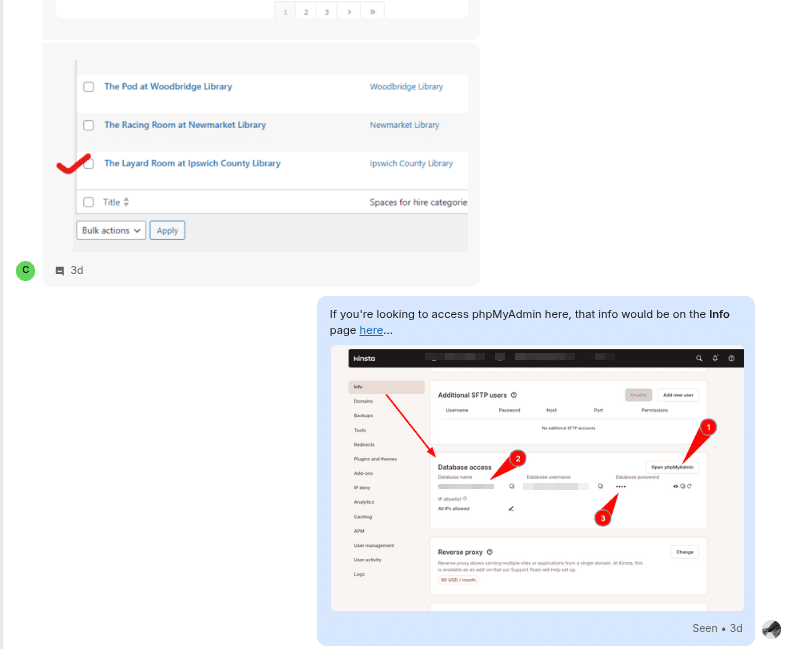
For example, one of our senior support engineers, Tito Shawn, helped a client access phpMyAdmin by sending a direct link and a screenshot with key points clearly labeled:
Below is also another case, where a client described a change they noticed after a fix. They shared annotated screenshots showing exactly what was different:
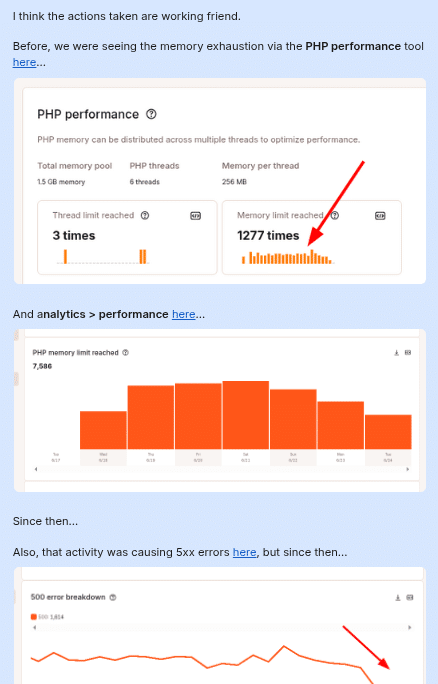
As Tito explains: “Clients don’t always know the technical terms, and that’s okay. With a screenshot or link, we can see what they’re seeing, and that saves time on both sides.”
This kind of fast, visual collaboration simply isn’t possible over the phone. Phone support also has other drawbacks:
- No chat history or shared audit trail
- Difficult to verify account ownership securely
- No way to exchange code, links, or screenshots
- Slower response due to hold queues and one-at-a-time handling
And let’s be honest, most phone support means listening to someone breathe while they go “check with the team.”
Phone support may work for some industries, but it just doesn’t scale for a high-performance, developer-focused host like Kinsta.
We made the strategic decision not to offer phone support because our online chat system allows our Support team to provide more effective support and ultimately quicker resolution to our customers.
Support work requires careful investigation and troubleshooting, and keeping support online in a live chat format enables our support engineers to focus their energy on investigating and solving problems while sharing screenshots and technical information in real-time.
This approach allows us to scale our exceptional support rather than dividing resources between multiple channels that would ultimately provide a less effective customer experience. — Tom Sepper, Chief Customer Officer at Kinsta.
Why live chat support works better for a WordPress host
When something goes wrong on your site, you need fast answers. With chat, we can instantly pull up your site details, access logs, and get to the issue immediately since our support staff are all WordPress engineers.
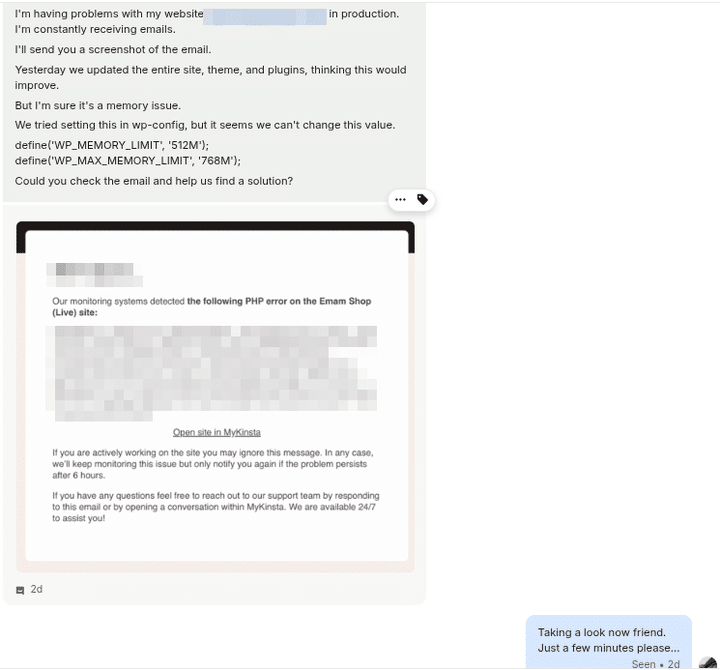
There is nothing like “let us escalate the issue,” where you need to wait in a queue to talk to a senior engineer.
It also fits the way technical support works. Troubleshooting often involves:
- Sharing error messages or screenshots
- Copying and pasting command-line output
- Following links or instructions step-by-step
All of that happens more clearly, more quickly, and more accurately in chat than over the phone.
Everything also stays in one thread, so there’s no need to explain the issue again or start from scratch if it needs follow-up.
And just to be clear, when you chat with Kinsta, you’re talking to a real human, not a bot. Every single support engineer is a seasoned WordPress expert, not a script reader or AI assistant.
In this era where many hosts quietly hand off first-line support to chatbots, we’ve done the opposite. We’ve doubled down on real people who know their way around code, caching, nginx configs, and the nuances of the WordPress ecosystem.
How support works at Kinsta
At Kinsta, support isn’t an afterthought. It’s a core part of the platform. That’s why we built our own system from the ground up to deliver fast, expert help right inside the MyKinsta dashboard.
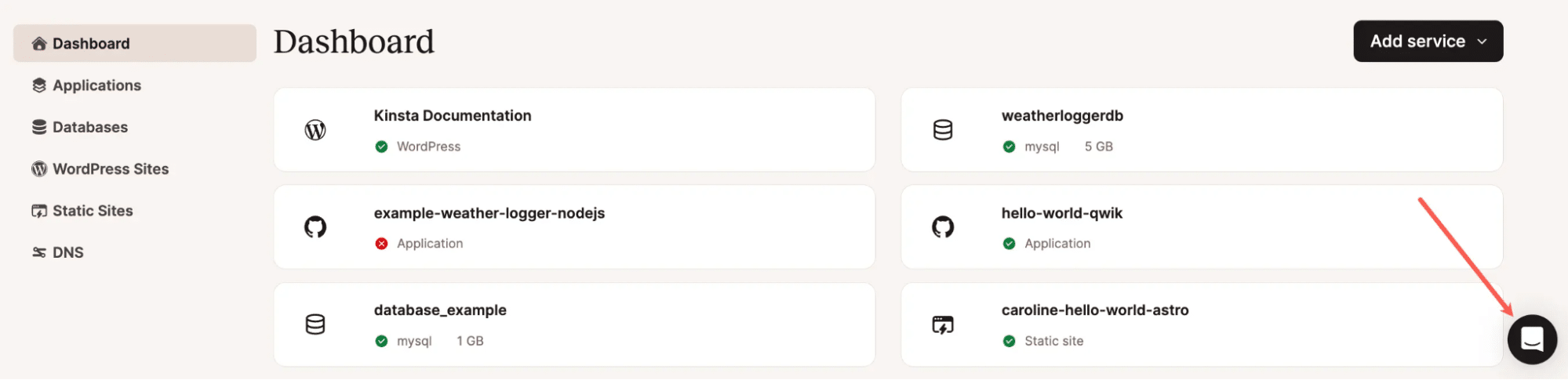
We also have a large team of more than 40 expert support engineers available 24/7/365, distributed across multiple time zones, offering assistance in 10 supported languages:
- English 🇺🇸
- Spanish 🇪🇸
- Portuguese 🇵🇹
- Japanese 🇯🇵
- Italian 🇮🇹
- French 🇫🇷
- German 🇩🇪
- Dutch 🇳🇱
- Danish 🇩🇰
- Swedish 🇸🇪
There are no tiers, handoffs, or junior reps at Kinsta. Every chat connects you directly with a highly skilled WordPress engineer, not someone reading a script.
In 2024 alone, we handled over 120,000 support conversations with a median response time of 1 minute and 2 seconds. Our positive rating was 97.6%, and that’s not a cherry-picked number. That’s every conversation, across every time zone, all year long.
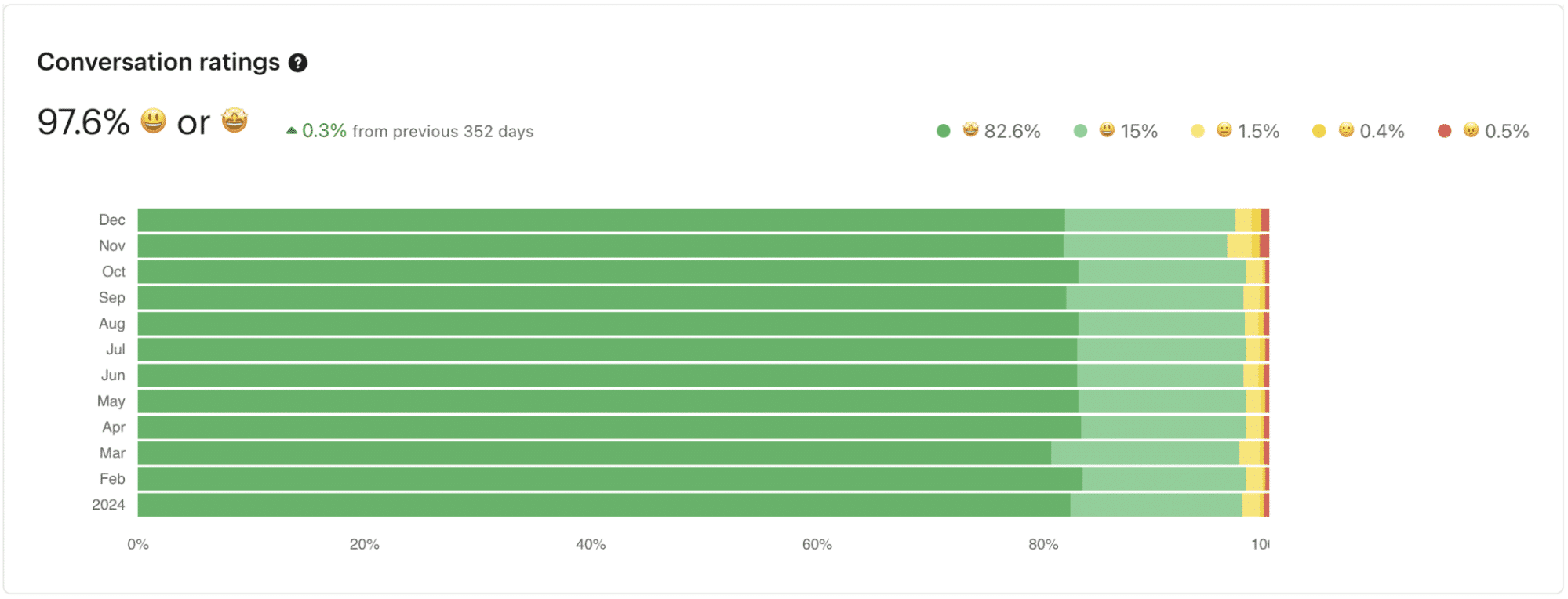
This isn’t about cutting corners. It’s about doing support the right way, with speed, expertise, and care.
Whether you’re a small business, a global enterprise, or an agency managing dozens of sites, our support team becomes an extension of your team.
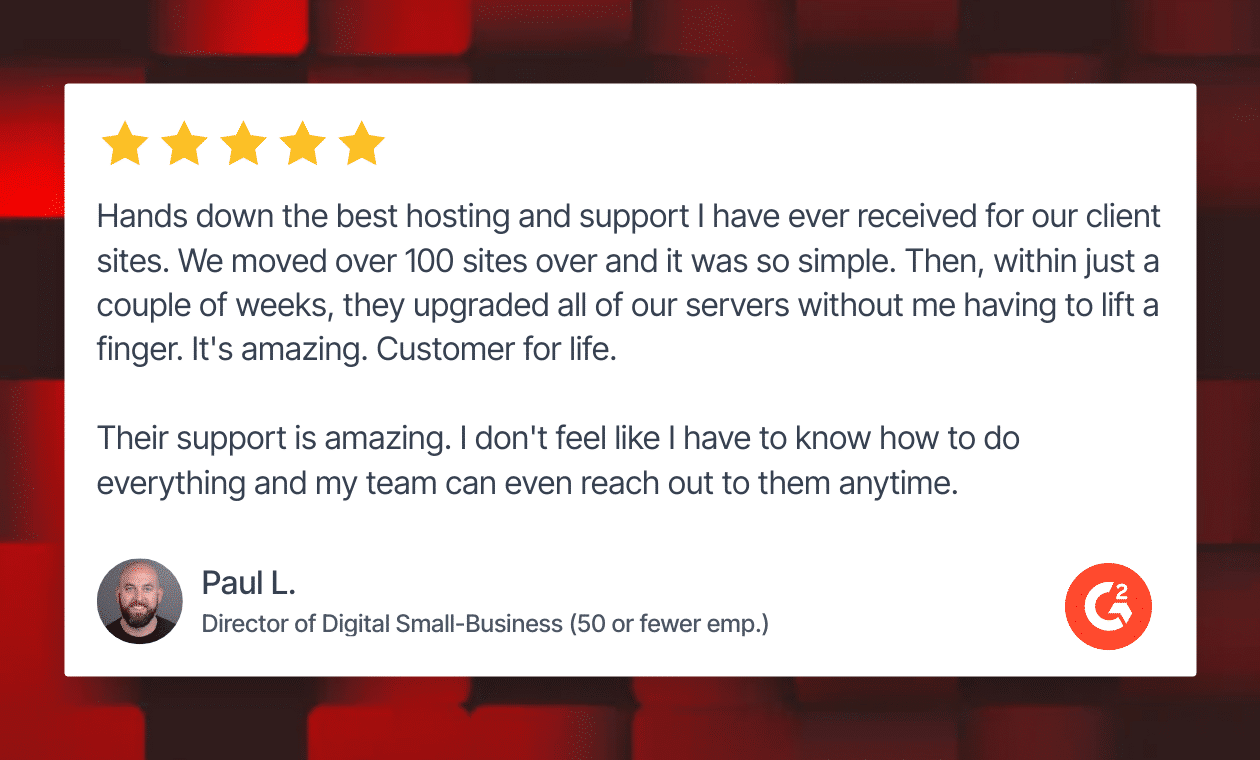
What our customers are saying
At Kinsta, we don’t just claim to offer great support. Our customers prove it!
Kinsta is the #1 WordPress hosting provider on G2, with over 1,000 verified reviews, beating out more than 350 other hosts on the platform as revealed in the G2 Grid below.
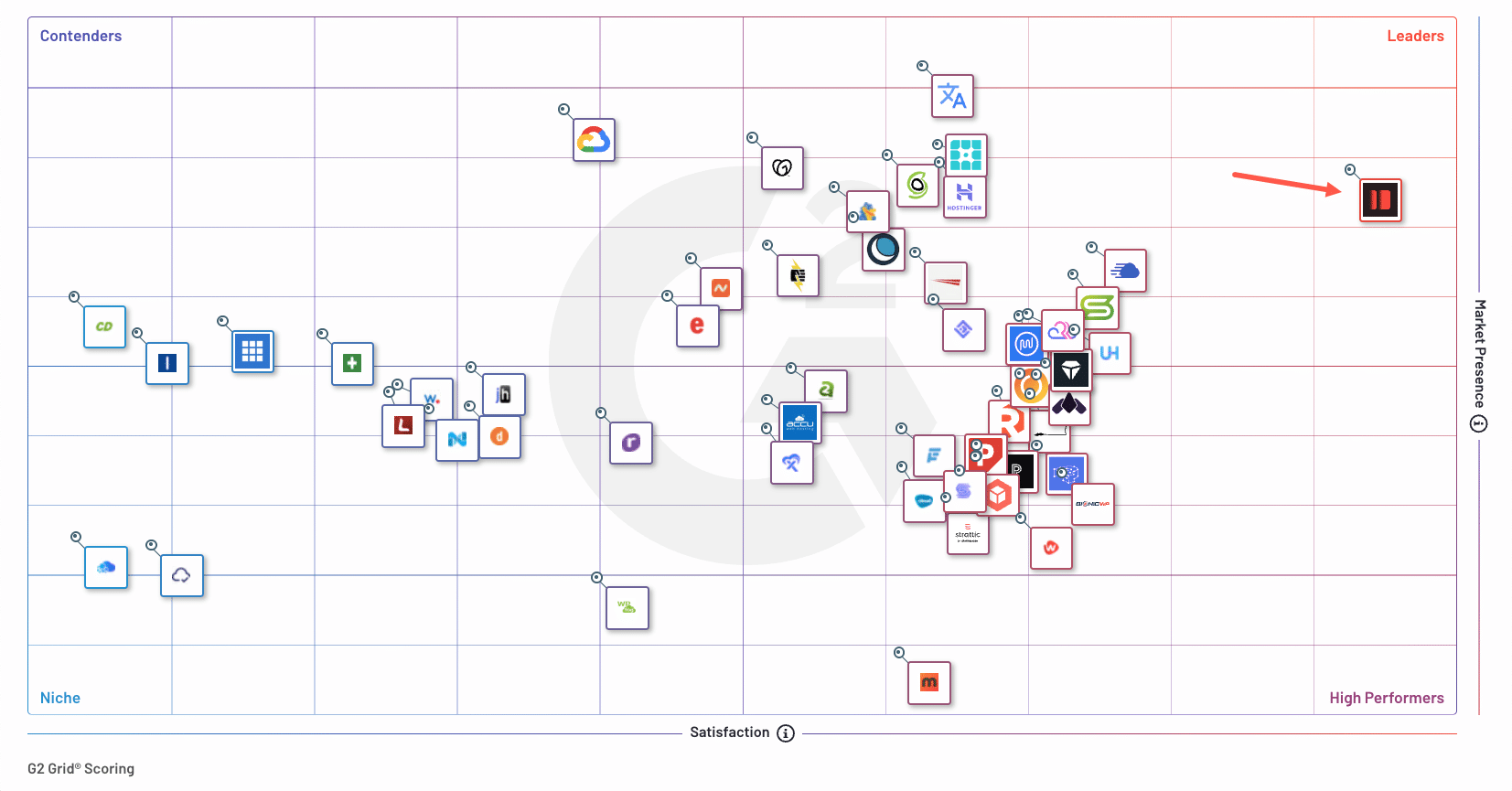
In G2’s latest Enterprise Grid report, we were also awarded Best Support and Best Relationship, based on real customer feedback, satisfaction scores, and feature ratings.
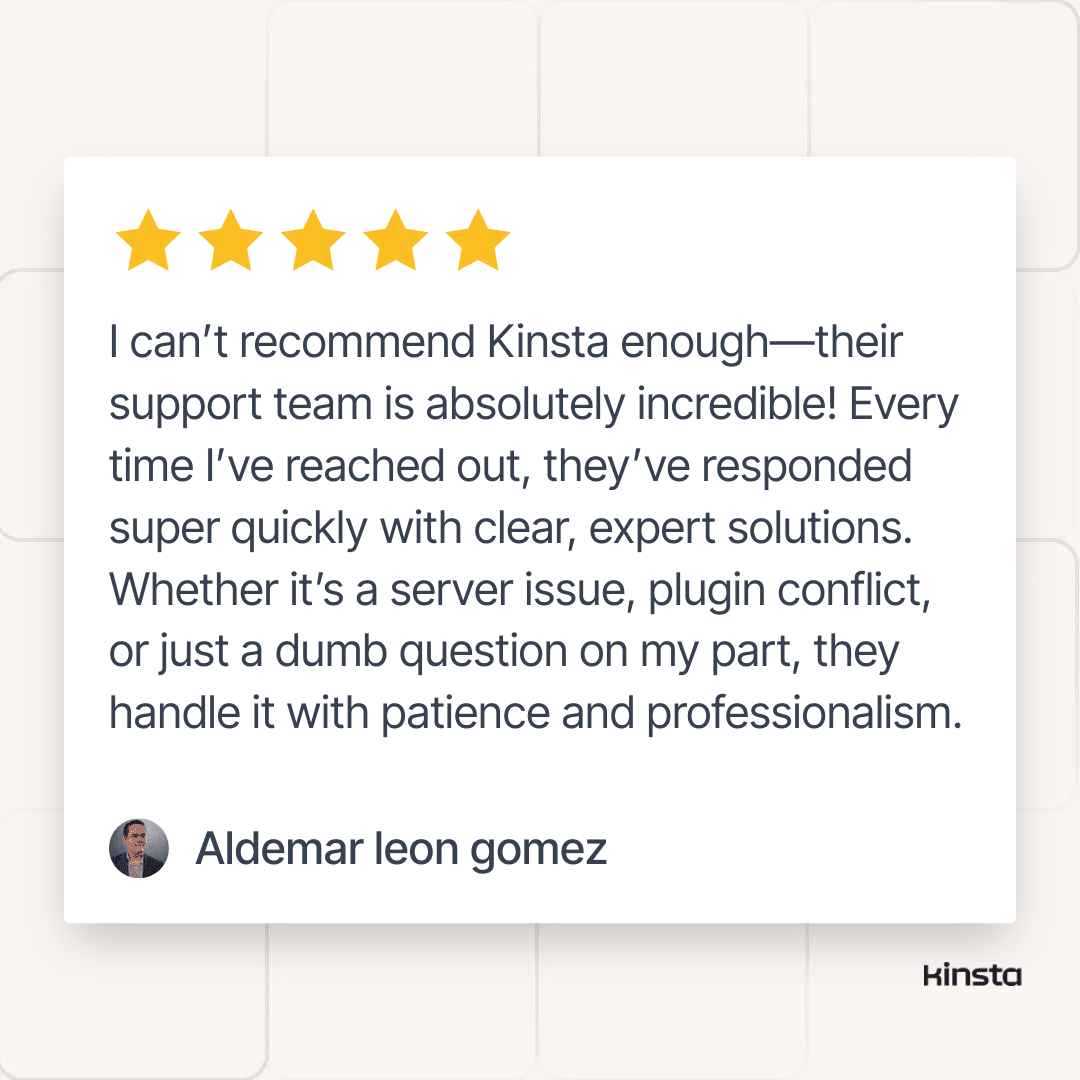
Here’s what some of our customers have shared about our support:
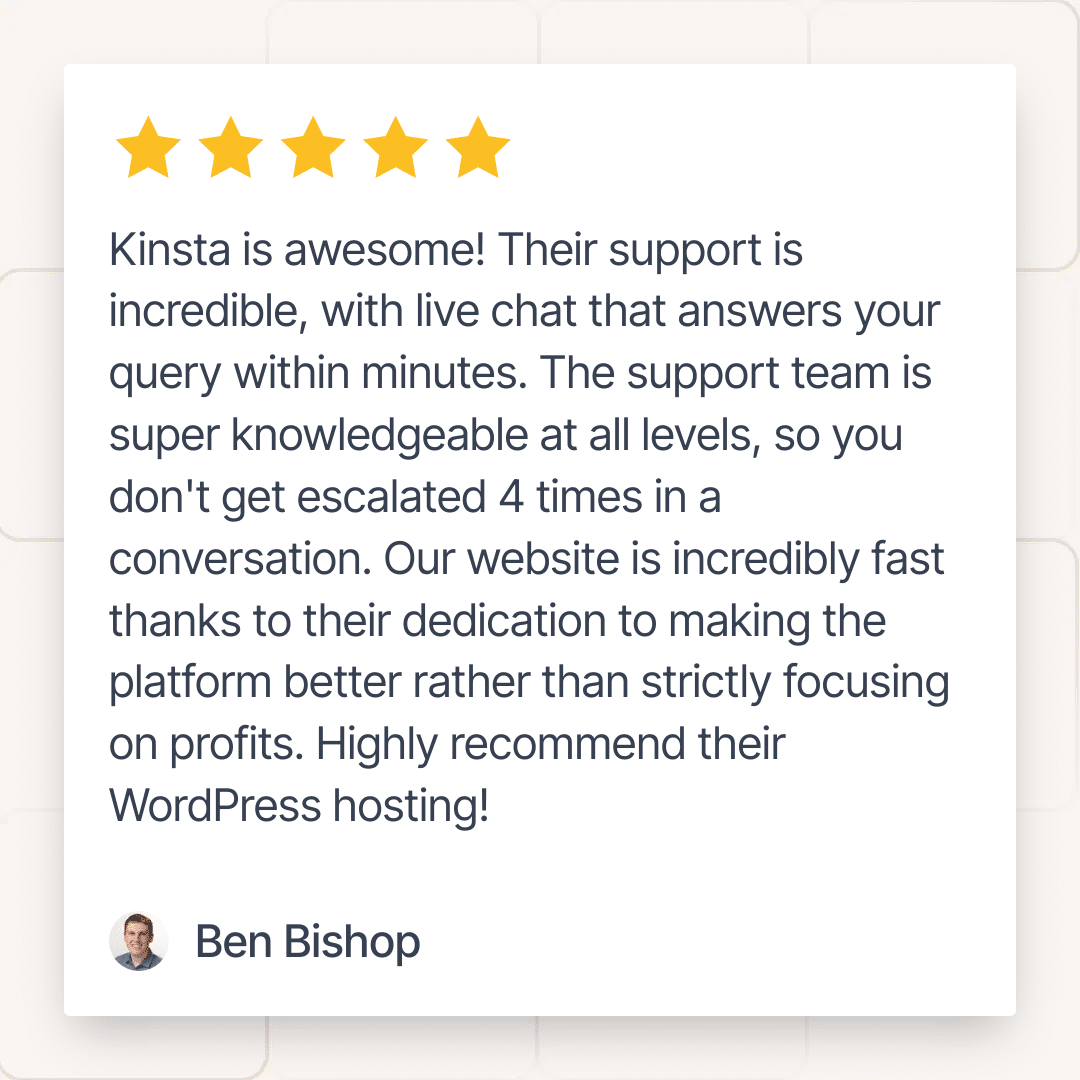
Here are some from X (Twitter) also:
Huge shoutout to @kinsta support!
Helped me troubleshoot some issues with a large e-commerce site after moving it from Cloudways
Performance and load speeds are much better 🔥
— Nat Miletic (@natmiletic) November 21, 2024
I requested a client’s demo site be migrated to @kinsta for go live preparations at 20:48. It was completed by the Kinsta team at 20:57.
Simply the best.
— Robb Fahrion || Flying V Group (@RobbFahrion) January 25, 2024
Summary
At Kinsta, we offer chat-only support to provide faster, smarter, and more effective help.
With 24/7/365 access to expert engineers, built-in tools for sharing logs and screenshots, and a support experience that’s earned us top rankings on G2, we’ve built a system that scales with your needs.
Whether you’re running a single site or managing hundreds, Kinsta’s chat support is here to solve problems quickly, accurately, and with care.
Want to see it in action? Start your first month free and experience the support our customers love.

Kinsta
Joel is a Frontend developer working at Kinsta as a Technical Editor. He is a passionate teacher with love for open source and has written over 300 technical articles majorly around JavaScript and it’s frameworks.


