

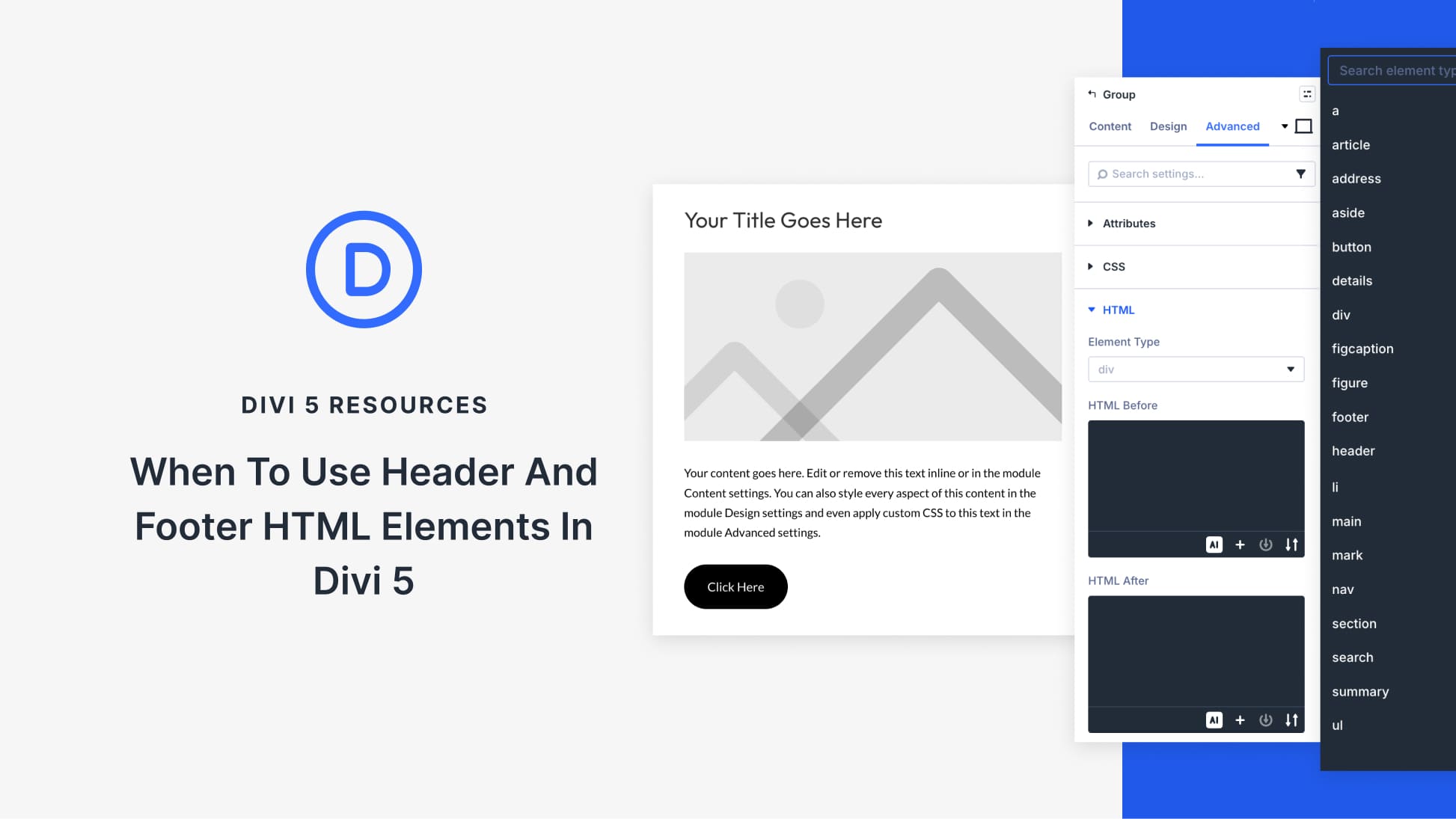
Below that, HTML Before and HTML After fields let you add custom code snippets around specific parts of your layout if needed.
However, one thing to note here is that just because these controls exist doesn’t mean everything needs a semantic label.
Once semantic HTML becomes easy to apply, the natural impulse is to use it everywhere. The problem starts when every visual grouping gets labeled as a header or footer just because the option exists. Screen readers rely on a clear hierarchy to help users navigate content, and flooding the document with semantic tags that serve no real purpose makes that navigation harder.
Divi sites typically already have a global header, a main content region, and a global footer provided by the theme or Theme Builder templates. Because that page-level structure is usually already in place, you rarely need to recreate it inside your layout.
Most sites will have a global header and footer, along with a main content region provided by the theme or Theme Builder templates. When that structure is already in place, you rarely need to recreate it inside your layout.
These elements define how the page itself is organized, so recreating them inside your layout is unnecessary. Overriding these elements with custom roles can change how assistive technologies interpret the page, so it’s best to avoid doing it unless you have a specific reason. Divi already takes care of the page level. What matters now is the content level.
In HTML5,
They still need to be scoped correctly. A page-level
Once you understand that distinction, it becomes easier to spot where adding these elements actually helps.
The best time to add header or footer elements is when a part of your layout behaves like its own unit of content. In Divi, this usually becomes obvious once you look at how content is structured rather than how it looks.
1. Self-Contained Content Sections Built With Sections Or Rows
Feature breakdowns need a clear beginning and end. The same goes for documentation blocks or step-by-step instructional areas. These sections introduce a topic, walk through the details, then wrap up with next steps or related actions.
In Divi, you’ll often build these using a single Section or Row. At the top, there’s a heading and short intro. The middle holds one or more content modules explaining the feature or process. At the bottom, you’ll find a call to action or related links that guide readers forward.
If the block represents a distinct topic, consider rendering the outer wrapper as a
Assigning a
The header and footer wrap content roles here, not layout containers. The surrounding Section stays generic, which means the semantic structure lives exactly where it matters. Assistive technologies can now read the section as a complete, self-contained unit without affecting page-level structure.
2. Loop Builder Items That Represent Individual Pieces Of Content
When you’re displaying 20 blog posts or a grid of case studies, each item needs to stand on its own. Loop layouts are one of the clearest cases where semantic structure becomes genuinely useful because you set it up once and it applies across every item automatically.
Each loop item in Divi 5 usually represents something meaningful:
- A blog post preview
- A resource card
- A case study summary
- A product listing
In the builder, each loop item is typically composed of multiple modules stacked together. Giving the loop item internal structure turns a loose group of modules into something organized and navigable.
Use a
Use a
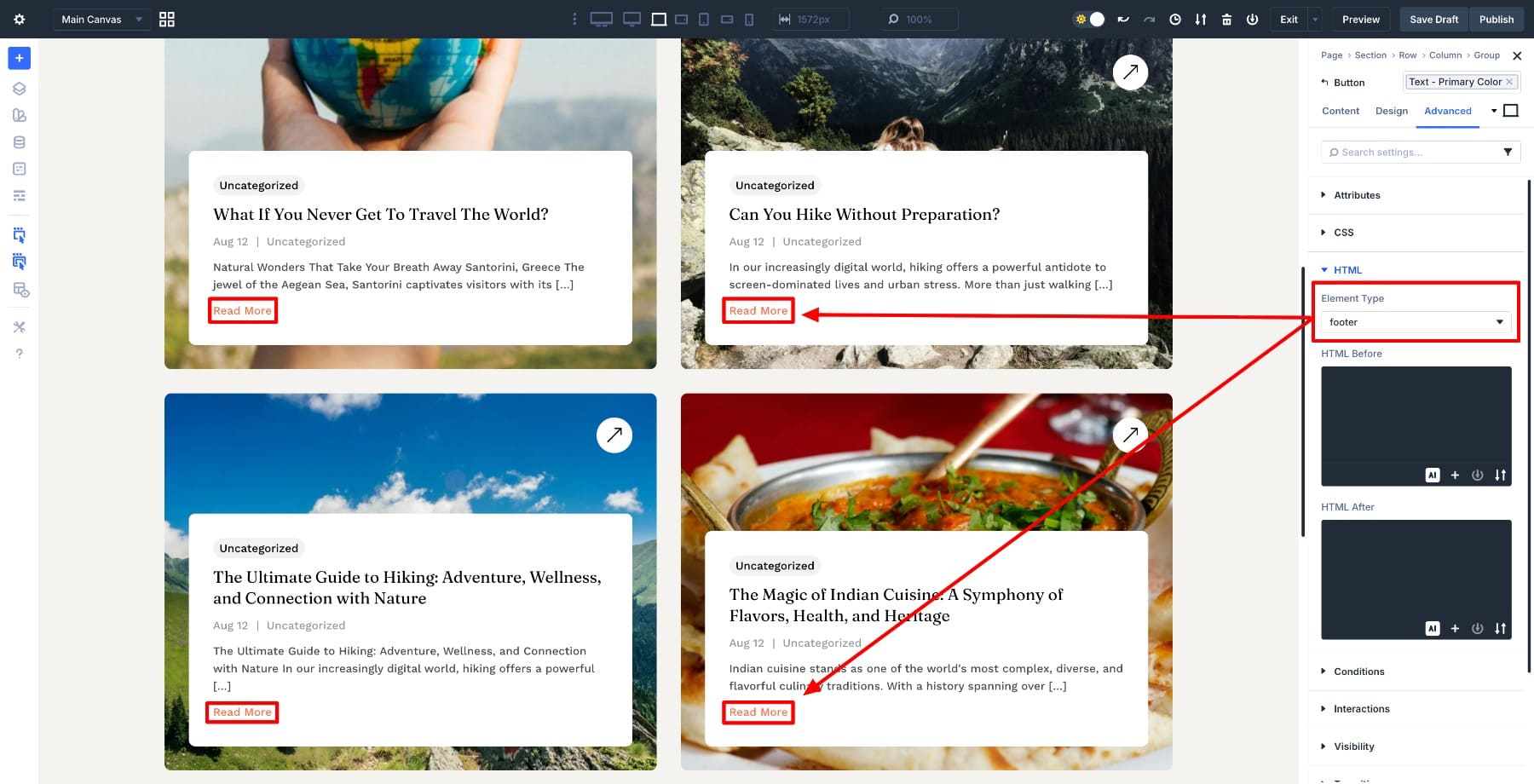
For many loop layouts, the cleanest approach is to render each loop item as an
Because each loop item repeats the same structure, it’s easy to see the pattern visually and confirm the semantic labels are doing their job across the entire layout.
3. Canvases Used As Standalone UI Panels
Canvases live outside the main page layout. An off-canvas menu, slide-in panel, or contextual tool operates as its own small interface with a clear purpose, defined controls, and a natural endpoint.
If the panel needs a clear name for assistive technologies, make sure its title is explicit and consistent (for example, “Menu” or “Filters”), and avoid adding extra global-style landmarks inside the panel.
Because an off-canvas panel behaves like a self-contained UI component, its internal structure matters just as much as its visual styling. Adding a
These header and footer elements remain correctly scoped because the panel is its own UI component, not a replacement for the site header or footer. Used this way, it avoids confusing the panel’s structure with the site header or footer. Semantic intent matches UI behavior perfectly, making this one of the clearest examples of when and why to use these tags.
4. Modules That Are Manually Composed From Multiple Elements
When you’re building a content block piece by piece using multiple modules, you control how everything fits together. A Module Group might combine a heading, supporting text, and one or more actions into a single feature card or informational panel.
Because each part of the content is its own element, you can clearly separate what introduces the block from what concludes it. Assigning a
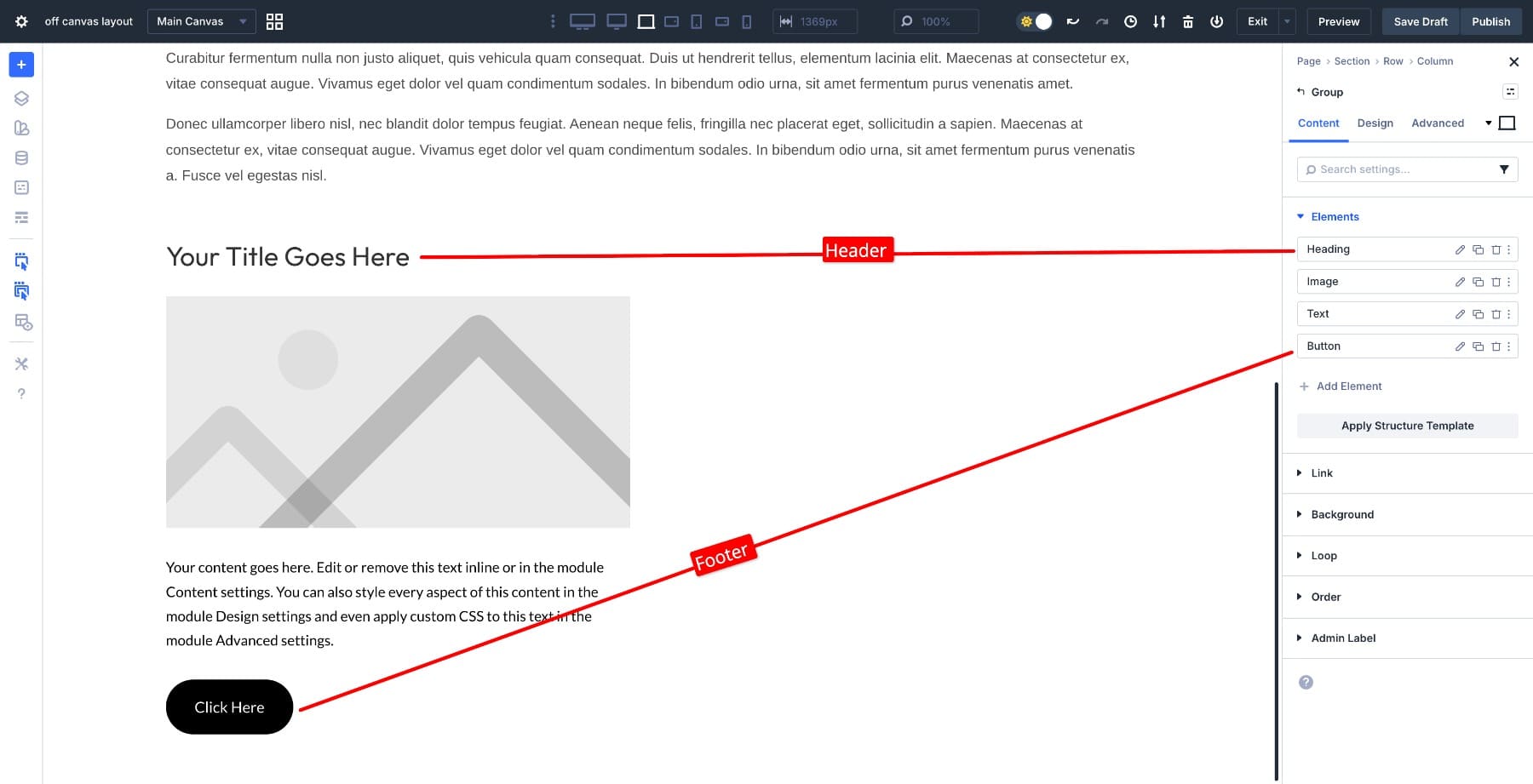
This approach works especially well for feature cards, resource listings, or informational panels where each block behaves like a small article. It also avoids the limitations of modules that manage their own internal markup.
A good rule is this: if you would not describe the content as having an introduction and a conclusion, don’t use
Header and footer elements should not be used for visual grouping or styling purposes. If the goal is to control spacing, alignment, or layout, a section, row, column, or generic wrapper is the correct choice. Avoid using
Divi themes and Theme Builder templates typically provide the main page header, footer, and content region. Recreating or overriding those elements inside your layout is unnecessary and can lead to conflicting semantics. If an element does not clearly introduce or conclude a meaningful block of content, it should not be marked as a header or footer.
Start Building In Divi 5 Today!
Divi 5 sites typically provide foundational page structure through the theme or Theme Builder templates, including a global header, a main content region, and a global footer. The ability to add semantic header and footer elements inside layouts exists to support clearer content structure, not to replace what Divi handles automatically.
When used intentionally for self-contained sections, loop items, canvases, or manually composed modules, these elements help browsers and assistive technologies understand how content is organized. When applied everywhere by default, they create noise. The key is restraint. Use header and footer elements to describe purpose and structure, not layout.

Are You A Divi User? Find Out How To Get More From Divi! 👇
Browse hundreds of modules and thousands of layouts.


Find Out How To Improve Your Divi Workflow 👇
Learn about the new way to manage your Divi assets.


Want To Speed Up Your Divi Website? Find Out How 👇
Get fast WordPress hosting optimized for Divi.



